Best Apple Arcade Games With Controller Support in 2024
Turn your Apple Arcade library into console-quality gaming with the right controller setup.
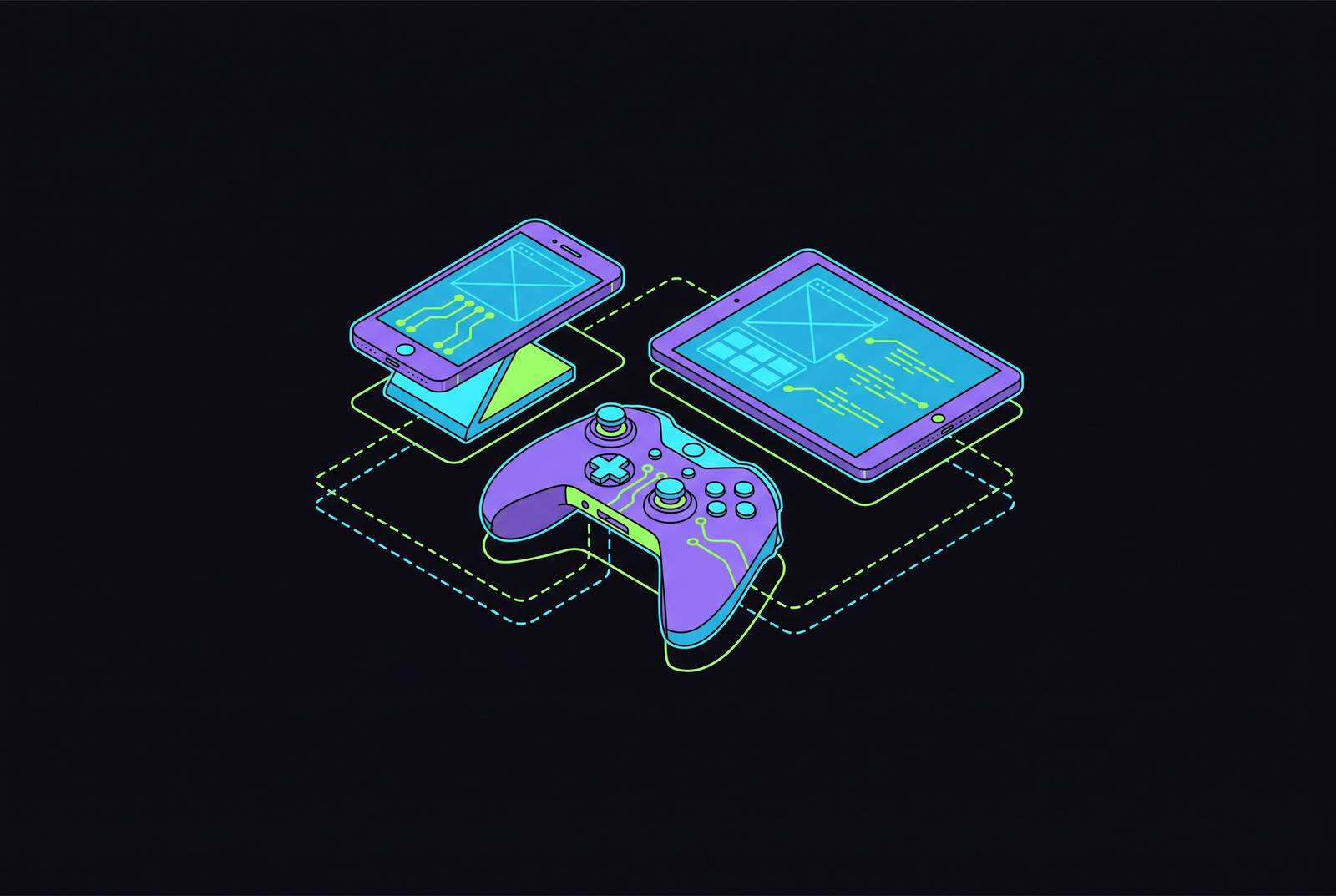
Apple Arcade has quietly become the best $6.99 a month in gaming, and a controller makes that noticeable. Attach a gamepad to an iPhone or Apple TV and the same 200-plus game library that already runs ad-free and offline suddenly plays like something built for a living room console. That's the argument this piece is making, and it runs through four questions: how to actually pair the hardware, which games reward the effort, which controller fits which device, and what changes once one is sitting in your hands.
Connecting a controller to iPhone, iPad, Mac, and Apple TV
Start with the acronym, because it explains why some controllers just work and others need a workaround. MFi stands for "Made for iPhone," and it's Apple's certification program that ensures a controller meets hardware and software compatibility standards for iOS devices. A controller carrying that badge talks to iOS's Game Controller framework natively, no third-party app or jailbreak required. iPhones need a recent version of iOS for any of this to work at all, which by now covers basically every device still getting software updates.
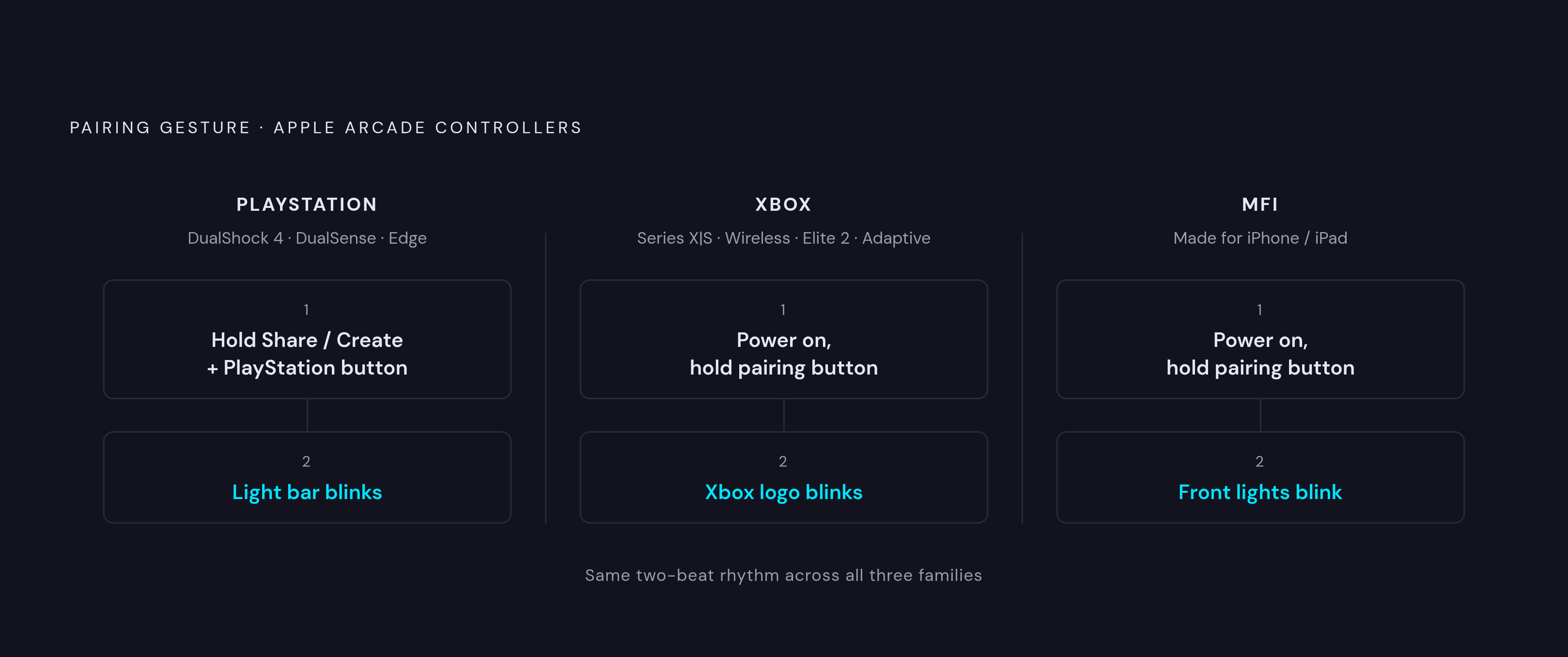
Pairing itself takes about ten seconds once you know where the button is. On a PlayStation DualShock 4, hold Share and the PlayStation button until the light bar blinks. DualSense and DualSense Edge controllers use Create instead of Share, same idea, hold it with the PlayStation button until the light flashes. Xbox controllers, whether it's the Series X|S pad, the standard wireless controller, the Elite 2, or the Adaptive Controller, all pair the same way: power on, hold the pairing button until the Xbox logo blinks. MFi controllers follow their own version of that same rhythm, power on, hold the pairing button, watch for the front lights.
Mac owners running Apple Silicon get a bonus most people don't realize is there. Because iPhone and iPad apps can run natively on Macs with Apple Silicon chips, a paired controller works with those mobile Apple Arcade titles right on the desktop as well as the touch versions. System Settings has a Game Controllers section where you can remap buttons, save multiple profiles for different games, and set up screenshot or screen recording shortcuts, useful if a boss fight in Dead Cells+ goes so well you want proof. Mac also supports something called Buddy Controller mode, which lets two controllers combine into one input stream, so a parent can effectively co-pilot for a kid without taking the controller away entirely.
Apple TV uses the identical Bluetooth pairing process described above, and if there's already an Xbox or PlayStation controller sitting in a drawer from a console generation or two ago, it almost certainly works, quietly saving people money. No new purchase required. Check the drawer before checking a wishlist.
The Apple Arcade games that make the strongest case for a controller
Not every game on Apple Arcade needs a controller to be good. A handful of titles use physical input to turn "playable" into "genuinely great.""
Fantasian sits at the top for a reason that has nothing to do with marketing. It's directed by Hironobu Sakaguchi, the creator of Final Fantasy, with music from longtime series composer Nobuo Uematsu, and development started back in 2018 before the game arrived on Arcade in two parts. Every location in the game is a physical diorama, hand-built and photographed, which gives the world a miniature, tactile look no polygon budget quite replicates. Combat is turn-based, in the lineage of Sakaguchi's earlier RPGs like Lost Odyssey and Blue Dragon, and navigating those diorama environments with an analog stick beats swiping a touchscreen by a wide margin. Square Enix released a console and PC version, Fantasian: Neo Dimension, on December 5, 2024, with upgraded visuals and full voice acting, which retroactively validates what the mobile original was already doing: this was never really a "phone game."
Balatro+ won Best Mobile Game at The Game Awards 2024, which is about as strong an outside endorsement as anything on this list gets. It's a roguelite built on poker hands and escalating modifiers, and every run is short enough to fit in a pocket of free time but strategic enough to reward a proper controller grip rather than thumb-typing on glass.
Dead Cells+ leans on the controller not as a preference but closer to a requirement. It's a roguevania platformer with combat built around tight timing windows, and touchscreens are structurally bad at tight timing windows. A physical button doesn't lag behind a swipe gesture; it just isn't a swipe gesture.
Cult of the Lamb splits its time between roguelite dungeon runs and base management, and both halves benefit from spatial precision. Herding cult members and navigating combat rooms both ask for movement accuracy that a d-pad or stick delivers more reliably than a fingertip.
Sonic Dream Team is a 3D platformer built around momentum, which happens to be the exact genre where touch controls fall apart. Momentum-based movement needs an analog stick to modulate speed and direction at the same time, something a flat screen simply can't replicate with two thumbs. It's available across iPhone, iPad, Mac, Apple TV 4K, and Apple Vision Pro, and both Apple's own editorial picks and outside coverage from TechRadar list it as controller-supported.
Hello Kitty Island Adventure has grown well beyond Arcade at this point, with ports now on Switch, PC, and PlayStation 5, but the original still lives on Apple's platforms across iPhone, iPad, Mac, Apple TV 4K, and Vision Pro. It's a cozy life-sim, and open-world wandering plus item collection just feels more fluid with an analog stick guiding movement instead of a virtual joystick pinned to a corner of the screen.
Disney Dreamlight Valley, in its Arcade edition, follows the same logic. Building a home, growing crops, restoring memories of characters from Moana and the wider Disney and Pixar catalog: none of that is twitchy, and life-sims as a genre reward long, unhurried sessions. Unhurried sessions are exactly what a controller is built for.
Oceanhorn 2: Knights of the Lost Realm gets called out specifically for how well its 3D exploration and combat map onto a traditional gamepad layout. It wasn't retrofitted for controller support; it reads like it was designed with one in mind from the start.
Crossy Road Castle might be the single clearest case on this entire list. It's a co-op endless platformer, and multiplayer plus tight timing is precisely the combination where touch controls buckle fastest. Ask anyone who has tried to time a jump across two thumbs sharing one small screen with a sibling.
Warped Kart Racers puts the point sharply: racing games are arguably the hardest genre to translate to a touchscreen, full stop. Analog triggers for acceleration and braking, an analog stick for steering, that's the entire vocabulary of a kart racer, and touch controls have never spoken it fluently.
Castlevania: Grimoire of Souls carries forward a franchise built on precision jumps and combat timing that assumes a physical d-pad and face buttons. Touch input here isn't really an alternative, it's a workaround.
Dandara: Trials of Fear Edition builds its entire movement system around momentum and spatial awareness in a Metroidvania structure, and that system was clearly designed with analog precision in mind.
Wylde Flowers makes the same comfort case as Dreamlight Valley: a cozy, magic-infused life-sim that rewards long relaxed sessions, the kind a controller makes easier on the hands over time.
A handful of other titles round out the confirmed controller-supported list and deserve at least a mention: Slay the Spire, Frogger and the Rumbling Ruins, Gear.Club Stradale, Cypher 007, Football Manager 2024 Touch, Horizon Chase 2, Shantae and the Seven Sirens, NBA 2K25 Arcade Edition, and Skate City. None of them need a paragraph, but all of them are good options if the titles above don't match your taste.
Which controller to use with Apple Arcade on iPhone
The real decision point isn't brand, it's shape: does the controller clip directly onto the phone, or does it connect over Bluetooth from across the room? Clip-on controllers plug straight into the phone, skipping Bluetooth pairing entirely, which means no latency gap and no separate battery to remember to charge before a flight. That's the core hardware argument in favor of a clip-on design for anyone doing most of their Arcade playing on the move.
MFi certification matters here in a very practical way: it means the controller talks to iOS's Game Controller framework without any workaround layered on top, so button remapping and firmware updates happen the way Apple intended rather than through a janky companion app. Hall Effect joystick technology, magnetic sensors that read stick position without physical contact, is a trend worth watching in this category. That matters because contact-based joysticks are the ones that develop stick drift over time; Hall Effect sticks are built specifically to avoid that failure mode, which is a meaningful detail if you're comparing build quality between two controllers that otherwise look identical on a spec sheet.
For Apple TV, where the phone-clip form factor doesn't apply, Bluetooth controllers are the whole conversation. The Xbox Core Wireless Controller pairs easily and uses the asymmetric thumbstick layout most players already know from a previous console generation, which makes it a low-friction pick for anyone who already owns one. Sony's DualSense pairs over Bluetooth without much fuss too, but its adaptive triggers and advanced haptic feedback don't fully translate onto Apple's platforms, so you're getting the shape and buttons more than the signature PlayStation feel. The 8BitDo Ultimate stands out as the strongest overall pick for Apple TV specifically, with about 20 hours of battery life and a charging stand for convenient storage.
Mac users mostly get to skip this decision entirely. Most MFi and console controllers pair and work immediately, and Apple Silicon Macs add the extra benefit of running iPhone and iPad Arcade titles natively, controller support included.
Getting the most out of Apple Arcade with a controller connected
Set up the controller before diving into a game, not mid-session. Mac's Game Controllers panel in System Settings lets you remap buttons to whatever feels natural, and saving separate profiles means a layout tuned for Dead Cells+ doesn't have to be undone before booting up Balatro+.
Buddy Controller mode on Mac deserves a second mention here because it solves a real problem: introducing a less experienced player, a kid learning a new game, someone with limited dexterity, without just taking the controller away and playing for them. Two controllers, one combined input stream, one shared experience.
Before downloading anything, check for controller support rather than discovering the gap three levels into a game. The Arcade section's filter tool (tap into Arcade, go to All Games, hit the filter icon, select Controller Support) does this screening automatically. It's a small habit, but it saves the specific annoyance of realizing a controller works fine on the menu screen and does absolutely nothing once gameplay starts, which happens more often than it should. Some titles let a controller navigate menus but hand control back to touch the moment gameplay begins. The App Store's controller icon is a decent first signal, but checking the in-game settings menu is what actually confirms it.
Family Sharing extends all of this to additional family members under a single Apple Arcade subscription. The co-op-friendly titles on this list, Crossy Road Castle chief among them, become shared living-room experiences rather than solo sessions, provided everyone's holding a controller and not passing one phone back and forth like a hot potato.
Apple Arcade already removed the two things that make mobile gaming feel like a lesser format: the ads and the in-app purchases nagging at every checkpoint. A controller removes what's left. The phone or the Apple TV box was already capable hardware; the controller is just the last piece that was missing.