How Gaming Controllers Should Actually Fit Your Hands
Measure your hands and grip style to find a controller that actually fits you.
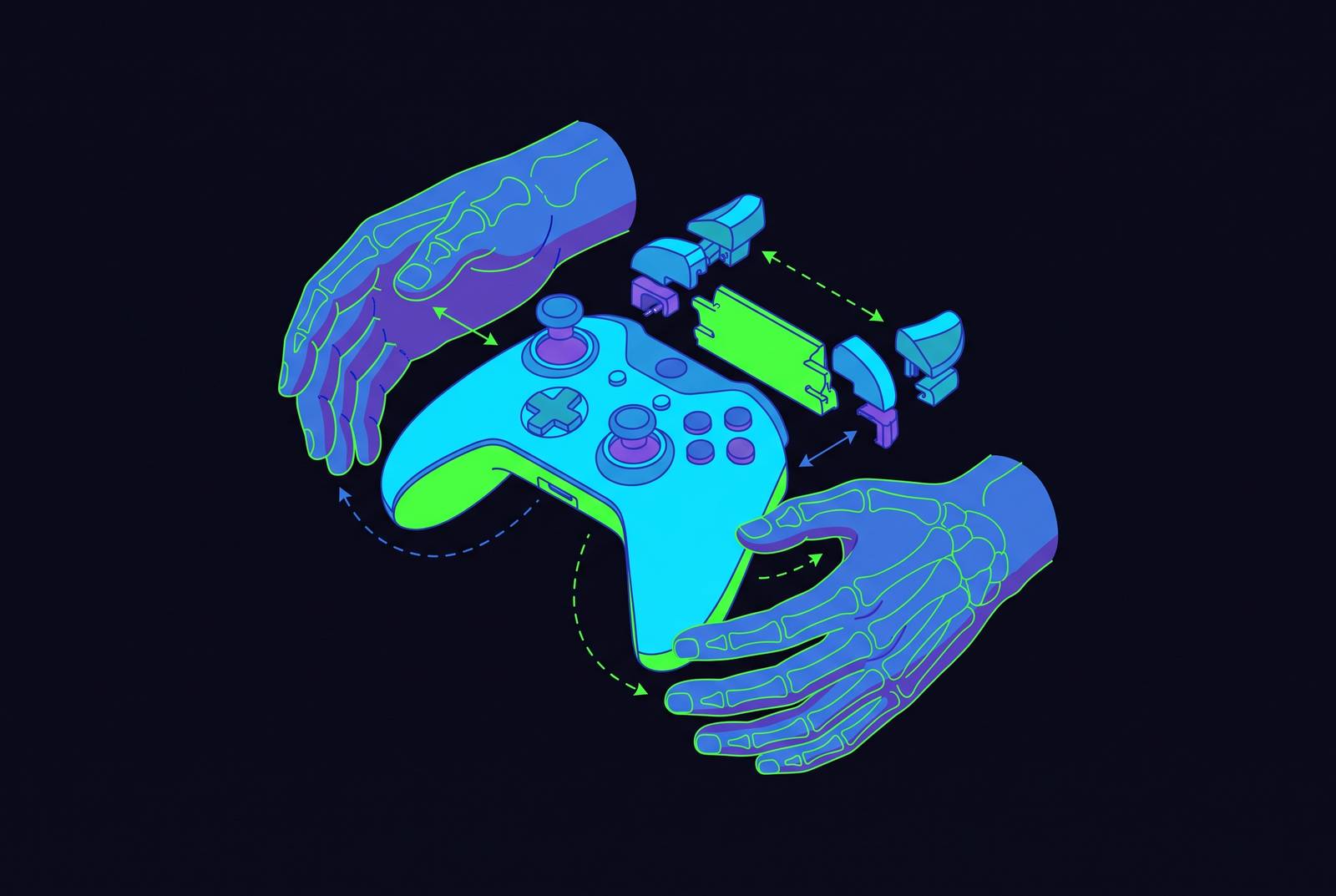
Controller fit is a mechanical problem, not a personal failing, and it appears the moment two people pick up the same pad and get two different results. This piece walks through why that happens, how to measure your own hands against it, and what the hardware industry has actually done about it. How Gaming Controllers Should Actually Fit Your Hands.
Why your controller is probably the wrong shape for your hands
Start with the obvious suspect. Xbox, PlayStation, and Switch Pro controllers are all designed around an assumed "average" hand, and a lot of players simply don't have that hand. That's not a knock on the engineers who built them; it's just what happens when a mass-market product has to fit millions of different palms with one shape.
So the cramping, the overstretched thumb reaching for a stick that's just slightly too far away, the index finger straining to find a bumper, the dull ache in the web of skin between thumb and forefinger: none of that is a sign you're holding the controller wrong. It's a sign the controller was never sized for you.
Three measurements do most of the explanatory work here, and everything downstream in this piece traces back to them. Grip width is how far apart the two handles sit, and it makes your palms either splay outward or sit naturally. Thumbstick-to-thumbstick distance sets how far your thumbs travel between inputs. The distance from thumbstick to the nearest shoulder button decides that your index finger has to stretch or repositions comfortably. Get those three numbers wrong for a given hand, and no amount of skill fixes the discomfort.
How to measure your hand
Figuring out where you land doesn't require a lab. Lay your palm flat on a table, find the crease where your wrist meets your palm, and measure straight up to the tip of your middle finger with an ordinary ruler.
That single number sorts most people into three practical bands.
There's a faster gut check, too, for anyone who doesn't want to reach for a ruler. If a controller feels bulky in your hands and your thumbs are stretching to find the sticks, you're probably on the smaller end of the spectrum. If it feels like you're holding a toy and your fingers hang off the bottom edge with nothing to rest on, you're probably on the larger end. Neither reaction is a complaint about your hands, it's diagnostic information about the hardware.
Hand length is only one axis. Grip width, meaning how far your hand spans side to side, and finger proportion both vary independently of length, so two people with identical measurements from wrist to fingertip can still have completely different experiences with the same pad. Treat the ruler test as a starting point. Smaller hands measure roughly 16–18 cm (6.3–7.1 in). Medium hands measure roughly 18–20 cm (7.1–7.9 in). Larger hands measure roughly 20 cm and above (7.9 in+).
The three grip styles and their hardware demands
Underneath hand size sits grip style, a second variable that most players have never consciously named even though they've been using it for years. Standard grip puts the thumbs on the sticks, index fingers on the triggers, and middle fingers floating or lightly bracing the back of the pad. It's the default posture for most people, and it holds up well across long sessions because nothing is under sustained tension.
Claw grip arches the index fingers forward to hit face buttons directly, freeing the thumbs to stay glued to the sticks, while the middle fingers slide down to cover the triggers. It buys speed, since there's no lifting the thumb off a stick to tap a button, but it's also the grip most likely to punish a bad fit, because the index finger is doing constant, awkward work.
Relaxed or lap grip works as its name suggests: the controller rests in the lap or on an armrest, hands hold it loosely, and the back of the pad leans into the palms rather than being gripped tight. It's built for slower, longer sessions, but only works if the controller's weight is balanced and its back contours are smooth rather than angular.
Each style asks something different of the hardware. Standard grip wants handles that fill the palm without forcing the fingers to curl tight, since too wide a grip overstretches small hands and too narrow a grip pinches large ones. Claw grip wants a flatter face so the arched fingers don't bend at odd angles, lighter overall weight so those fingers aren't bearing load they weren't built for, and face buttons positioned close enough that the index finger doesn't have to fully extend. Relaxed grip wants rounded backs, smooth edges, and a center of gravity that doesn't tip the pad forward or back the second attention wanders.
What's interesting is how these two variables, grip style and hand size, compound rather than sit side by side. Claw grip on a chunky controller with small hands forces the index finger into overtime it was never meant to pull. Standard grip on a narrow pad with large hands creates a pinching tension that no amount of practice smooths out. The grip style alone doesn't predict the outcome, and neither does hand size alone; the interaction between the two decides that a session feels effortless or exhausting.
Genre pulls its own weight in this equation, too. RPGs, strategy games, and story-driven titles let players settle into standard or relaxed grip, since there's no penalty for taking an extra fraction of a second to reach a button. So asking "what's your grip style" is incomplete; it also requires asking "what do you actually play.""
Symmetric versus asymmetric thumbstick layouts
A piece of hand anatomy explains more about controller design than most players realize. When the fingers wrap around a grip and relax completely, the thumb naturally rests higher on the face of the pad, not lower, because of how the thumb's joint is built. Pushing the thumb up from that resting point takes less muscular effort than pulling it down, and that one fact is the whole argument behind two competing layout philosophies.
Symmetric layouts put the D-pad and left stick at equal height, which is the approach PlayStation-style controllers take. The D-pad sits in that upper slot, which happens to be the position players overwhelmingly prefer for precise quarter-circle inputs and directional commands, the bread and butter of fighting game execution. Because the D-pad and stick sit right next to each other at the same height, a player can drive the stick with the tip of the thumb while the lower knuckle taps the D-pad in the same motion, almost simultaneously, giving fighting game players executing rapid direction changes a genuine mechanical edge. That's not a small convenience. For fighting game players executing rapid direction changes, it's a genuine mechanical edge.
Asymmetric layouts elevate the left stick and drop the D-pad lower, which is the approach Xbox-style controllers take. That elevated position happens to be exactly where the thumb wants to rest anyway, the direction of least effort described above, which pays off in any genre where the left stick is doing most of the work over a long session: most shooters, most action games, most open-world titles. The thumb sits where it would naturally fall rather than fighting its own joint resistance for hours at a time.
Neither geometry wins outright, and it would be a mistake to pretend otherwise. What decides it is what a player spends the most time playing, and what their hands have already learned. Someone who grew up playing fighting games on a symmetric pad has years of muscle memory built around that D-pad position, and forcing an asymmetric layout on them doesn't suddenly make their inputs cleaner, it just makes them unfamiliar. Genre habit and existing muscle memory carry as much weight in this decision as the raw geometry does.
What poor fit does to your hands over a long session
Small-hands communities online, places like r/GirlGamers and r/SmallHandsGaming, along with a long tail of Amazon reviews, describe the same handful of failure modes over and over. Shifting the entire grip just to reach a shoulder button. Losing thumb contact with the stick the instant a face button and trigger need to be pressed at the same time. A specific, nagging pain in the web of skin between thumb and forefinger, caused by a grip shape that pushes the hands outward rather than letting them sit naturally.
Larger hands get their own version of the same problem, just from the opposite direction. Standard grip on an undersized pad starts to feel like pinching something built for smaller hands. Claw grip forces tighter curling than the joints want, just to keep contact with the buttons. Relaxed grip stops being an option entirely once the fingers hang off the bottom edge with nothing supporting them.
None of this is sudden injury. The mechanism is slow and cumulative rather than dramatic. It gets dismissed as normal wear rather than recognized as a design mismatch.
How modern controller engineering addresses fit: sensors, modularity, and adjustability
Some of the fit problem is being solved at the sensor level rather than the shape level. Hall Effect sensors swap out the conventional potentiometer inside a thumbstick for contactless magnetic sensing, which removes the physical wear mechanism that causes stick drift over months of regular use. That matters for comfort in a roundabout way: drift forces players to compensate with grip adjustments to correct for input that's misbehaving on its own, and removing the drift removes the compensation along with it.
Tunnel Magnetoresistance, or TMR, pushes that same contactless idea further and shows up in the Valve Steam Controller, where Wikipedia's entry credits it with addressing joystick drift directly. That's a genuinely dense parts list for something meant to sit comfortably in two hands, and it's a reminder that sensor upgrades and physical comfort aren't the same project, even when they ship in the same box.
Modularity takes the opposite approach: instead of fixing the sensor, it lets the shape itself change. The AYANEO 3's Magic Modules system lets a player physically swap control layouts, including different D-pad modules with distinct click feels and a six-button module built specifically for fighting games. That flips the whole fit problem on its head. Instead of a player adapting their hand to one fixed shape, the controller adapts to the player's hand and their genre of choice.
The Victrix Pro BFG Reloaded Wireless Controller runs a similar playbook, offering 11 interchangeable parts that let a player reconfigure layout, feel, and function around whatever genre they're playing that week. And even without swapping a single physical part, software does real work here too: remapping buttons, adjusting stick dead zones, tuning trigger sensitivity. None of that changes the shape in your hands, but it can shrink the small, repeated compensatory movements that build up into strain when a stock layout doesn't match how someone naturally reaches.
How fit translates to mobile controllers specifically
Mobile changes the math, and it's changing it for a fast-growing number of people. Roughly 67% of U.S. mobile gamers now use an external controller at least once, up sharply from 42% in 2023 https://electronics.alibaba.com/buyingguides/phone-gaming-controllers-2026-what-actually-matters. That's not a niche shift.
Mobile brings its own added variable that a standalone gamepad never has to deal with: the phone itself. Clipped into a controller, the phone adds width and weight that a bare gamepad doesn't carry, and that shifts the whole unit's center of gravity, changing how each grip style loads the hands compared to holding a controller alone.
The clip or telescoping mechanism that holds the phone in place adds front-to-back depth to the whole assembly, and that depth changes trigger reach, which is a dimension that hits smaller hands especially hard. An extra centimeter of depth behind the phone might be invisible on a spec sheet, but a trigger sitting right under the finger versus one that requires a small stretch every single time comes down to that depth.
Layout geometry doesn't disappear on mobile either, it just gets applied to a new form factor. Mobile controllers come in both symmetric and asymmetric stick arrangements, and the same genre logic from earlier holds: cloud gaming shooters lean toward asymmetric placement for the same reasons console shooters do, while fighting games and anything built around precise directional input still favor the symmetric layout.
A practical framework for evaluating any controller against your hand and play style
All of this collapses into three fairly simple questions to ask before buying anything. Does the grip width keep the palms from splaying outward, since that splay is the single biggest source of sustained tension across a long session? Do the thumbs reach both sticks and the D-pad without pushing past their natural resting arc? And do the index fingers land on the shoulder buttons without needing to reposition, since every repositioning costs speed and is really just the controller telling on itself?
Layer grip style on top of that hand-size check. Figure out honestly if the natural posture is standard, claw, or relaxed, then check if the controller's face, meaning its flatness, its button spacing, its overall weight, actually supports that posture for the hand holding it.
Then layer genre on top of grip. A player whose main genre rewards claw grip should be prioritizing flat faces and lighter overall weight, while a player logging long RPG or strategy sessions should be looking at rounded backs, smooth edges, and weight that's distributed evenly rather than front-loaded.
And for anyone shopping specifically for a mobile setup, add the phone's own width and the controller's front-to-back depth into the trigger-reach calculation. Those two numbers rarely show up on a spec sheet, but they're the first thing that becomes obvious the moment the device is actually in hand. The Steam Controller (2nd generation) weighs 292g https://en.wikipedia.org/wiki/Steam_Controller_(2nd_generation). The Steam Controller (2nd generation) measures 111 × 159 × 57 mm https://en.wikipedia.org/wiki/Steam_Controller_(2nd_generation). The Steam Controller (2nd generation) has a total button count of 20 buttons https://en.wikipedia.org/wiki/Steam_Controller_(2nd_generation).
Sources
- Controller Grip Styles & Comfort Guide (Hand Size and Fit)
- Steam Controller (2026) - Wikipedia
- Controllers for Small Hands That Don’t Cramp - ChoiceCrush
- Symmetric vs. Asymmetric Controllers: The 2026 Ergonomic Guide for PC Gamers
- Best Controllers for Big Hands in 2026: 7 Comfortable Picks
- Evaluating the Ergonomics Impact of Game Controller Designs
- Why Controller Ergonomics Matter for Long Gaming Sessions | Turtle Beach
- alibaba.com