Best Mobile Shooters with Full Controller Support on iOS and Android
Full controller support separates competitive mobile shooters from broken compromises.
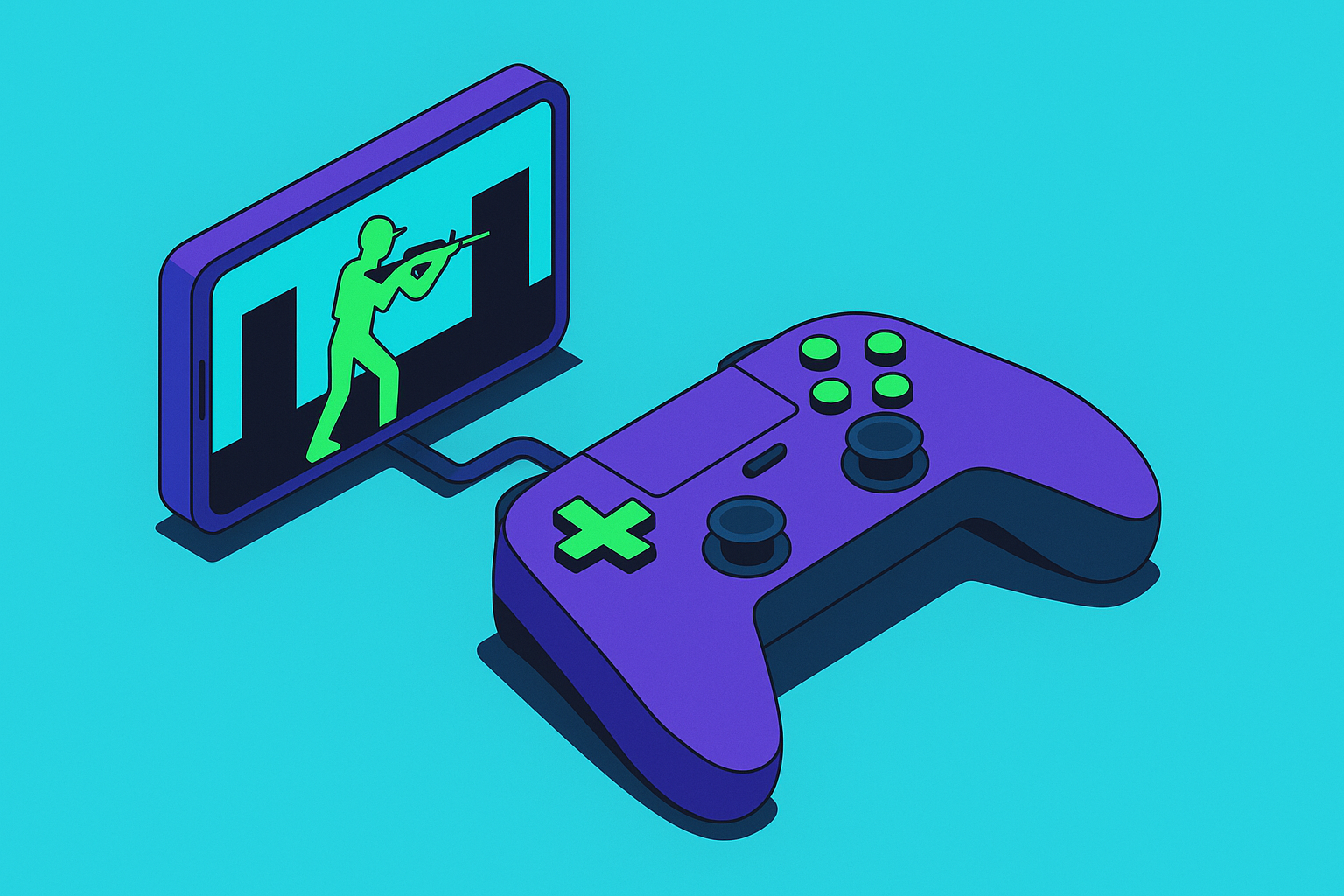
Not all controller support is equal. In a shooter, you feel the difference within the first minutes of a match, sometimes the first seconds.
The minimum threshold is concrete: every gameplay input maps to the controller, no touch action is required mid-match, and the game recognizes the controller reliably across iOS and Android. Plenty of titles still fail this. They'll take your controller input for movement and shooting, then force you back to the touchscreen to open a menu or confirm a purchase. That's not full support. That's partial tolerance.
Better implementations go further. The UI should swap automatically to controller button glyphs when a controller is detected, because squinting at a touchscreen prompt while your thumbs are on sticks is a small but constant aggravation. Aim assist should be calibrated specifically for analog stick input, not ported from a mouse sensitivity curve that makes sticks feel either inert or violently overcorrective. And, critically, matchmaking should account for input method. Call of Duty: Mobile routes controller users into a separate matchmaking pool rather than dropping them against touch players who are, frankly, aiming with their faces relative to what a mouse or analog stick can do. That one decision makes the entire competitive structure feel legitimate instead of like a concession.
Two hardware variables affect shooter performance more than anything else. First: wired versus wireless. A wired USB-C connection eliminates Bluetooth latency from the equation entirely. In a shooter where reaction windows are measured in frames, that's not a theoretical advantage. Second: stick sensor type. Controllers using Hall effect technology, contactless magnetic sensors instead of physical potentiometers, eliminate drift accumulation over time. Stick drift in a puzzle game is a minor annoyance. In a shooter, it means your crosshair is quietly wandering off-target between the moment you acquire and the moment you fire. Some controllers connect via USB-C with no pairing required, while others add Hall effect sticks for players who want drift-resistant precision alongside the flexibility of wireless.
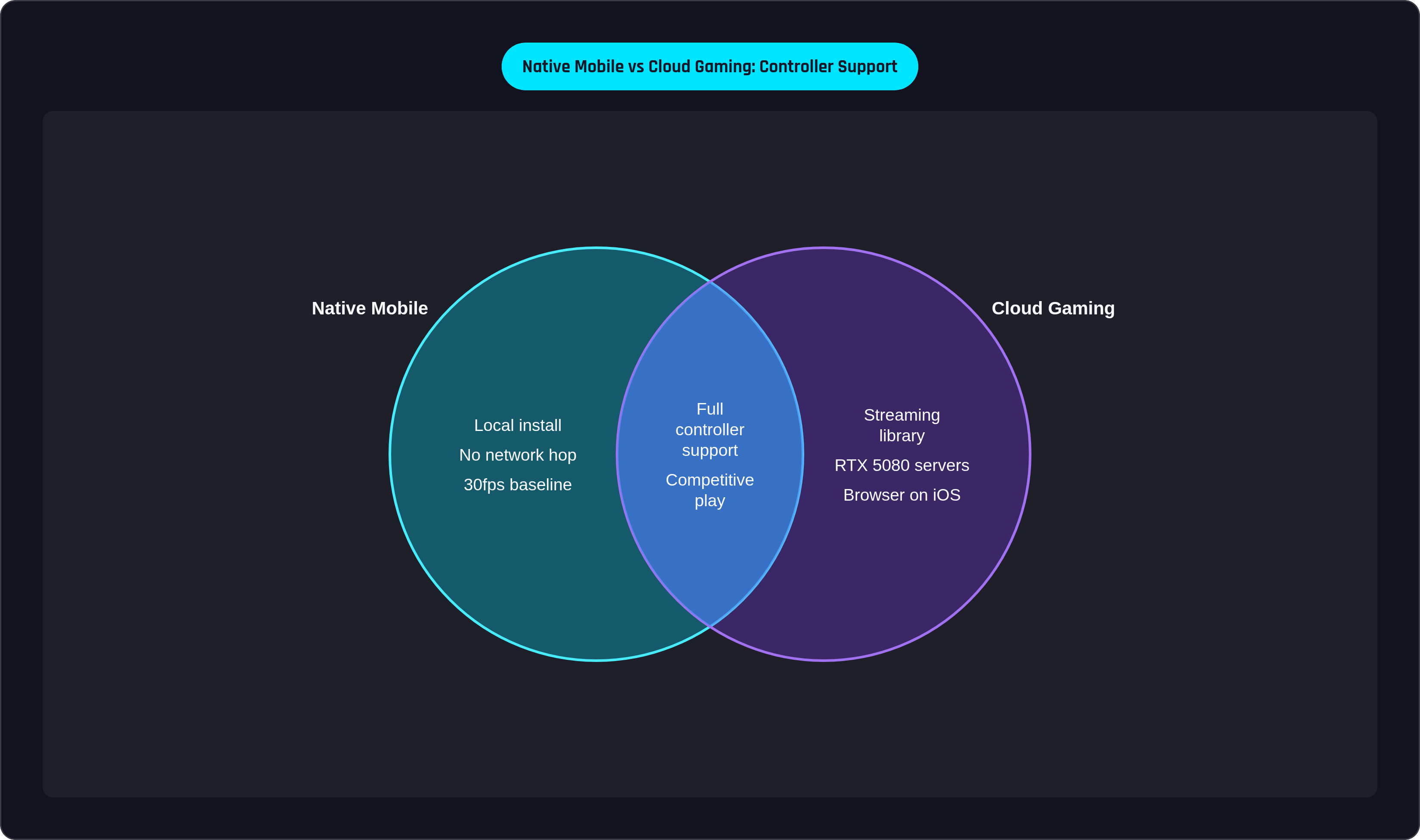
One more distinction the marketing reliably obscures: cloud-routed controller support is not the same as locally installed controller support. Fortnite on mobile is primarily accessed through Xbox Cloud Gaming or GeForce Now. Full controller support? Yes. But the input chain includes a network hop that a locally installed game doesn't. Under good network conditions, the latency is negligible. Under bad ones, it's why you lost a fight you should have won, and you won't be entirely sure why.
That rubric: does it map all inputs natively, tune aim assist for sticks, separate controller matchmaking, and run locally or through a stream? Carry those questions into every game below.
Native mobile shooters with the strongest controller implementations
Call of Duty: Mobile
Free on iOS and Android, full Bluetooth controller support, aim assist that actually feels calibrated for sticks rather than borrowed from a PC sensitivity slider. The dedicated controller matchmaking pool is the headline feature for anyone who cares about competitive integrity; you're not structurally disadvantaged the moment you plug in. Voice chat is included. Map and mode variety are broad enough to sustain real session variety. The game is also accessible via Xbox Cloud Gaming for players who want the PC and console version streamed to mobile, but the native install is the stronger path for anyone playing to win.
PUBG Mobile
Native controller recognition on Android, and the battle royale format suits analog stick aiming in ways faster-paced shooters don't. The genre rewards deliberate positioning and measured engagement over raw twitch speed, which plays directly to what a physical controller does well rather than exposing where sticks fall short against mouse-and-keyboard. PUBG Mobile ranks among the highest-rated titles for controller compatibility in Google Play Store surveys. For battle royale specifically, this is the native mobile case.
Modern Combat 5
Accepts wired or Bluetooth controller input on both iOS and Android. The differentiating factor is structure: single-player campaign missions, squad-based online play, and a weapon skill tree that adds a layer of strategic consideration beyond aim. Among native mobile shooters, it comes closest to the pacing and architecture of a console campaign. If you've burned out on the battle royale loop and want something that feels like it was built around a narrative, this is the alternative.
T3 Arena
A 3v3 hero shooter with obvious Overwatch ancestry, full controller support on iOS and Android, and distinct characters with ability kits that actually reward learning how to play them rather than just grinding currency to unlock them. Manual and automatic aiming modes let players calibrate how much the game helps them. Deathmatches, escort missions, and free-for-all modes fit mobile play windows without feeling abbreviated. Free to play.
Combat Master Mobile
Fast arena shooting on iOS and Android, wired or Bluetooth controller support, clean implementation. The pace of the game is exactly where a wired connection earns its keep; Bluetooth is workable, but in sustained competitive play the difference is perceptible. This is the game where the cable is worth the mild inconvenience.
Shadowgun Legends
Sci-fi shooter on Android with PvP arenas, co-op loot runs, and social hub zones. Frequently cited as the native mobile shooter that most closely replicates a console FPS feel, and the controller support is central to that reputation rather than an addendum. It's built around the input method, not retrofitted to accommodate it. That's a meaningful distinction when the underlying design had to account for stick aiming from the beginning.
El Paso, Elsewhere
Third-person supernatural shooter on iOS, PC, and Xbox. The slow-motion combat system descends directly from Max Payne's design DNA, and analog trigger control makes those mechanics feel tactile in a way touch input simply cannot. For iOS users with a compatible controller, this is a useful illustration of what native development that actually commits to controller support looks like when a developer doesn't treat it as an afterthought.
Neon Chrome
Futuristic top-down shooter on Android. The twin-stick layout maps with unusual naturalness onto a controller's analog sticks, and the precision improvement over touch is immediately apparent the first session you play with physical hardware. Short runs, dense enemy patterns, and the kind of satisfying lateral movement that touchscreens make genuinely awkward.
Action RPGs with shooter mechanics that reward a controller
Genshin Impact
In Version 5.5, released in March 2025, Genshin Impact added official Android controller support, closing a gap that had persisted for years while iOS users quietly felt superior about it. To activate: Settings, Controls, then switch input mode to Controller. Wired USB-C is recommended for connection stability.
The relevance to a shooter-focused guide sits specifically with bow characters. Aimed shot targeting is analog precision work; it behaves like a shooter, and it benefits from the same stick calibration advantages that make any precision aiming feel better on a controller than a touchscreen. The broader combat, camera control, and ability chaining map cleanly to sticks and triggers as well. For players who want exploration depth and elemental system complexity alongside the shooting mechanics, the controller experience is now fully realized on both platforms.
Diablo Immortal
Blizzard lists officially supported controllers, and button remapping is worth the configuration time to optimize the dungeon loop. The Demon Hunter and Wizard classes, both ranged, play structurally like twin-stick shooters when paired with a controller. One thing that rarely comes up in controller discussions but should: ergonomics matter differently at 45 minutes than at 10. Grip shape and trigger travel that feel fine in a quick session are producing fatigue-related imprecision by the time you're deep into a dungeon run. Worth considering before committing to a controller for this specific game.
When cloud gaming is the right path to a shooter on mobile
Fortnite's Situation
Fortnite's native iOS and Android presence remains constrained by the ongoing disputes with Apple and Google. As of 2025, Xbox Cloud Gaming and GeForce Now are the practical mobile access routes. Both offer full controller support. The input chain, though, includes a network hop that a locally installed game doesn't. Under good conditions, the experience is excellent. Under degraded conditions, the latency is the thing that gets you killed and leaves you unsure whether it was your fault.
Xbox Cloud Gaming
Runs via browser on iOS, no App Store download required, native app on Android for improved performance. The catalog model means access to a rotating library rather than streaming owned purchases. Halo Infinite and Forza Horizon 5 run at a consistent 60fps on mid-range Android hardware, which is more impressive than it sounds given the compression involved. For players who want cross-platform parity on Fortnite without owning the PC version, this is the most accessible current path.
GeForce Now
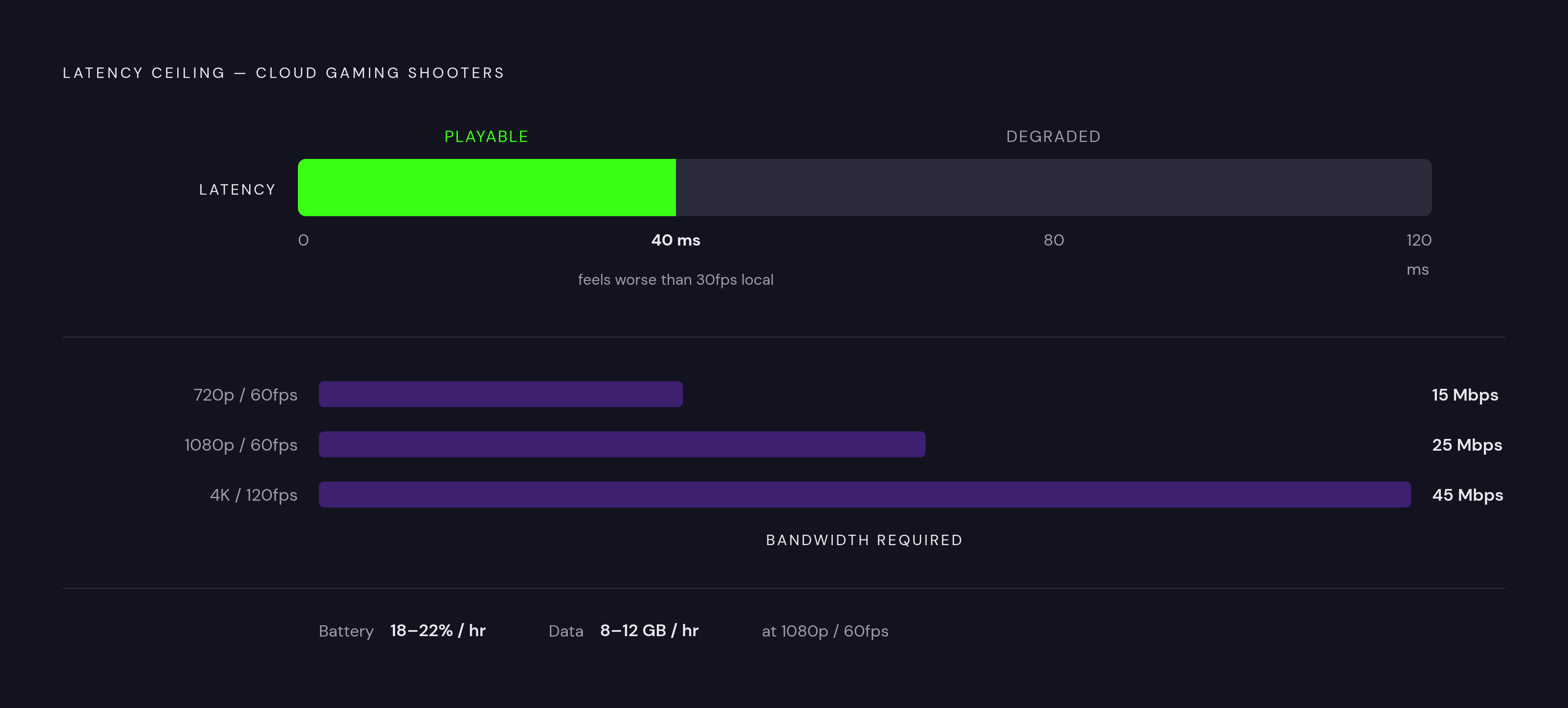
Streams games already owned on Steam, Epic, Ubisoft Connect, and Battle.net. The right infrastructure for players with an existing PC library who want to carry it to mobile. Servers are now running RTX 5080-class hardware, with 4K/120Hz streaming available. Official minimum bandwidth: 15 Mbps for 720p/60fps, 25 Mbps for 1080p/60fps, 45 Mbps for 4K/120fps. For shooters specifically, target under 40ms to the nearest server; above that threshold, competitive play degrades in ways that feel qualitatively worse than a locally installed 30fps game, which is a counterintuitive comparison worth sitting with.
Battery drain in cloud gaming is real and underreported: roughly 18 to 22 percent per hour at 1080p/60fps on a typical handset, which translates to about three hours before a charger becomes necessary. A controller with passthrough power addresses this directly by keeping the phone charged during play. Data overhead on capped plans is also worth accounting for: cloud gaming at 1080p/60fps uses roughly 8 to 12GB per hour.
PlayStation Remote Play
Free, streams your own console rather than a shared library, achieves sub-30ms input lag on a stable home network. For players who own a PS5 and want their existing library on mobile, this is currently the most stable option with no additional subscription cost. PlayStation's standard cloud streaming support for iOS and Android remains limited as of late 2025; Remote Play over a home network is the realistic path for most players.
The Reality of Cloud for Competitive Play
Community feedback on cloud gaming for competitive shooters is genuinely divided, and both camps have defensible positions. Some players report that a well-connected cloud session at 60fps compares favorably to a locally installed game running at 30fps, and that's not an unreasonable trade on paper. Others find that even modest input latency is perceptible and consequential in competitive play, not because the numbers are dramatic, but because the timing expectations are specific and a frame or two of variance reads as the game not responding to you correctly. The more defensible position is this: a physical controller is essentially required for sustained cloud gaming sessions, and touch controls in this context are adequate only for casual check-ins, not for play where the outcome matters.
How to choose a controller that won't let the game down
The two hardware decisions with the greatest effect on shooter performance have already been named: wired versus wireless, and stick sensor type. Here is what each means when you actually have to pick something.
Wired USB-C passthrough removes the Bluetooth latency variable entirely. For locally installed games and PS Remote Play on a home network, this is the straightforward choice: plug in, play, no pairing sequence, passthrough charging included. The Backbone Pro adds Hall effect sticks, meaning the analog sensors use magnets rather than physical contact points. That eliminates the drift accumulation that affects potentiometer sticks over time, which is a problem that compounds gradually and announces itself when you can least afford it.
Ergonomics deserve more weight than they typically get. Call of Duty: Mobile matches are 10 to 15 minutes. A Diablo Immortal dungeon run is 30 to 45 minutes. A Genshin exploration session runs longer. Grip shape, trigger travel, and weight distribution affect performance across those durations, not just in the first five minutes. A controller that feels neutral in a quick session is generating fatigue-related imprecision well before the 40-minute mark.
Platform compatibility is the last variable: controller choice should match how games are actually accessed. Wired USB-C is optimal for locally installed games and PS Remote Play. Bluetooth mode is necessary for Xbox Cloud Gaming via browser on iOS, where wired passthrough doesn't route audio and input through the same channel.
Matching the right game to how and where you play
There's no universal answer here, only a set of use cases that point toward different games and different hardware.
For quick-match competitive players who want 10 to 15 minute sessions with tight gunplay: Call of Duty: Mobile and Combat Master Mobile are the strongest native options. Call of Duty's separated matchmaking pool makes the competitive environment feel structurally fair in a way most mobile shooters don't bother to achieve.
For battle royale players who prefer deliberate pacing: PUBG Mobile. The format rewards analog stick precision more than it demands twitch speed, and the Android controller support is among the strongest in the native mobile category.
For hero shooter fans: T3 Arena is the native mobile option; Fortnite via Xbox Cloud Gaming or GeForce Now is the path to cross-platform parity, with the network trade-off acknowledged and not minimized.
For players with existing PC libraries who want full console shooters on mobile: GeForce Now, with the requirements clearly understood going in. Solid network, sub-40ms latency to the nearest server, and honest accounting of battery drain and data cost.
For iOS users who want a premium single-player experience that demonstrates what native controller support looks like when a developer actually builds around it: El Paso, Elsewhere.
For PS5 owners who want their existing library on mobile: Remote Play over a home network, free, and more stable than any cloud alternative currently available.
The controller and the game's implementation are the two variables still in the player's hands. Both are worth choosing deliberately, because mobile gaming done this way isn't a compromise. It's just gaming, somewhere more convenient.