Playing Xbox Cloud Gaming on Android Without a Controller
Touch controls work best in turn-based games, less so in action titles.
Xbox Cloud Gaming on Android supports touch controls across a meaningful portion of its library, but "supports" and "works well" are different claims. The gap between them is where most players form their actual opinion of the service.
What Xbox Cloud Gaming Actually Is on Android and What You Need to Start
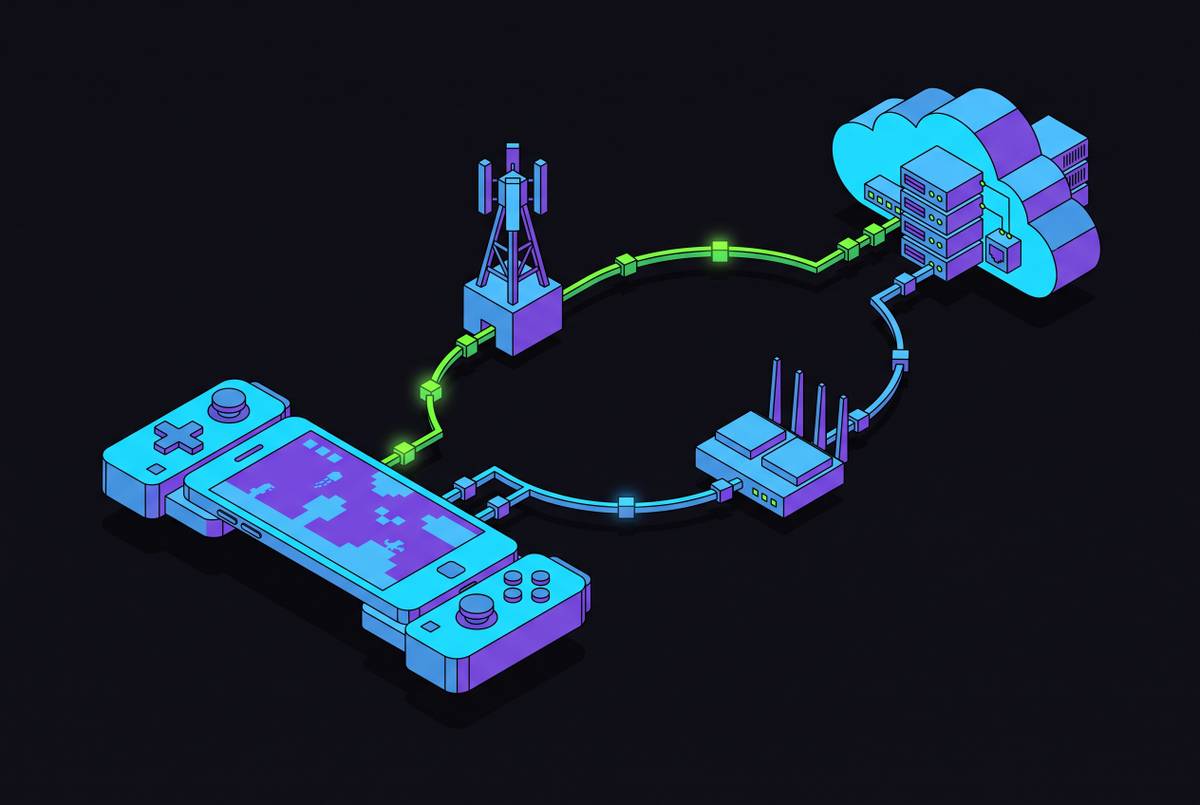
The architecture here is worth understanding before anything else, because it changes how you diagnose problems. Xbox Cloud Gaming is a thin-client streaming service. The game runs on Microsoft's hardware in a data center; your phone renders the video feed and sends your inputs back. This means the phone's processing power is almost entirely irrelevant. A mid-range Android from a couple of years ago and a flagship from this year will deliver nearly identical experiences, because neither one is doing the heavy lifting.
What you actually need: an active Game Pass Ultimate subscription, which bundles cloud gaming access at no additional cost; an Android device running OS 8.0 or higher for touch controls, with OS 12 or later recommended for the best overall experience; and a stable internet connection. Microsoft recommends 5 GHz Wi-Fi specifically. That last requirement is the one most people underestimate.
Access comes through two paths: the native Xbox app on Android, or a supported browser pointed at xbox.com/play. The native app generally delivers better performance and a cleaner interface. The browser route works, but it is the contingency, not the preference.
One practical benefit that rarely gets mentioned: cross-progression is live across console, PC, and mobile. A touch session on your phone isn't a siloed experience; your saves sync. This matters more than it sounds, because it means cloud gaming on Android is a legitimate continuation of a game you're already playing, not a separate, diminished version of it.
The one free exception: Fortnite is accessible with just a Microsoft account, no subscription required. It is the entry point for players who want to test the stream before committing to Game Pass.
How Touch Controls Are Built and What They Look Like in Practice
Not every game in the Xbox Cloud library carries touch support. The ones that do display a "Play with touch" label or a touch icon in both the Xbox app and the web gallery. Check before you start. Discovering mid-session that a game lacks touch support is the kind of friction that sours people on the entire service, unfairly.
For supported titles, the layout replicates a physical controller's geometry: virtual thumbsticks, a directional pad, face buttons, bumpers, and triggers appear as translucent overlays on the screen. Microsoft builds these on a per-game basis rather than applying one universal template across the library. Some titles go further, implementing custom touch UI directly inside the game itself rather than relying purely on the overlay system.
That per-game approach is more labor-intensive than a generic solution, which is likely why the library's touch coverage, while now spanning well over two hundred titles including recent AAA releases, is still not the entire catalog. The expansion is ongoing. Notably, some games allow players to reposition and resize on-screen elements to suit their hand size and grip. That level of customization is not universal, but where it exists, it meaningfully improves comfort during longer sessions.
Touch controls are available on both Android and iOS, and technically accessible in a PC browser as well, though the mobile use case is the obvious primary target.
Where Touch Controls Hold Up and Where They Fall Apart by Genre
Genre is the single most predictive variable for whether touch play feels acceptable or actively irritating. This is not a subtle distinction.
Turn-based and tactics games are the clearest wins. Yakuza: Like a Dragon uses turn-based combat; deliberate taps on a glass screen suit the pacing naturally. Gears Tactics applies the same logic to cover-based strategy. These games reward measured decision-making, not reflexive physical input, so the absence of tactile feedback costs relatively little.
Narrative-forward games and walking-sim style experiences occupy the same favorable category. Pentiment, Obsidian's critically acclaimed historical narrative, is built around story decisions and environmental exploration. The touch interface suits it almost perfectly. Stardew Valley's farming and crafting loop translates smoothly as well, because the rhythm of the game never demands split-second precision.
The picture changes sharply for action-dependent genres. The mainline Gears of War titles illustrate the ceiling precisely: touch controls exist for them, but the speed and precision that cover-based shooting demands exposes every limitation of virtual inputs simultaneously. Competitive shooters and fast platformers are similarly punishing environments for touch. Games requiring simultaneous multi-button inputs at speed turn the overlay into visual clutter, with fingers blocking exactly the screen real estate they need to see.
It is worth considering what Avowed and the Assassin's Creed titles with touch support represent in this context. These are action RPGs, which means they are probing the limits of what touch can handle. They are not turn-based, but they are also not twitchy competitive shooters. They occupy a middle range where the experience will vary by player tolerance and session length, more than by any categorical rule.
The honest summary: touch controls work as designed in the right genres. In others, they surface the fundamental gap between pressing a physical button and tapping a point on glass.
The Practical Friction Points That Don't Show Up in Any Feature List
The feature list for touch controls is accurate. It is also incomplete. The friction lives in the embodied experience of playing, not in what is technically supported.
Input imprecision is the foundational issue. Without tactile feedback, players cannot confirm a button press without visually checking the overlay. Attention splits between the game and the control layer, which is a tax that compounds in fast-moving situations. Virtual thumbsticks also drift from a player's resting thumb position over longer sessions, requiring continuous micro-correction that a physical stick's resistance and center-return mechanism handles automatically.
Screen real estate is a real constraint. On-screen overlays consume a significant portion of the display. On a phone, the visible game world shrinks noticeably. Fingers also physically occlude action near the screen's edges, which is precisely where most control overlays are positioned. This is not a design flaw; it is a geometric problem without a clean solution.
Physical fatigue accumulates faster than most people expect. Holding a flat phone with thumbs hovering over glass provides no grip anchor. A physical controller distributes weight across the palms and offers natural resting positions for fingers between inputs. A phone offers none of that. A stand or grip accessory helps posture and reduces fatigue even without adding any buttons; it is an underrated quality-of-life adjustment for longer sessions.
Connectivity and battery introduce their own friction. Cloud gaming streams continuously, so any connection dip, whether from switching between Wi-Fi and cellular or simply moving between rooms, introduces latency. That latency hits touch inputs harder than physical ones, because muscle memory can compensate somewhat for predictable physical lag, but it cannot compensate for an input that never registered. Battery drain during streaming is meaningfully faster than during local app use; an older device on a long session will need to be tethered. Data consumption on mobile plans is also worth calculating before streaming on a capped plan, as sustained streaming at quality settings moves significant data per hour.
None of these individually disqualify touch-only play. Collectively, they constitute the honest cost of playing without a controller.
How Xbox Cloud Gaming's Touch Layer Compares to What Other Services Offer
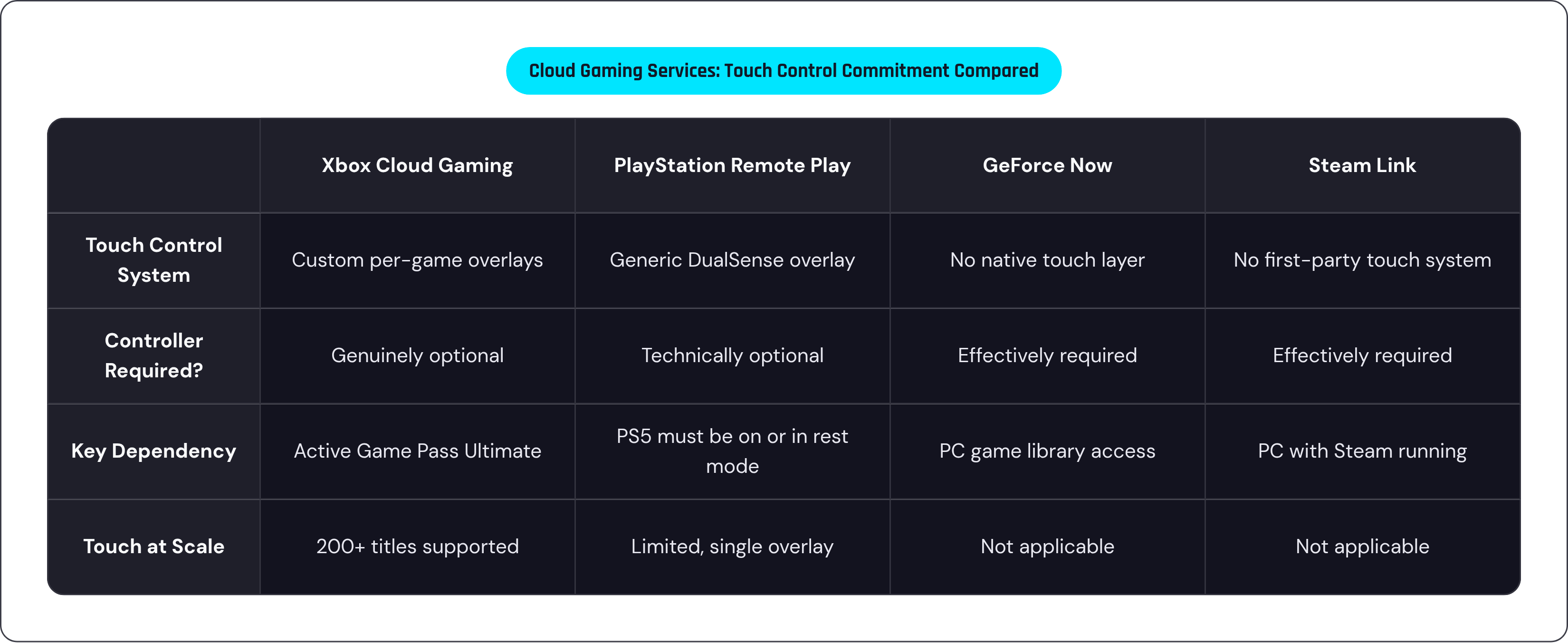
PlayStation Remote Play provides an on-screen DualSense overlay that is functional but constrained, and it carries a dependency the others don't: the home PS5 must be powered on or in rest mode. If the console is unavailable, the service is unavailable. That tethering to physical hardware is a fundamental architectural difference from Xbox's approach.
GeForce Now streams PC games broadly but provides no native touch control layer. A controller is effectively required for meaningful play. Steam Link mirrors a PC Steam library across devices but similarly leaves the input problem entirely to the player to solve; there is no first-party touch control system.
That raises an important question: what does "optional controller" actually mean in practice across these services? Technically optional is true for most of them in the sense that nothing prevents you from trying without one. Actually playable without one narrows the field considerably. Xbox Cloud Gaming is the only major cloud service that has built custom, per-game touch overlays at scale across a substantial portion of its library. That investment is what makes controller-free play a legitimate option rather than a technical footnote. The comparative read is not that competitors offer a poor experience; it is that Xbox has made a more substantial structural commitment to touch as a real input paradigm.
What a Physical Controller Changes About the Same Games on the Same Phone
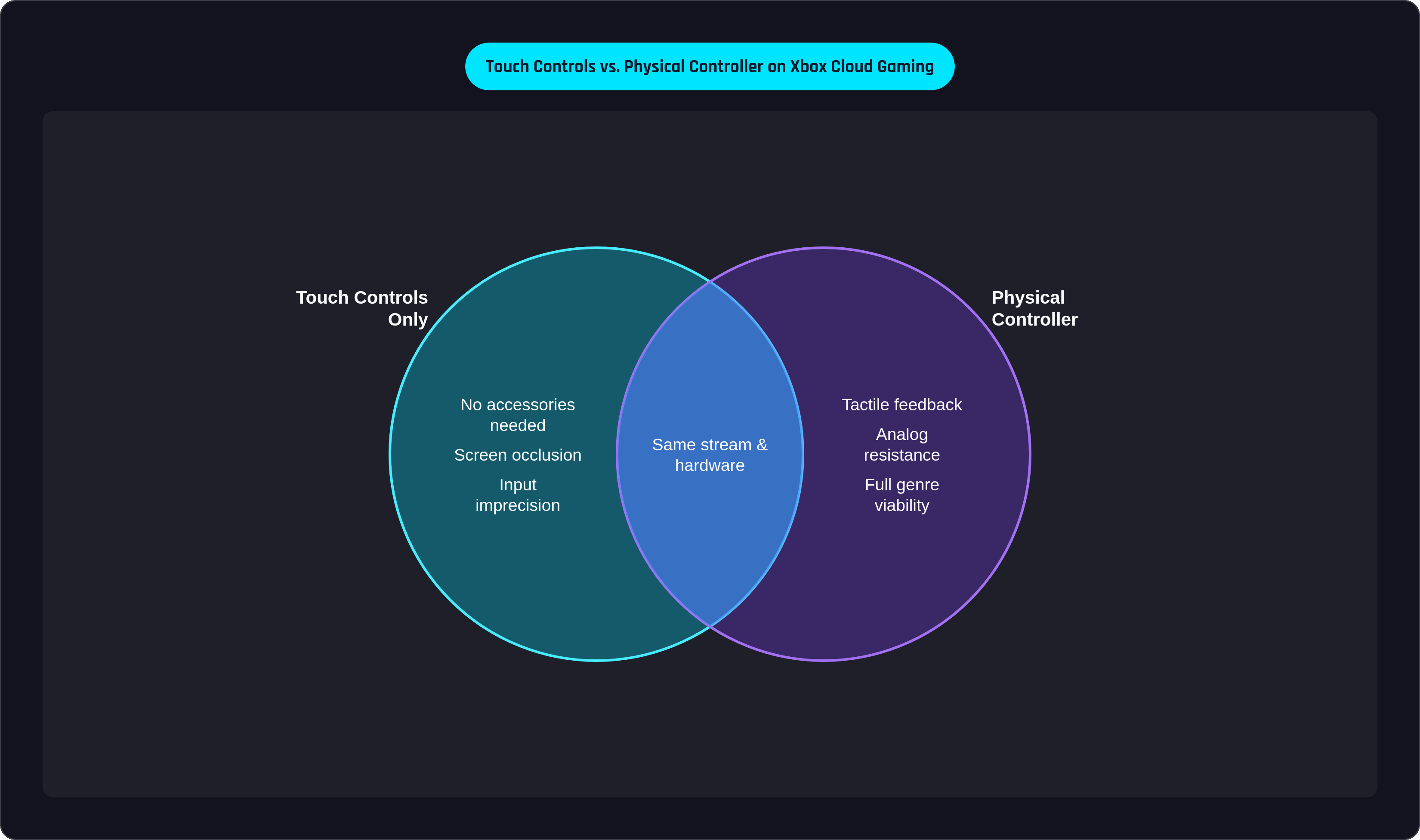
Every game with touch support also supports a physical controller. The two modes coexist; neither locks out the other. This is worth stating plainly, because the practical implication is significant: the phone and the stream remain exactly the same, and adding a controller simply changes the input layer.
What that input layer restores is what the games were actually designed around. Analog sticks with physical resistance and a neutral resting position. Buttons with tactile confirmation. Triggers with graduated travel. The games were built for these inputs; touch controls are an adaptation. A capable adaptation in the right genres, but an adaptation nonetheless.
With a physical controller, genres that struggled with touch become fully viable. A third-person shooter on Xbox Cloud Gaming with a controller plays like the console version, on the same stream, through the same hardware pipeline. The ceiling lifts substantially.
Some clip-on controllers connect directly to Android and iOS phones, turning the device into a handheld console form factor, and they address everything the touch section describes. Low-latency input, ergonomics designed around extended play, and the phone's screen serving as the display. The upgrade from touch-only play to controller play on the same device is the most efficient path to a qualitatively different experience, not just a marginally improved one.
The point is not to abandon touch. It is to match the input to the game, and to have the option to do both.
A Practical Starting Point for Choosing How to Play
Touch-only play is a legitimate entry point. Start there. The library is large enough that a meaningful portion of it plays acceptably or genuinely well without a controller, particularly in the turn-based, narrative, and relaxed-simulation categories.
Check the "Play with touch" indicator before committing to a session. This is a small habit that saves consistent frustration.
Connection quality is the highest-leverage variable in the touch experience. A strong, stable 5 GHz Wi-Fi connection makes a more demonstrable difference than almost any other factor. Optimize that before evaluating anything else.
When a game feels frustrating on touch, the diagnostic question matters: is this a genre problem or a connection problem? A precision-dependent, fast-paced game will feel bad on touch regardless of connection quality. A narrative game that feels sluggish or laggy is more likely a stream issue. The fix is different in each case, and conflating them leads to the wrong conclusion.
For players who find themselves consistently reaching for more control, a mobile controller is the single upgrade that raises the ceiling, not just for one game but across the entire library. The phone is already the hardware. The stream is already running. What touch controls reveal, more than anything else, is how much of the gaming experience lives in the physical act of holding something that has weight, that has resistance, that pushes back when you press it. That is not a small thing. It turns out it is most of the thing.