Minimum Network Requirements for Smooth Cloud Gaming on a Phone
Stability matters more than speed when cloud gaming on your phone.
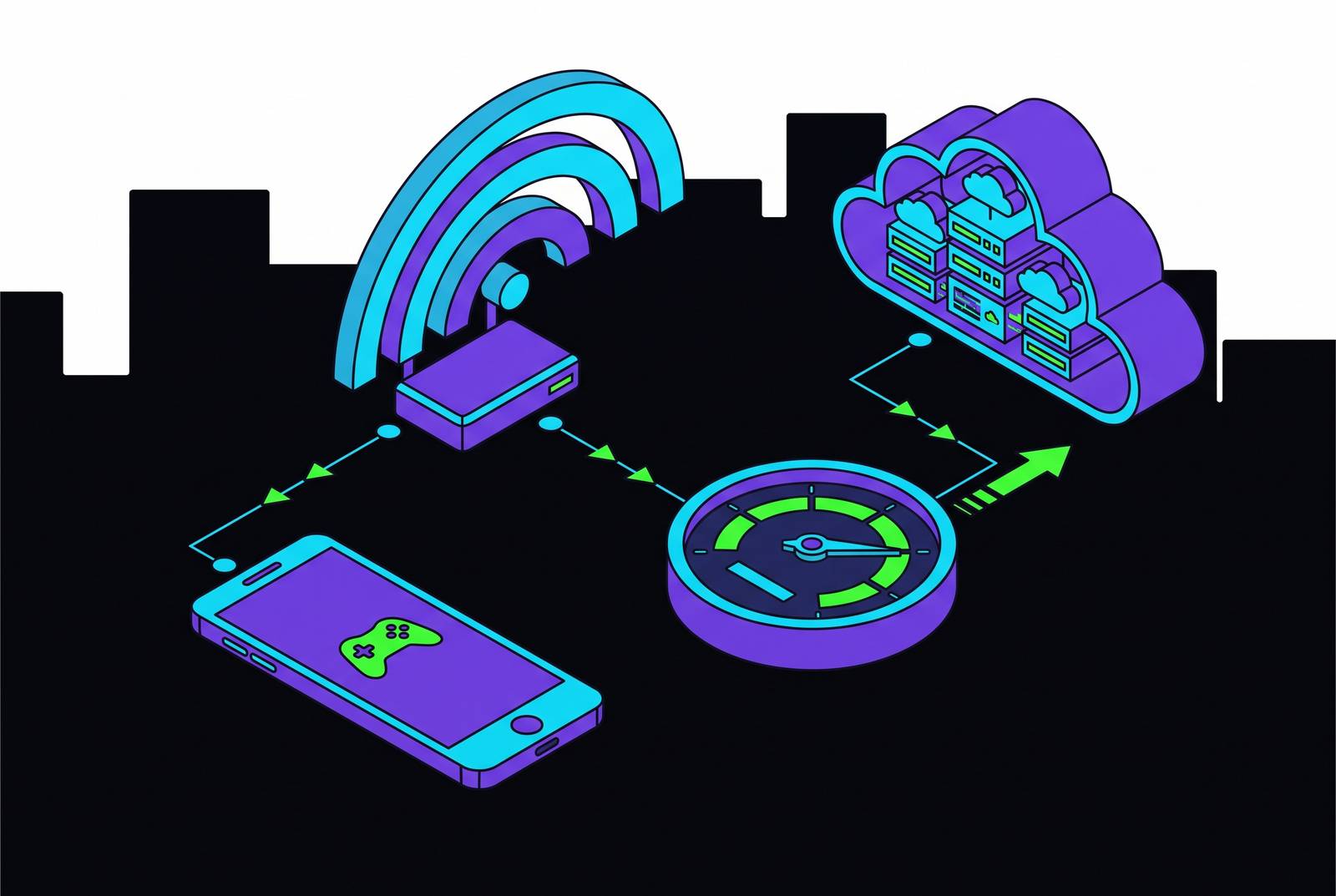
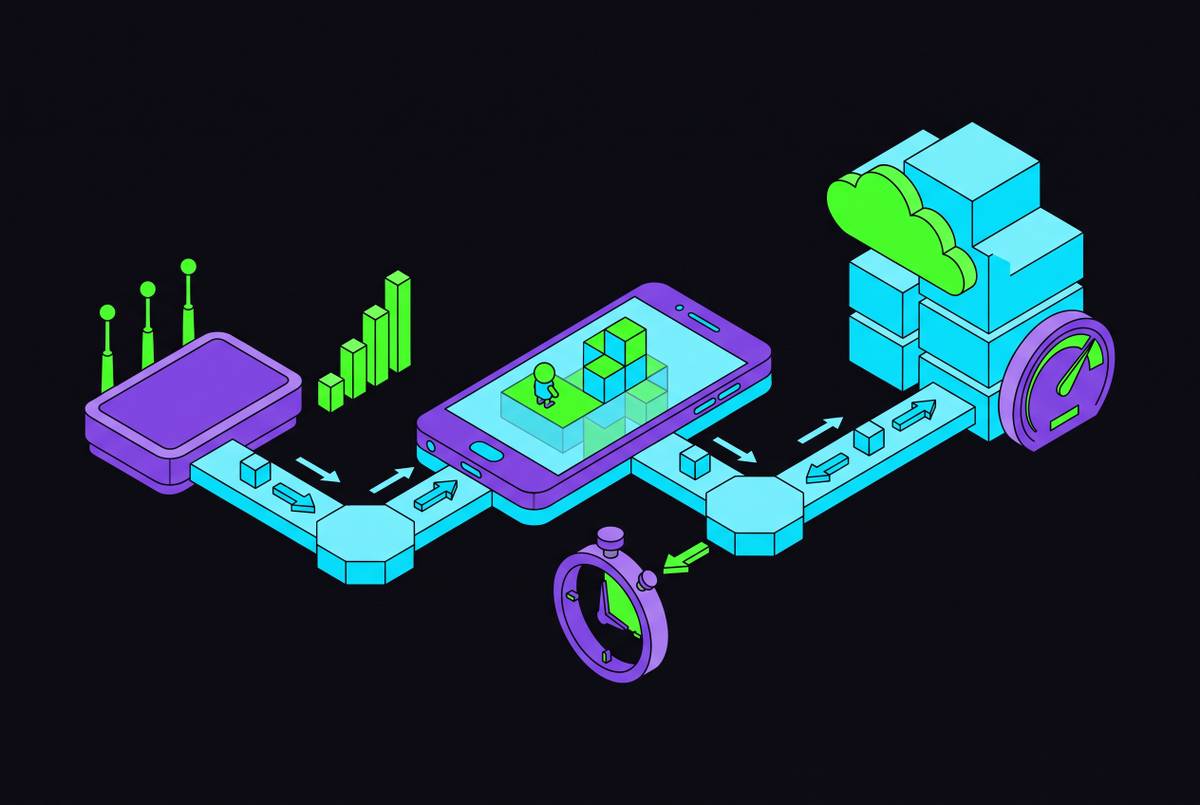
Cloud gaming on a phone lives or dies on three numbers: bandwidth, latency, and jitter. Most people troubleshoot a stuttering stream by buying a faster internet plan, and most of the time that fix does nothing, because download speed was rarely the actual problem in the first place.
Bandwidth is the one everybody understands: it's the amount of data a connection can carry per second, measured in Mbps, and it sets a ceiling on resolution and image quality. More bandwidth means a sharper picture is possible, though a sharper picture doesn't guarantee a game will feel good to play. Latency, measured in milliseconds, is the round-trip time between pressing a button and seeing that action happen on screen; it decides whether a game feels responsive or noticeably delayed. Jitter is the one nobody thinks about until it ruins a match: it's the variation in that latency from one packet to the next, and it's why a connection with a perfectly fine average ping can still feel like it's stuttering every few seconds. A connection that holds steady at 35ms will feel better than one that averages 25ms but spikes to 60ms every so often. Stability breaks the experience more often than raw speed does, and that's the thing this piece keeps circling back to.
There's a fourth variable that rarely comes up, because cloud gaming is, by design, a mostly one-way street: upload speed. The phone sends small packets of controller input back to a server rather than video, and that doesn't take much bandwidth, though it does need to arrive clean and fast. Around 5 Mbps upload or higher usually keeps those signals responsive, and if a roommate is uploading video files at the same time, that's a real, if underappreciated, source of input lag.
Mobile makes every one of these variables noisier. A phone on Wi-Fi deals with interference from other devices and walls between it and the router; a phone on cellular deals with handoffs between towers, signal loss as someone walks around, and congestion a wired desktop connection never has to think about. None of this says yet which platform to use or which number to chase. It just means bandwidth is one input among several, and the rest of this piece exists to untangle which of those inputs matters most, and when.
How game genre changes which metric matters most
Here's the part that trips people up: the "right" connection isn't a fixed target. It moves depending on what's being played, and the same 45 Mbps line that feels flawless in a strategy game can feel sluggish and unresponsive in a shooter, because different genres lean on entirely different metrics, and treating them the same is the actual mistake most people make when they blame their ISP.
Fast-twitch genres (think first-person shooters, battle royales, fighting games) run almost entirely on latency and how steady it stays. Ericsson's research on mobile network performance for time-critical applications puts the target for responsive, real-time use at 20 to 30 milliseconds of end-to-end latency, with something like 99.9% reliability on both the uplink and downlink. In plain terms: for competitive play, stay under 30ms, and treat consistency as just as important as the number itself. Worth flagging here too: cloud gaming adds roughly 15 to 25ms of latency on top of whatever a local console or gaming PC would deliver, simply because the signal now has to travel to a data center and back. For casual play, that's invisible. But in a ranked match against someone running the game locally on their own hardware, it's a real, measurable disadvantage, and pretending otherwise is how people talk themselves into blaming lag on skill.
Slower genres tell a different story. Strategy games, RPGs, card games, anything turn-based, tolerate latency by the bucketload. A "best-effort" 50ms connection (the kind that would get a shooter player benched) usually goes unnoticed in a tactics game or a visual novel. These genres care far more about sustained bandwidth and a stable image than about shaving milliseconds off input delay, which is exactly why a slow-genre player and a shooter player can run the same speed test and reach opposite conclusions about whether their connection is "good."
So the practical move is to know the genre before running a speed test, not after. A 45ms ping that ruins a shooter session might be entirely invisible in a turn-based RPG, and testing a connection without that context means checking for a problem that may not even apply to what's being played. Within fast genres specifically, jitter does outsized damage: a connection averaging a great 25ms but occasionally spiking to 60ms will feel worse, in practice, than one holding a steady, unremarkable 35ms the whole time. Chase the wrong number and the fix never lands.
The bandwidth tiers that actually separate playable from frustrating
Start with the floor, because there is one: a stable 10 Mbps download is roughly the minimum to get 720p cloud gaming working at all. Fall below that and most services either refuse to connect or degrade into a blocky, compressed mess.
From there, the tiers climb in fairly predictable steps. 1080p generally needs 25 Mbps or more, and most services treat that as their standard baseline rather than a stretch goal. 4K sits in the 45 to 52 Mbps range across most providers, and at that resolution, ping under 40 milliseconds stops being a nice-to-have and becomes a requirement. Push further into 4K at 60 frames per second (the kind GeForce Now's Ultimate tier offers) and the ask rises to 50 Mbps stable. At the very top, 4K at 120 frames per second on that same Ultimate tier wants 70 Mbps stable, the highest bandwidth demand among any major consumer cloud gaming service right now.
Mobile connections need a higher floor than the spec sheet suggests. Because phone connections run noisier than a wired setup, a consistent 20 Mbps is the more realistic practical minimum for a stable, high-quality mobile stream, even though the theoretical minimum on paper sits lower. That gap between theoretical and practical shows up constantly in mobile networking: the spec sheet says one thing, the environment around the phone says another, and the environment tends to be the more trustworthy guide.
Headroom matters more than the minimum. Aiming for 50+ Mbps buys a buffer against a roommate's laptop update running in the background or a newer game asking for more data than last year's did. And here's the catch a lot of speed tests miss: a connection that tests at 30 Mbps but jitters heavily, spiking up and dipping down, can perform worse in practice than a boring, steady 20 Mbps line that never wavers. Peak speed and sustained speed are different measurements, and the sustained figure is the one that matters while actually playing. Run the test more than once, at different times of day, and trust the lowest reading over the best one; that's the number closest to real conditions instead of a brief best case.
Xbox Cloud Gaming's network requirements and what shapes them
Xbox Cloud Gaming's official numbers are refreshingly plain: 10 Mbps to connect at all, 15 Mbps for reliable streaming, and 35 to 45+ Mbps for 4K.
What makes this work behind the scenes is that Server hardware inside Microsoft's data centers does the actual rendering. The phone in hand just receives a video stream and sends controller input back, which means the phone's own processing power barely factors into the experience at all. A five-year-old budget phone and a brand-new flagship run the same cloud stream identically, provided the network behind each one is equally good; that flips the usual rule that gaming hardware quality determines gaming performance.
Access differs by platform in a way that quietly matters. Android gets a native app. iOS runs browser-based through Safari instead, and that approach adds a layer between the input and the stream compared to a native app; it affects things like screen management and how quickly a tap registers.
The library backing this isn't small: over 400 cloud-enabled Game Pass titles, plus a "Stream Your Own Game" feature covering more than 1,000 individually owned titles. That matters specifically because some of the most graphically demanding games in the catalog are exactly the ones most likely to expose a weak connection. As of May 2026, the service reaches 29 countries, the widest footprint of any major cloud gaming platform, which makes it a forgiving entry point for someone just testing the waters. The browser-only approach on iOS adds a small extra layer of latency versus a native app, and on mobile data specifically, that extra layer compounds whatever jitter cellular is already introducing.
GeForce Now's requirements and why its tiers demand more from your connection than any other service
GeForce Now has several minimums, and which one applies depends entirely on which tier is being paid for. Standard play covers 1080p at 15 to 25 Mbps. The Ultimate tier's 4K at 60 frames per second wants a stable 50 Mbps. Push that same tier to 4K at 120 frames per second and the requirement climbs to a stable 70 Mbps, the steepest bandwidth demand of any consumer cloud gaming service on the market, and not a coincidence.
The reason for that steepness isn't arbitrary. The reason is straightforward: more visual fidelity pushed to the screen simply means more data has to move every second to keep up with it, and the requirement scales with the quality on offer. That's the tradeoff worth understanding before picking the top tier out of habit rather than need, and most people picking Ultimate have never actually needed the 70 Mbps it demands.
Where a connection sits relative to Nvidia's edge network matters just as much as raw speed. Proximity to one of the service's server nodes has a real effect on whether the theoretical throughput being paid for is actually achievable. Mobile access splits the same way Xbox's does: Android gets a native app, while iPhone and iPad are limited to browser access, a restriction that comes from Apple's App Store rules rather than anything Nvidia chose.
One distinction worth sitting with: GeForce Now connects to games through existing PC storefronts, which means the bandwidth being paid for can unlock a library built up over years rather than a fresh subscription catalog. Worth confirming current plan terms before building a network setup around heavy, regular use rather than the occasional session.
PS Remote Play and Steam Link: why remote play has a different network problem than cloud gaming
Everything above assumes a data center is doing the rendering. Remote play works differently: the PS5 or gaming PC at home does the work, encodes the video itself, and sends that stream over the network while receiving controller input back. No cloud data center sits anywhere in the loop, and that's the detail people miss when they try to troubleshoot remote play using cloud gaming logic.
That single structural difference changes which number actually matters. The real bottleneck in remote play is the upload bandwidth coming from the host machine at home, not the download speed on the phone that's just watching the stream. The phone needs enough download to receive what's being sent, sure, but the binding constraint lives on the other end of the connection, and this is the point where cloud gaming logic actively misleads people trying to fix a bad remote play session.
PS Remote Play has its own minimum requirements, with higher speeds recommended for a stable 1080p stream. Worth separating that clearly from PlayStation Plus Premium's cloud streaming component, which works differently: PlayStation Plus Premium's cloud streaming component involves a data center rather than the home console, so it follows the bandwidth logic from earlier sections, not the remote play logic here.
Steam Link runs on the same remote play principle, with the PC doing all the rendering and no cloud data center in the loop. The PC does all the rendering, so the variable worth optimizing is the network quality between that PC and the phone, particularly over cellular, where the upload speed of the home router quietly becomes the bottleneck nobody thought to check. There's a latency upside to this whole arrangement too: because the machine doing the encoding sits on the home network, latency on home Wi-Fi tends to run lower than cloud gaming's, though it climbs sharply the moment someone leaves the house and tries to play over cellular data instead.
The practical takeaway for a stuttering PS Remote Play or Steam Link session: a better phone plan rarely fixes it. Upgrading the upload tier on the home internet plan feeding the console or PC is usually the change that actually matters, and it's the one people skip because it doesn't sound like it should apply to a "streaming" problem.
How connection type (Wi-Fi, 5G, 4G LTE) affects whether you hit those thresholds in practice
Wi-Fi at home is generally the steadiest option available, but it isn't automatically steady just because it's Wi-Fi. Congestion on the crowded 2.4GHz band, plus distance from the router, introduces jitter that switching to the 5GHz band largely clears up. Before blaming an internet provider for a bad stream, check which band the phone actually connected to; sometimes the fix is a setting, not a new plan, and that's an easy five minutes most people skip.
5G's peak throughput comfortably exceeds anything any cloud gaming tier currently asks for, so bandwidth stops being the concern entirely on that network. What actually causes problems on 5G is jitter and the handoff between cell towers as a phone moves around; dense urban areas with strong, consistent signal are where 5G cloud gaming genuinely shines. Worth knowing too that most 5G in practical use is the sub-6GHz variety, which trades some raw speed for much broader coverage; the ultra-fast mmWave version exists but covers such a limited range that most users never actually connect to it.
4G LTE, despite being the older technology, is usually fine for 1080p across most platforms when signal strength is good, typically delivering the 25 Mbps that 1080p asks for along with acceptable latency. Where LTE actually falls apart is congestion rather than raw speed: a packed stadium, a crowded train platform, or peak commuting hours where thousands of phones fight over the same tower. The failure mode there is latency spiking unpredictably rather than bandwidth dropping in any clean, measurable way, and the crowd is usually the culprit rather than the carrier.
One variable gets overlooked constantly: ping to the actual cloud gaming server a session connects to, not ping to a generic speed-test server somewhere else entirely. A connection showing a clean 30ms on a typical speed test might show 60ms or more to a data center sitting in a different region. Running the diagnostics built into the platform itself gives a more reliable picture. Xbox, for one, includes its own network test inside the app, and that reading means far more than whatever a third-party speed test says.
Platform network requirements side by side, and how to choose based on what your connection can actually deliver
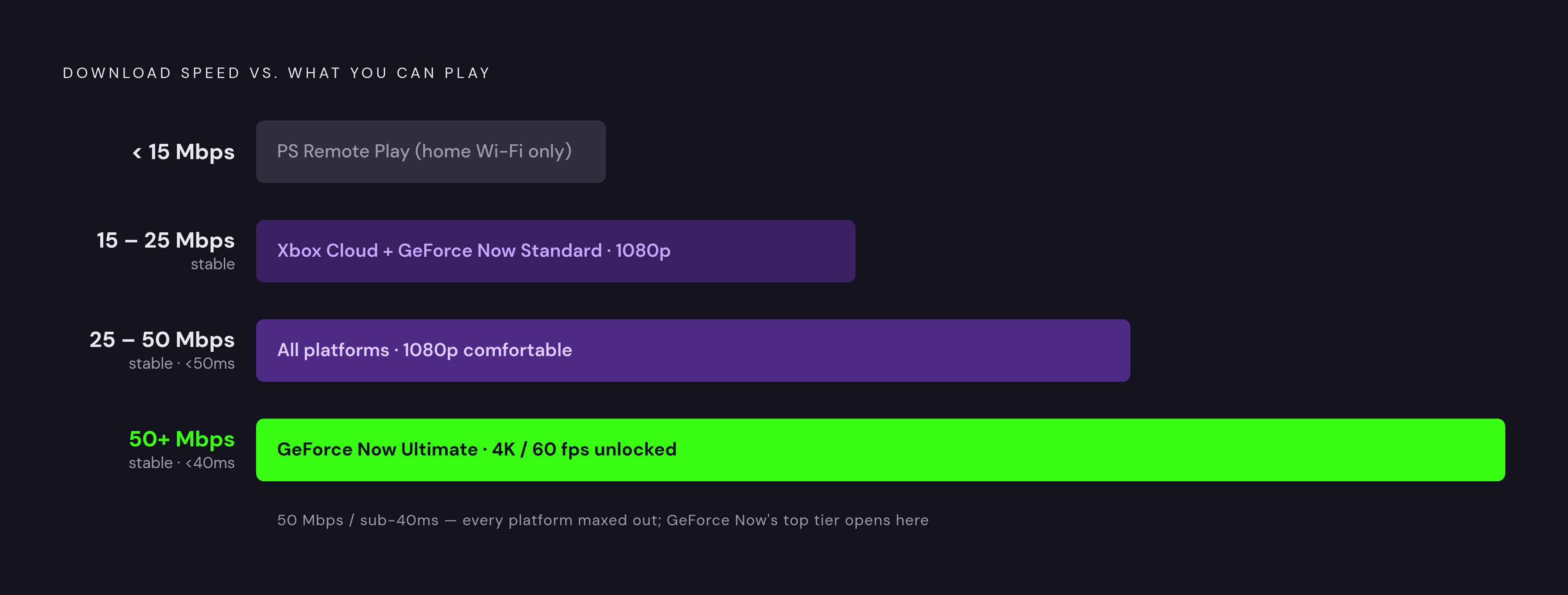
Laid next to each other, the numbers tell a fairly clean story. Xbox Cloud Gaming asks for a 10 Mbps floor, 15 Mbps for reliable 1080p, and 35 to 45+ Mbps for 4K, backed by the widest country availability at 29 as of May 2026, making it a forgiving entry point for the group. GeForce Now spans 15 to 25 Mbps for standard 1080p up through 50 Mbps for 4K at 60fps and 70 Mbps at 4K/120, the highest ceiling on this list, and the natural pick for anyone who already owns a library on Steam or Epic. PlayStation Plus Premium's remote play component and PS Remote Play itself list the lowest published minimum, a 5 Mbps floor with 15 Mbps recommended for 1080p, though remote play's real constraint is upload speed back at the host machine, not the number on the box. Steam Link doesn't publish an independent bandwidth floor at all; it depends entirely on the home PC's upload speed and the home network's quality, and it costs nothing.
So which one fits a given connection? Under 15 Mbps, or a connection riddled with jitter, PS Remote Play on home Wi-Fi is the most forgiving option, since cloud services in general struggle to hold a stream together at that level; anyone expecting GeForce Now to work smoothly on a 12 Mbps line is going to be disappointed no matter which server region they're closest to. Somewhere between 15 and 25 Mbps stable, both Xbox Cloud Gaming and GeForce Now's standard tier become genuinely viable at 1080p. Climb to 25 to 50 Mbps stable with latency under 50 milliseconds, and every platform on this list works comfortably at 1080p, with GeForce Now's standard tier feeling especially smooth. Cross 50+ Mbps stable with latency under 40 milliseconds, and GeForce Now's 4K/60 Ultimate tier opens up, alongside full capability everywhere else. Below all that, chasing 4K on a connection that struggles to hold 1080p is the single most common way people talk themselves into blaming a platform for what their router is actually doing.
Once the network stops being the limiting factor, the decision comes down to library: Xbox Game Pass for breadth of titles, GeForce Now for a Steam or Epic collection already built up over the years, PlayStation Plus Premium for Sony's first-party exclusives. That's a question worth asking only after the network question gets answered honestly, by checking whether a given connection meets a specific platform's specific minimum, and whether it can actually hold there without wandering off.