Apple Arcade vs Cloud Gaming Services for iPhone Players
Apple Arcade works offline; cloud gaming needs speed and a native app to shine on iPhone.
Mobile gaming pulled in $113.3 billion in 2025, up 10.7% from the year before, beating PC and console combined (Newzoo, 2025). That split has produced two camps: people who want a curated library that works with zero signal, and people who want their PC or console games streamed to a six-inch screen wherever they happen to be standing. Most advice treats the two as interchangeable, a matter of taste, but the right choice depends on specific, checkable conditions. Apple Arcade is the better default for most iPhone owners, while cloud gaming pays off once a few conditions this piece is about to lay out are actually met.
This piece walks through both paths: Apple Arcade on one side, cloud gaming services on the other, and the browser quirks, network math, and controller choices that decide whether either one works the way it's supposed to.
What Apple Arcade actually is and who it's built for
Apple Arcade skips streaming altogether. Games get downloaded onto the device and run natively, so once a title is installed, the internet connection stops mattering. There are no ads, no in-app purchases, none of the data harvesting baked into the freemium model that runs most of the App Store.
The subscription costs $6.99 a month on its own, though most people who have it never bought it that way; it comes bundled into every tier of Apple One, and that bundling is how most subscribers end up with access at all, according to a March 2025 report from The Information. The library stays deliberately small, several hundred titles rather than the sprawling catalogs found elsewhere, mixing Apple-exclusive originals with games also sold outside the service. Apple added more than 50 new titles in 2025 and pushed over 500 updates to existing ones, so small hasn't meant stale.
One subscription covers up to six family members, which quietly makes it one of the better per-person deals in gaming. Because it runs on the same account across iPhone, iPad, Apple TV, and Mac, switching devices mid-session feels closer to picking up a book you set down than restarting anything. Games get tuned specifically for the A17 and A18 chips, so battery drain stays low and latency isn't a factor, since there's no network dependency to introduce it in the first place.
Who is this actually for? Someone who wants a game that just works, on a plane, underground, in a dead zone, without checking the bars on a signal icon first.
The offline advantage and where it actually holds up
Offline play sounds like a spec sheet footnote until it's the difference between playing something and staring at a spinning wheel. Cloud gaming needs a real connection to function: Xbox Cloud Gaming sets a floor of 10 Mbps and recommends 5GHz Wi-Fi over anything else, and streaming at 1080p burns through roughly 3 to 6 GB of data an hour. That's not casual use. A two-hour train ride can eat a real chunk of a monthly data cap.
Apple Arcade skips that math entirely. Once a game sits on the device, it stays there, connection or no connection.
Battery tells a similar story. Cloud gaming asks the phone to do two jobs at once, rendering the interface and holding a live video stream steady, and that draws more power than either task would alone. Arcade titles, running natively and tuned for the chip underneath them, simply ask less of the battery.
The dividing line comes down to where the player happens to be standing, and comparisons that treat Arcade as a fallback option get this backwards. For a commuter or anyone on a capped plan, offline access carries real weight in the decision, not a minor convenience tacked onto the end of a features list. Reviewers who rank Arcade below cloud gaming "for serious players" are answering a question that particular player never asked. That advantage evaporates the moment someone's home on fast Wi-Fi, though, and that's exactly when library size and game type start doing the deciding instead.
What cloud gaming services actually put on the table for iPhone players
The pitch is simple: PC and console libraries, streamed to a phone, no downloads and no hardware purchase required. Three services are worth weighing for iPhone heading into 2026. A fourth, Amazon Luna, shut down its game store and its "Bring Your Own Library" feature in June 2026, so it drops out of the comparison by necessity rather than by choice.
Xbox Cloud Gaming comes bundled into Game Pass Ultimate at no extra cost, so existing subscribers already have hundreds of games available the moment they open the app, with new titles rotating in regularly. On 5G, it delivers latency in the 40 to 65 millisecond range at 1080p and 60fps, and battery drain runs around 15 to 18% an hour, a touch better than some rivals thanks to a lower bitrate. It fits players who already pay for Game Pass or want the widest current-console library without buying a console.
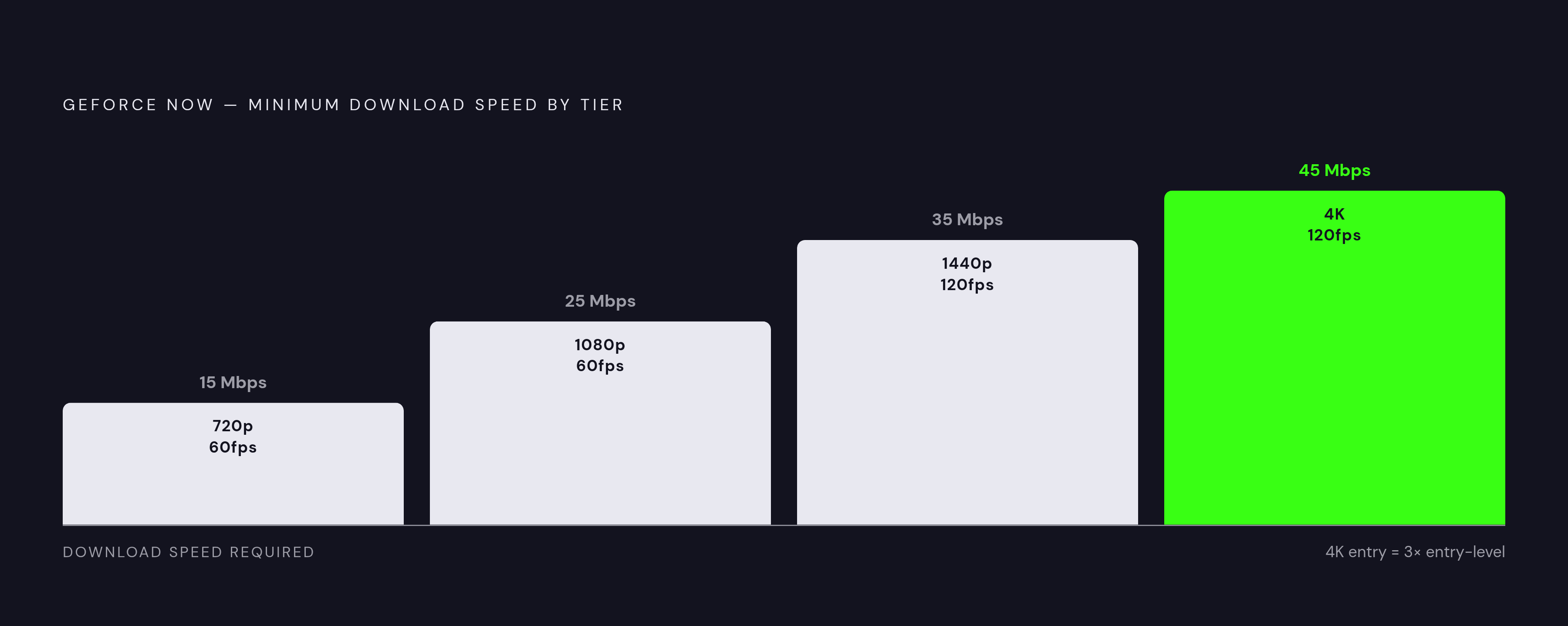
GeForce NOW streams games already owned across existing PC storefronts, instead of building a new library, so nothing gets re-purchased. It runs three tiers: Free (one-hour sessions, capped at 1080p/60fps), Performance (the mid-tier, formerly branded Priority), and Premium, repriced from $29.99 to $22.99 in April 2026, which unlocks up to 4K at 120fps. Minimum speeds scale with resolution: 15 Mbps for 720p/60fps, 25 Mbps for 1080p/60fps, 35 Mbps for 1440p/120fps, 45 Mbps for 4K/120fps. This one is built for PC gamers who already own a library and want it riding in their pocket.
PlayStation Remote Play is available for PS5 owners, streaming the console library already sitting in the living room. For a PS5 owner, it represents one of the lower-friction entry points in the category, and there's almost no downside worth naming.
How iOS browser access shapes — and limits — the cloud gaming experience
Apple loosened App Store rules in 2024 to formally allow cloud gaming apps. Yet Xbox Cloud Gaming and GeForce NOW, along with the now-defunct Amazon Luna, all kept running through Safari instead of shipping native apps. Why? Microsoft has said plainly that Apple's sizable commission on in-app purchases makes a native Xbox Cloud Gaming app a losing proposition financially. The workaround became the standard, and the browser became the bottleneck. A fee dispute between two companies is the root cause here, and iPhone owners are the ones absorbing the downgrade: a business disagreement over payment processing, and the person holding the bag is someone just trying to play a round of Forza on the couch.
What does Safari actually cost a player? High-resolution streaming gets capped, HDR support disappears, controller haptics go silent, and mouse pointer lock, essential for first-person games, isn't available at all. Anyone using an MFi-certified controller notices the missing rumble almost immediately, and the visual step-down compared to the same service running on Android or a desktop browser is not subtle.
One third-party fix has shown up to plug the gap: CloudGear, from Bitwise Solutions Ltd, launched in January 2026 as a cloud gaming browser built specifically for iOS. It restores controller rumble, true mouse pointer lock, HDR and 10-bit color, H.265 and AV1 codec support, higher frame rates, 7.1 surround sound, and native-resolution output across GeForce NOW, Xbox Cloud Gaming, and other services.
Cloud gaming on iPhone asks for more setup than the same experience delivers on Android or a desktop. Knowing that going in beats discovering it mid-session, when the controller doesn't buzz on a boss hit and there's no obvious reason why.
Matching each service to a play style rather than declaring a winner
Neither path wins outright; they suit different rooms, so to speak, and different stretches of a day. If forced to pick a default for the average iPhone owner who doesn't already have a Steam library or a PS5 gathering dust under the TV, Apple Arcade is the more defensible one, precisely because it asks little of the network and little of the wallet beyond $6.99. Cloud gaming, for that same average owner, tends to solve a problem they don't have yet.
Apple Arcade suits the player who games on commutes and flights, who wants zero surprise paywalls or mid-session upsells, who lives mostly inside the Apple ecosystem without a PC or console library trailing behind them. It suits families too: one subscription, six accounts, and shorter, self-contained sessions rather than fifty-hour open-world commitments that demand a couch and a controller.
Cloud gaming suits the player who already pays for Game Pass Ultimate or has a Steam library sitting unplayed on mobile, and who mostly plays at home on solid 5G or Wi-Fi 6. It's for someone chasing actual AAA console and PC titles, open-world games, shooters, RPGs, the genres Arcade mostly doesn't touch. It's also for PS5 owners who want the same save file to follow them from the TV to the couch to the kitchen table through Remote Play, at no added cost.
Running both isn't the extravagance it sounds like, either. Apple Arcade at $6.99 a month covers offline and commute play; pairing it with GeForce NOW's Free tier for home sessions against an existing PC library keeps the whole setup under ten dollars a month for many people for a lot of people. Or, for someone already deep in both ecosystems, Apple One (which folds in Arcade) plus Game Pass Ultimate covers nearly every scenario without much overlap in cost.
One thing holds steady across every combination: a physical controller. Whether wired or paired over Bluetooth, it changes both Apple Arcade and cloud gaming more than most people expect, compared to touch controls alone. The service choice and the controller choice are separate decisions, but the two work together rather than against each other.
Network and hardware setup that determines whether cloud gaming delivers on its promise
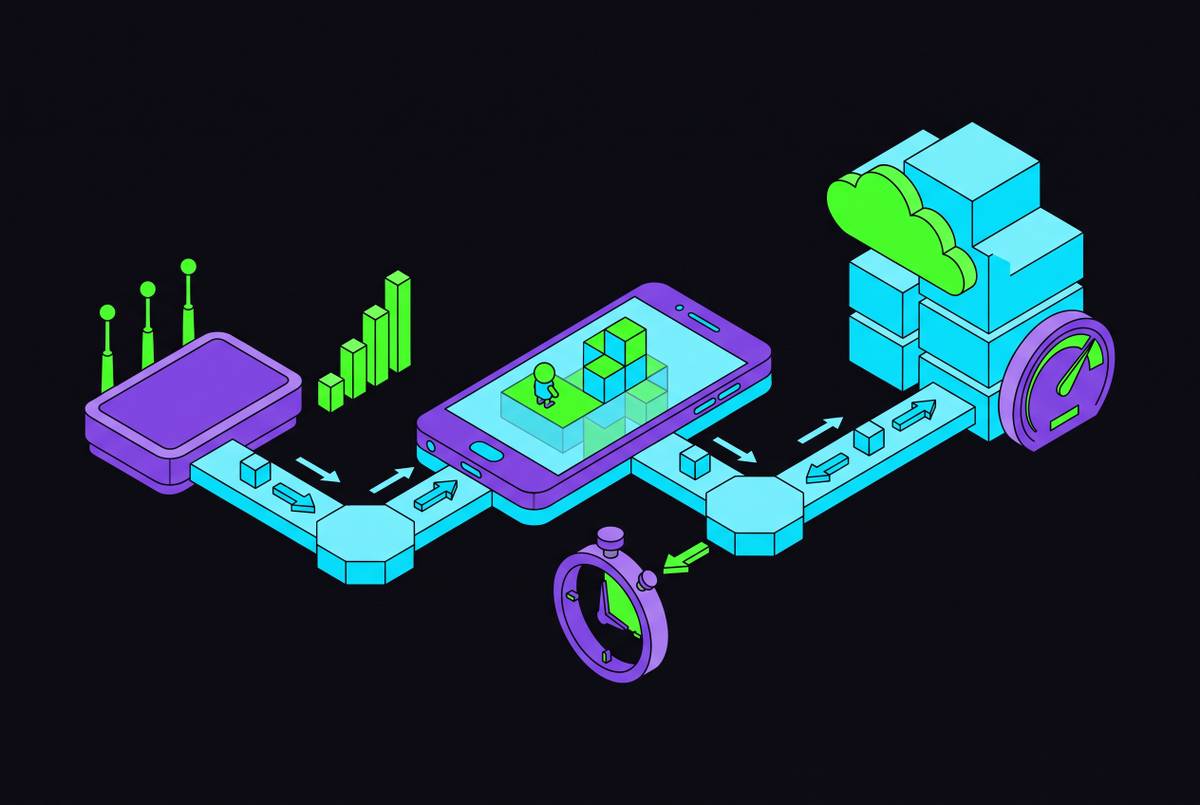
Latency is the number that actually predicts whether a cloud session feels good or feels like wading through syrup, more so than raw download speed. Aim for under 40 milliseconds to the nearest server. Download speed matters, but it's the secondary variable here, and treating it as the main spec to shop for is where a lot of setups go wrong before the first game even loads.
Xbox Cloud Gaming's floor sits at 10 Mbps, and Microsoft recommends 5GHz Wi-Fi or a wired Ethernet connection over 2.4GHz, which gets crowded fast in apartment buildings full of overlapping routers. GeForce NOW publishes its minimums by resolution tier: 15 Mbps for 720p/60fps, 25 Mbps for 1080p/60fps, 35 Mbps for 1440p/120fps, 45 Mbps for 4K/120fps. Pick the tier that matches the connection actually sitting in the wall, not the one that sounds impressive on the box.
Data adds up fast at these bitrates. A 1080p stream runs through roughly 3 to 6 GB an hour, so a two-hour session on a capped mobile plan is a real line item on the bill, worth checking before it shows up as a surprise.
5G can match home Wi-Fi for latency under good conditions, but it's less consistent across locations and carriers; Wi-Fi 6E stays the steadier option for anyone playing indoors. On the input side, a physical controller wired or paired over Bluetooth removes touch-input latency entirely, which matters more on a cloud session already carrying network delay than it does on something fully offline. Ergonomics count too: a session long enough to matter is also long enough to expose a controller with a bad grip, and nobody discovers that until hour two.
Apple Arcade sidesteps the entire network conversation by design. Even there, though, a good controller still changes how the games built to support one actually feel in hand, which is the one point where both halves of this piece quietly agree.