Mobile Gaming Controller Comparison for iPhone and Android
Four hardware factors matter more than specs when picking a mobile gaming controller.
Mobile gaming crossed $113.3 billion in 2025, according to Newzoo, spread across more than 3 billion players worldwide against 645 million on console. Global games revenue broke $200 billion for the first time that year, and mobile alone beat PC and console combined. So why are most of those 3 billion people still just tapping glass?
Touch got mobile gaming this far, and fair enough: a touchscreen is a genuinely flexible input surface, and whole genres got built around swipes and taps. Even so, touch has a ceiling. Your phone can already push console-adjacent visuals and stream AAA titles from the cloud without breaking a sweat, so the chip stopped being the bottleneck a while back. What sits between your hands and the screen has become the bottleneck now, and closing that gap is the job a controller is built for.
I've spent enough hours clamping phones into brackets and pairing Bluetooth pads to have opinions about what separates a controller worth keeping from one that ends up in a junk drawer by week two. Four things hold up once you stop reading marketing copy and actually put hardware in your hands.
The four things that actually separate a good mobile controller from a mediocre one
Spec sheets are noisy. Bluetooth version numbers, polling rates, RGB zones rarely tell you whether the thing makes you better at Call of Duty Mobile or just sits there collecting dust on a shelf. Cut through the noise and four things do almost all the real work.
How it physically connects to your phone, how much lag sits between your thumb and the screen, whether it plays nice with your OS and your games, and whether your hands survive an hour holding it.
Each gets its own section below, because each has a consequence you can feel in your palm. Price matters too, obviously, but it sits downstream of these four rather than standing on its own. A cheap controller that drops Bluetooth mid-match, or adds a half-beat of lag you feel in your wrists before your brain even registers why you missed the shot, carries a hidden cost. It moves the price from your wallet to your patience, one dropped input at a time.
Form factor: clamp-style versus Bluetooth, and what the USB-C shift changed
Two form factors run the market right now, and they answer different questions rather than compete head to head.
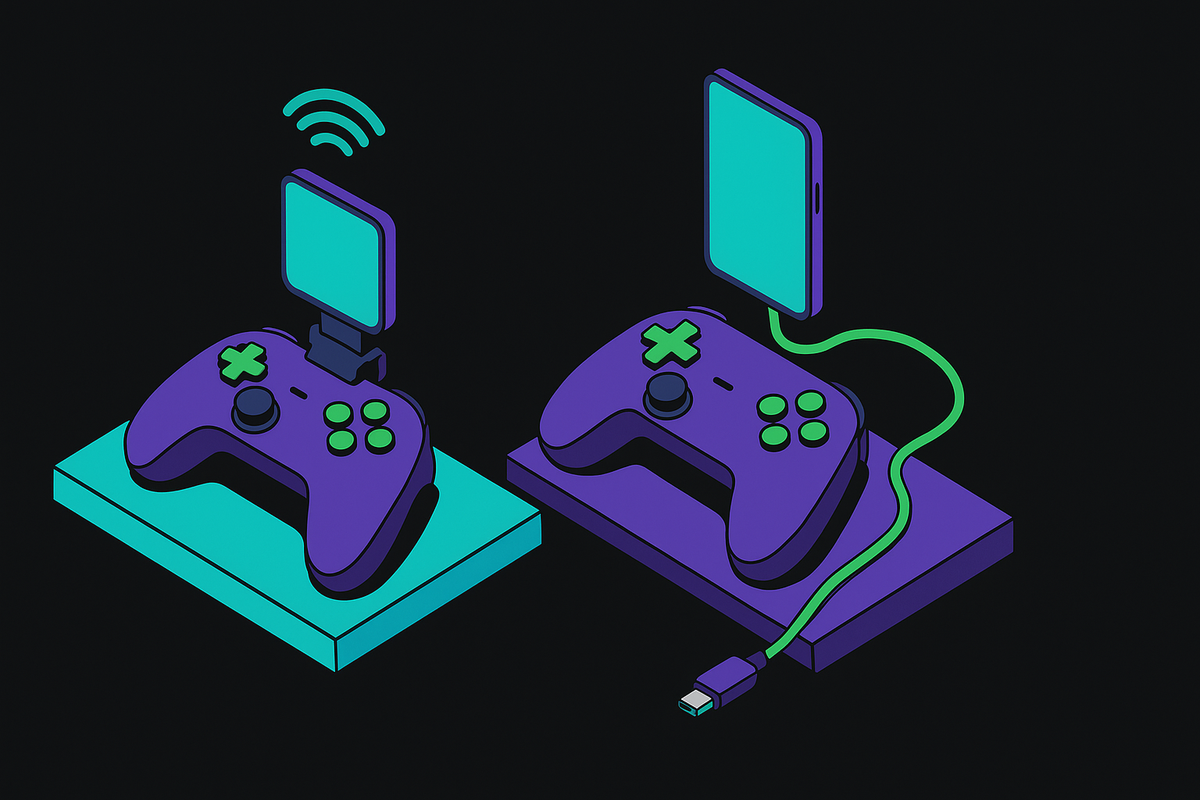
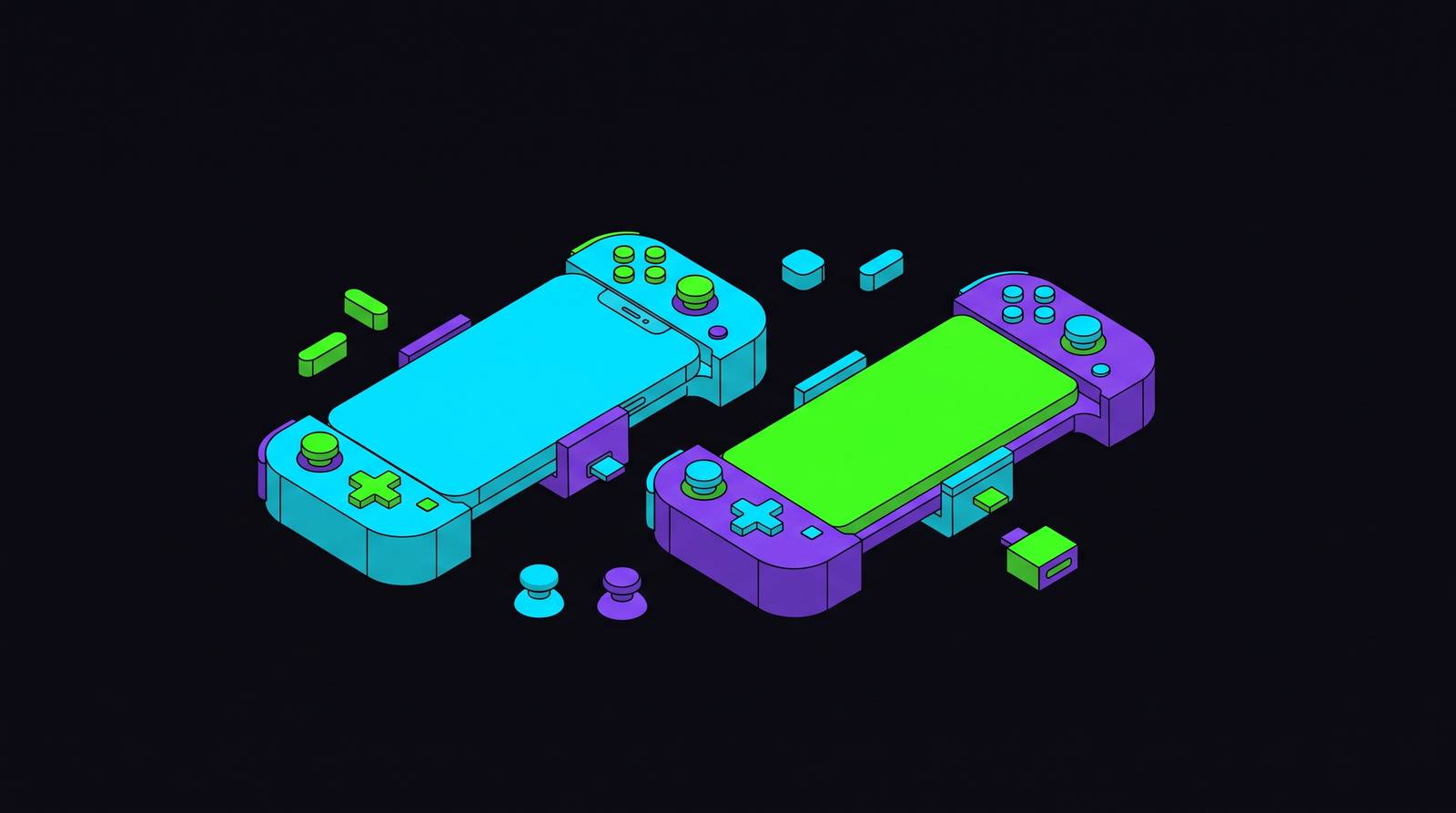
Clamp-style controllers wrap around your phone, with the device slotting into a bracket and a USB-C plug making direct contact with the port. Bluetooth controllers keep the phone separate, propped on a stand or held on its own, pairing over radio instead of a cable.
Apple's move to USB-C across the iPhone 15, 16, and 17 lines fixed an annoyance that sat there for years. Before that, you were either buying Lightning-only accessories or working around the gap with Bluetooth, and half the clamp-style controllers on shelves simply didn't fit an iPhone at all. Now one wired controller fits nearly any modern phone or small tablet. Doesn't sound like much until you remember how many "Lightning edition" SKUs used to exist for no reason other than a dead port nobody uses anymore.
Clamp-style folds into a bag without adding bulk, and the wired link sidesteps Bluetooth latency entirely: no radio handshake, just a signal running down a wire. The catch is fit. Foldables and phones with odd port placement need a compatibility check before you buy, since not every bracket bends the right way.
Bluetooth trades that for freedom. Prop the phone at whatever angle actually works for your eyes instead of holding one big awkward slab in front of your face for two hours. The cost is a bit of input lag. In a turn-based strategy game that lag barely registers; in a competitive shooter or a racer, where your reaction window gets measured in fractions of a second, it turns into a real problem.
Form factor carries two decisions wearing one costume: a lifestyle call about how and where you play, and a latency call about how much lag you're willing to eat. That second half needs its own numbers, because "feels a bit laggy" isn't a spec.
Latency: why wired connections still have the edge and what Bluetooth has closed
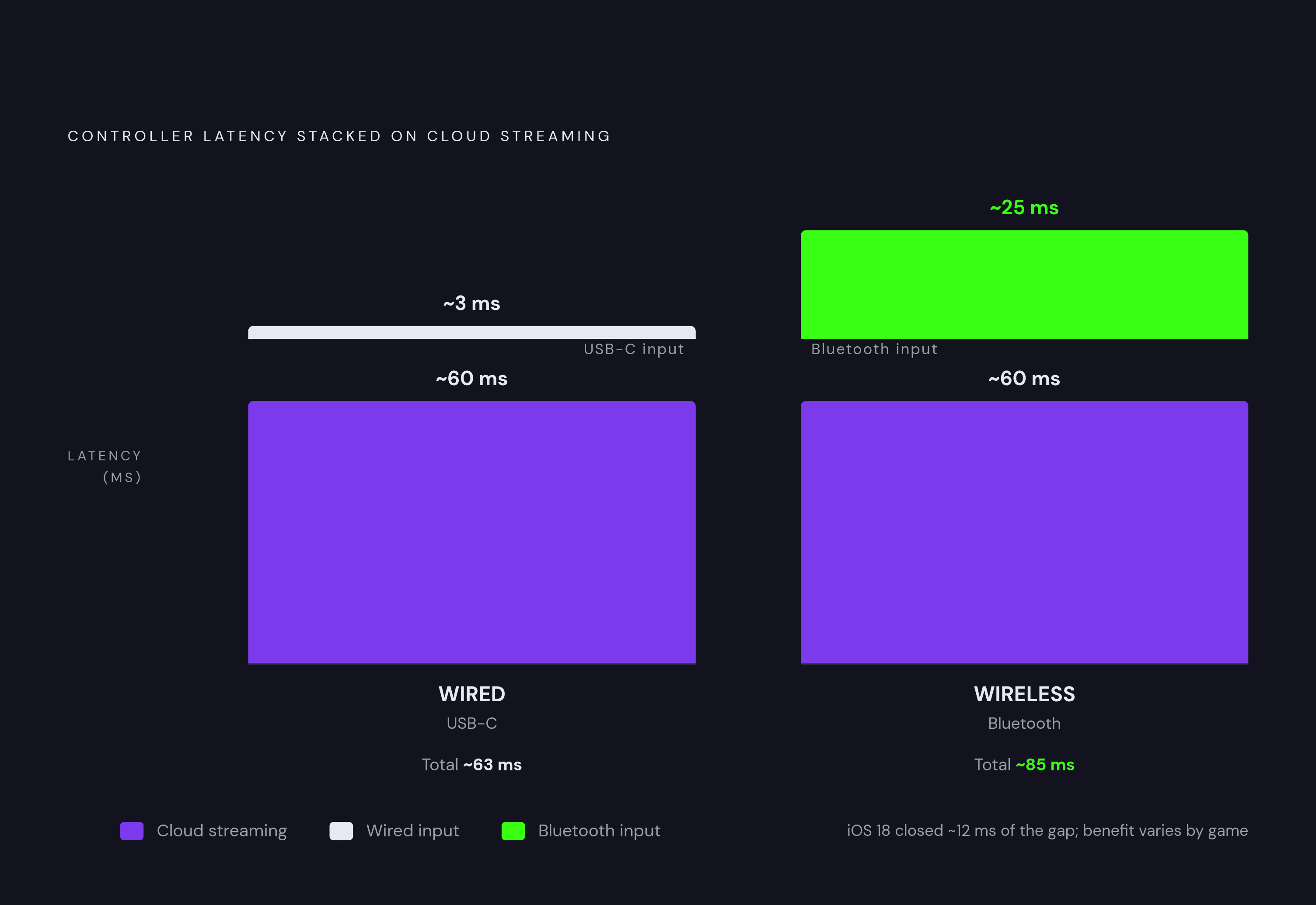
Wired USB-C skips Bluetooth latency by design. No radio handshake, no compression, no packet to wait on; the signal runs down the wire and that's that. Wireless adds lag by comparison, and how much depends on your Bluetooth version and how much radio noise is bouncing around whatever room you're sitting in.
That gap has been closing, though. iOS 18 cut average input latency by roughly 12 milliseconds for Bluetooth controllers. Real gain, though the benefit shows up unevenly depending on which app you've got open. Twelve milliseconds doesn't sound like much until it's the number separating a clean parry from a dead one.
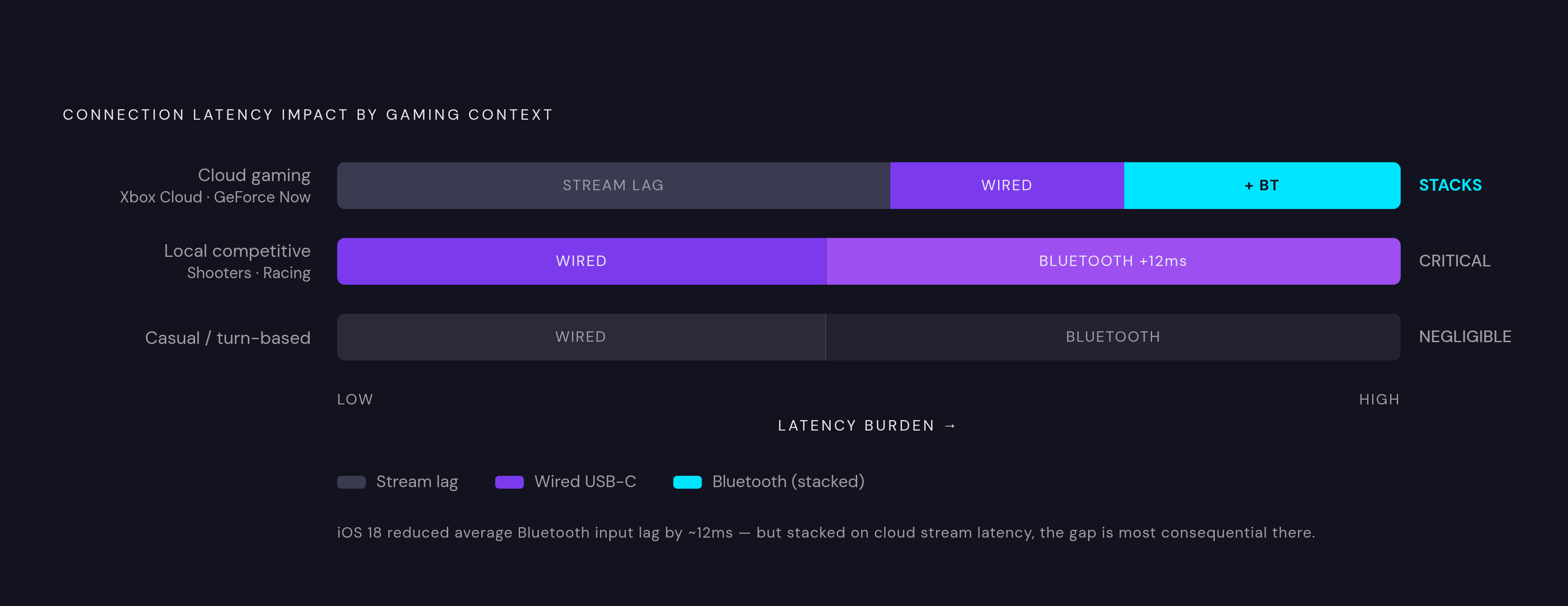
Where does it bite? In shooters and racing games, a small latency gap shifts your aiming window or your braking point by just enough to matter. Cloud gaming raises the stakes further, since services like Xbox Cloud Gaming, GeForce Now, and PS Remote Play already carry their own streaming latency, and whatever your controller adds stacks right on top of that. A game running locally on your phone can absorb a sloppy connection in a way cloud streaming just can't, so keep the controller side tight if you're leaning on cloud play.
Casual players, or those who live in turn-based RPGs and strategy games, might never notice wired versus wireless at all. Weight wired more heavily if you're playing competitively or leaning hard on cloud streaming; the milliseconds add up, and they add up fast.
None of this matters if the controller doesn't work with your phone in the first place, and that split runs straight down the middle of iOS and Android, playing out differently on each side.
Compatibility on iOS: what MFi certification actually means for day-to-day use
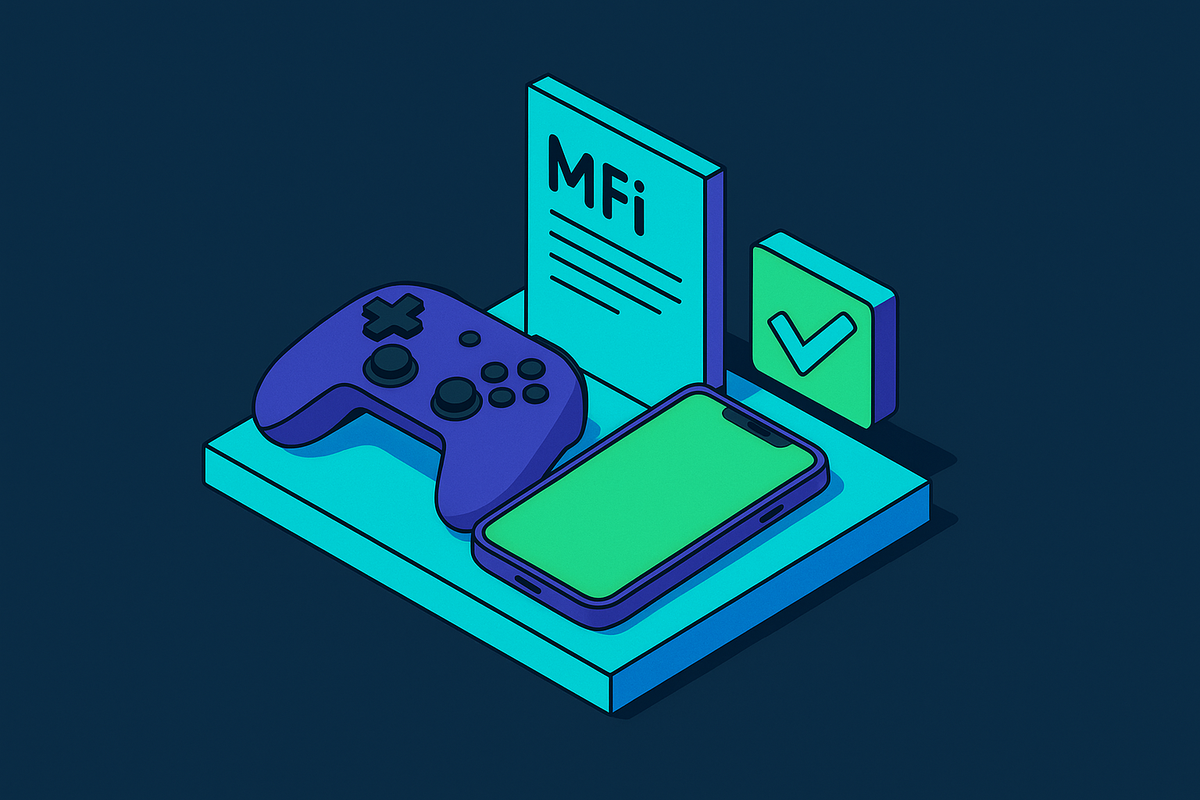
MFi, short for Made for iPhone, is Apple's certification program. Controllers that pass it carry an Apple-approved authentication chip, and that chip gates a handful of features uncertified hardware can't touch: system-level button mapping that works across every app instead of just one, battery reporting inside iOS itself, firmware updates through a companion app, full gyro passthrough and adaptive trigger support in games built to use it.
Non-MFi controllers still pair over Bluetooth, technically. A recurring complaint with uncertified hardware, though, is that it breaks voice chat or mutes game audio outright, an annoying way to find out mid-match that your controller and your OS don't get along. There's a longer reliability question too. MFi controllers talk to iOS through Apple's official APIs, so they tend to survive OS updates without drama. Uncertified hardware relying on workarounds can just stop working the day iOS patches, and nobody wants to learn their pricey controller died because of an update they didn't ask for.
MFi controllers integrate more deeply with iOS at the system level, giving them advantages in consistency and reliability that uncertified hardware can't match. The money side backs this up: iOS generated more than 61% of mobile gaming revenue in 2025, which is exactly why the big publishers build and test with MFi in mind instead of bolting it on later as an afterthought.
For iPhone owners, treat MFi as the floor, not a nice-to-have. Anything below it is a gamble, and you're the one holding the dice.
Compatibility on Android: more flexibility, different checks
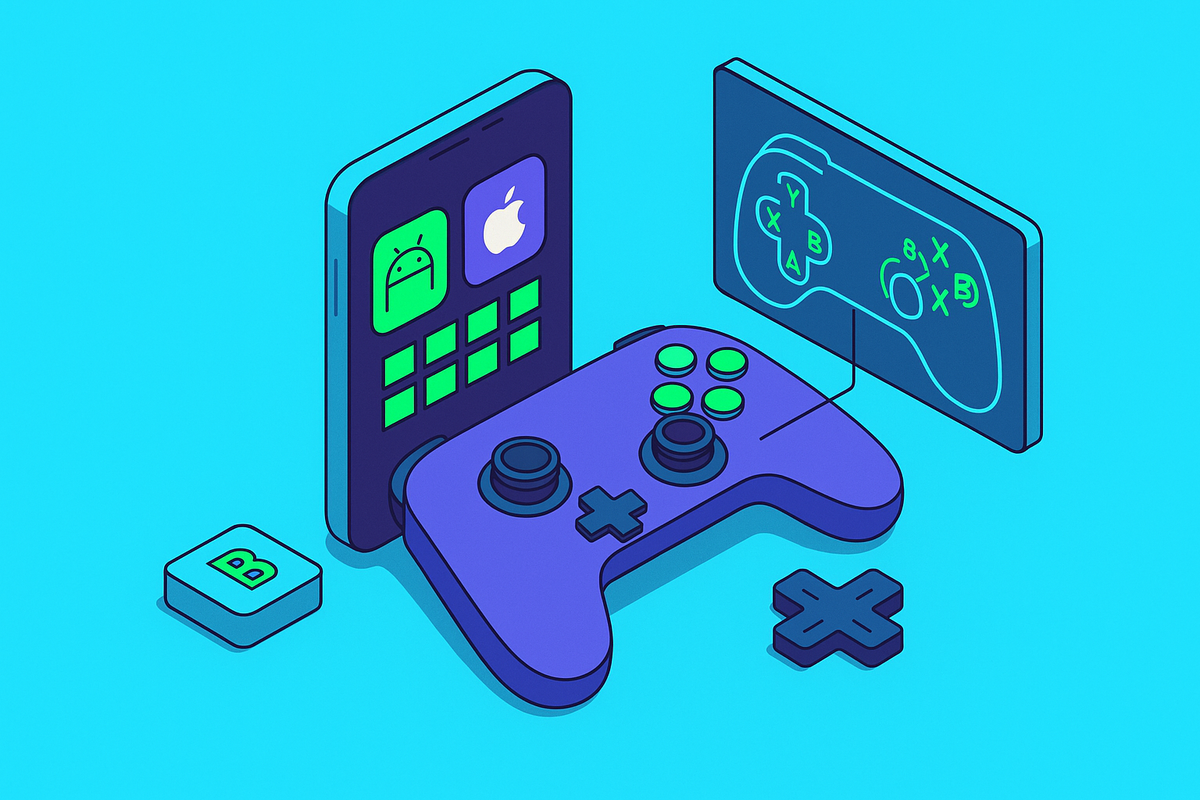
Android has no real equivalent to MFi, and most modern controllers work fine with Android 13 and up without needing any certification at all. That openness is a genuine upside: more options, more price points, no single company standing at the gate deciding what ships.
The openness cuts both ways, though. USB-C pin alignment isn't identical across every Android manufacturer, so foldables and phones with unusual port placement might not seat a clamp-style controller right. Five minutes checking before you buy beats a return shipment after the fact. Android's flexibility also means games implement controller support with more variance than on iOS. Some were built with a controller in mind from day one; others bolted it on as an afterthought two updates later. Check game by game rather than assuming it just works.
Cloud gaming is where Android's openness really shows up well. Xbox Cloud Gaming, GeForce Now, and Steam Link all run solid Android apps with controller support baked in, no certification hoops required.
Worth flagging one spending pattern: in markets like the UK and Canada, iOS gamers spend 35% more per user than Android counterparts. That doesn't mean Android players care less about quality; it suggests iOS as a platform skews toward higher willingness to pay for polished gear, premium controllers included, while Android shoppers tend to have more price-driven options sitting on the shelf.
Stick sensors and why drift matters more than button count
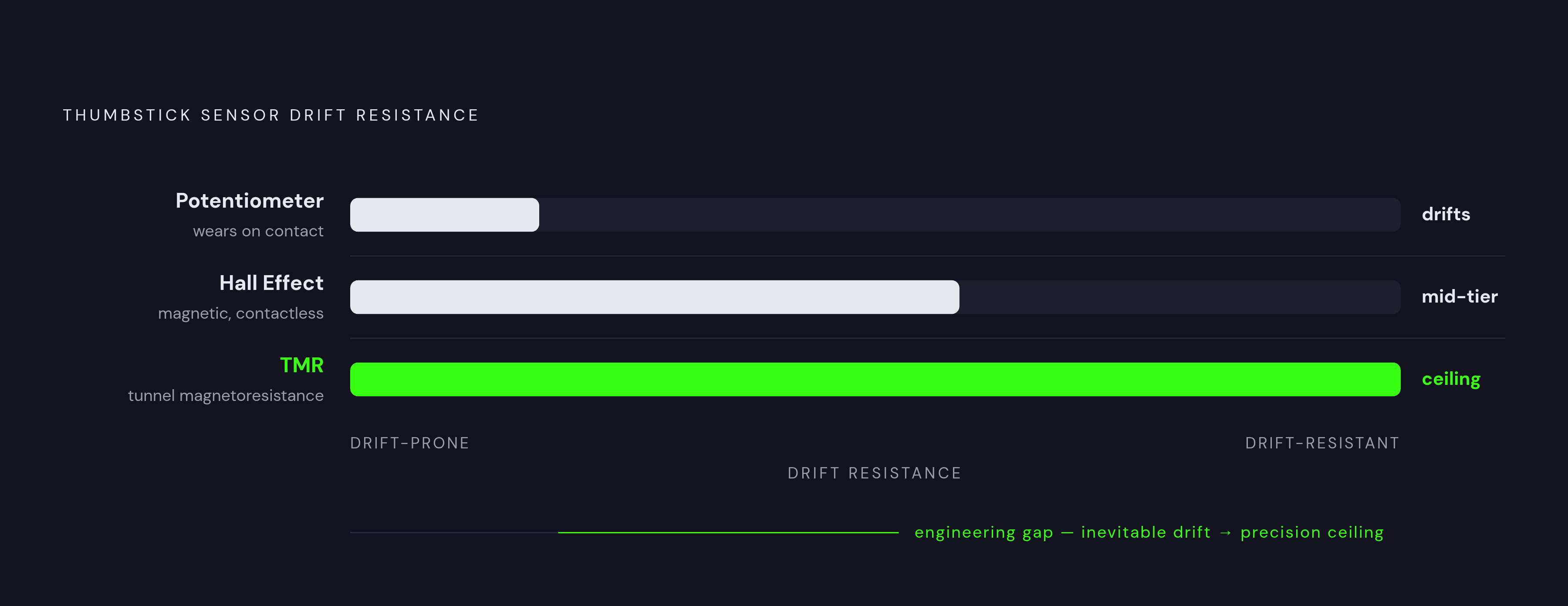
Stick drift is when a thumbstick registers movement you never made, and it comes from physical wear inside the potentiometer sensors that most budget sticks still use. You can compensate for a while: adjust your dead zone, recalibrate in settings, tell yourself it's fine. Eventually the wear catches up with you anyway, since it always does.
Two newer sensor types tackle this at the source. Hall Effect sensors sense magnetically, with no physical contact wearing down the mechanism, and they've become standard in several current mid-to-high tier controllers. TMR, short for Tunnel Magnetoresistance, goes further; Razer describes it as more precise and more drift-resistant than Hall Effect, and it's quickly becoming the benchmark at the top of the market.
Here's the practical part: a controller built with Hall Effect or TMR sticks is a longer bet than one built with old-school potentiometer sticks, no matter how good the sticks feel on day one out of the box. Anything relying on physical contact drifts eventually; the only real question is how long "eventually" takes before you notice it in a ranked match, probably at the worst possible moment. TMR is increasingly showing up in new flagship releases as the benchmark at the top of the market. Treat Hall Effect as today's floor and TMR as the upgrade worth chasing if you can find it in your price range.
Stick quality feeds directly into the next section, too. A drifting stick forces constant overcorrection, and overcorrection wears out your hands over a long session in a way that compounds. Bad sticks tire your hands and wreck your aim, often in the same match.
Ergonomics: handle geometry, grip, and what the fatigue research shows
A standardized test across 120 players found controllers produced roughly a 22% improvement in aim consistency in shooter titles, and self-reported fatigue surveys found players sustaining sessions up to three times longer with a controller than with a touchscreen alone. That's the gap between quitting a ranked match at the 20-minute mark because your thumb cramped up, and actually finishing it.
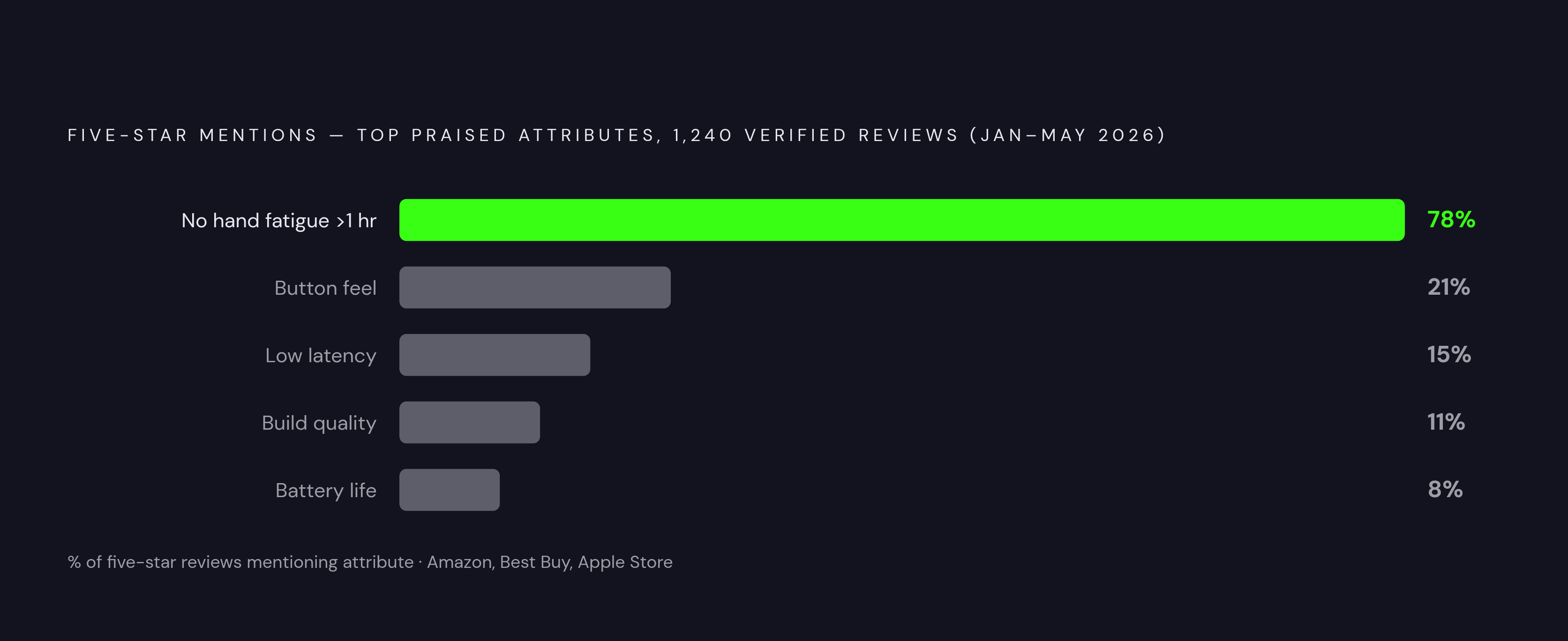
Among 1,240 verified reviews pulled from Amazon, Best Buy, and the Apple Store between January and May 2026, 78% of five-star reviews specifically mentioned playing past an hour without hand fatigue, well ahead of any mention of button feel or latency. That gap tells you something about what people actually care about once the novelty wears off and the phone's been sitting in the bracket for a month.
What drives that endurance? Handle geometry does a lot of the work: deeper handles that follow the curve of your palm cut grip tension over time, while flat or shallow grips make your hand work just to hold on. Weight distribution matters too, since clamping a phone to the front shifts the balance forward, and a good handle accounts for that instead of ignoring it and hoping for the best. Trigger travel and resistance play their part as well; long-travel triggers with real tactile feedback cut the guesswork out of precision inputs, so you're not hunting for the sweet spot mid-match. Back button placement can make or break a session on its own: buttons sitting naturally under your middle fingers, without forcing a hand reposition, stretch out how long you can comfortably play.
The average mobile session runs about 52 minutes a day, plenty of time for a bad grip to leave a mark on your palm you'll still feel at dinner. None of this shows up on a spec sheet, which is exactly why long-session reviews and verified buyer feedback tell you more than a side-by-side button count ever could.
How the leading controllers compare across these factors
Think of this as a map, not a leaderboard. Different controllers win on different things, and "best" depends entirely on what you're optimizing for.
For pure portability, a slim, pocketable clamp-style build wins the travel category outright. MFi certification unlocks full iOS compatibility, including system-level mapping and the iOS 18 features covered earlier, and pairing that with a solid companion app and cloud integration across Xbox, PlayStation Remote Play, and GeForce Now makes for a strong all-around pick for iPhone owners who want portability, wired latency, and deep iOS support in one box, controllers like the Backbone One fit squarely in this category, using a wired USB-C connection and a companion app built around mobile and cloud gaming.
On the sensor side, TMR thumbsticks sit at the leading edge for drift resistance and precision right now. Controllers built around that tech, like the V3 Pro line, push further with dual mouse-click back buttons alongside claw grip bumpers, giving players back-button access without giving up the standard shoulder layout, something few mobile controllers manage at once. Add haptic feedback systems like Sensa HD and a choice of three sizes across the V3 line (phone, mini tablet, full tablet), and you land on a controller built for players who bounce between device sizes and want the sharpest stick tech going, on Android or an iPhone 15 and up.
The Scuf Nomad takes a different road entirely, carrying Scuf's console controller lineage into mobile as an iOS-only device. Rear paddles, ergonomic shaping, and adjustable input sensitivity make it a natural pick for players already living in the Scuf ecosystem who don't want to relearn a second control scheme from scratch.
For value-focused buyers, controllers built around Hall Effect sticks and triggers offer drift resistance at a lower price than some of the competition, working across both Android and iPhone 15-and-up over Bluetooth 5.3. These suit home or desk setups where comfort and long-term value matter more than pocket-sized portability.
Whatever you land on, run the compatibility check first. iOS users should confirm MFi certification before buying anything not covered here, and Android users should confirm USB-C port clearance on their exact device, since five minutes now beats a return label later.
Matching controller choice to how and where you actually play
The right controller comes down to three things about you: your device, your main game type, and the context you actually play in. Device means iPhone versus Android, standard versus foldable, since foldables complicate the clamp-style question entirely. Game type means whether you lean on cloud streaming, play native competitive titles, or spend most of your time in casual and RPG genres. Context means commuting, traveling, or settling into a desk chair for a two-hour session that eats your whole evening.
For cloud gaming through Xbox Cloud, GeForce Now, or PS Remote Play, prioritize a wired USB-C connection to keep combined latency as low as it can go. Confirm MFi if you're on iOS, and double-check the controller's companion app actually supports the streaming service you use. Skip that last check and you end up with a controller that pairs fine but never shows up inside the app, which is its own special kind of frustrating.
For RPGs, strategy games, and long casual sessions, ergonomics and endurance matter more than shaving off milliseconds you'll never consciously notice. Back button placement and handle depth decide the outcome here, not stick sensor tech or wired versus wireless.
For travel, a slim clamp-style build wins just by fitting in a bag without adding bulk you'll resent carrying around.
For home or desk play with a stand, chase comfort, stick tech, and long-session ergonomics over portability. The thing isn't going anywhere, so let it be a little heavier and a little better built.
Run your own situation through these four factors honestly, and the "best" controller stops being a mystery wrapped in marketing copy. It becomes a plain match between what you actually do and what the hardware actually does well.