5G Mobile Data for Cloud Gaming Real-World Performance
Real-world 5G latency and congestion matter far more than raw speed for cloud gaming.
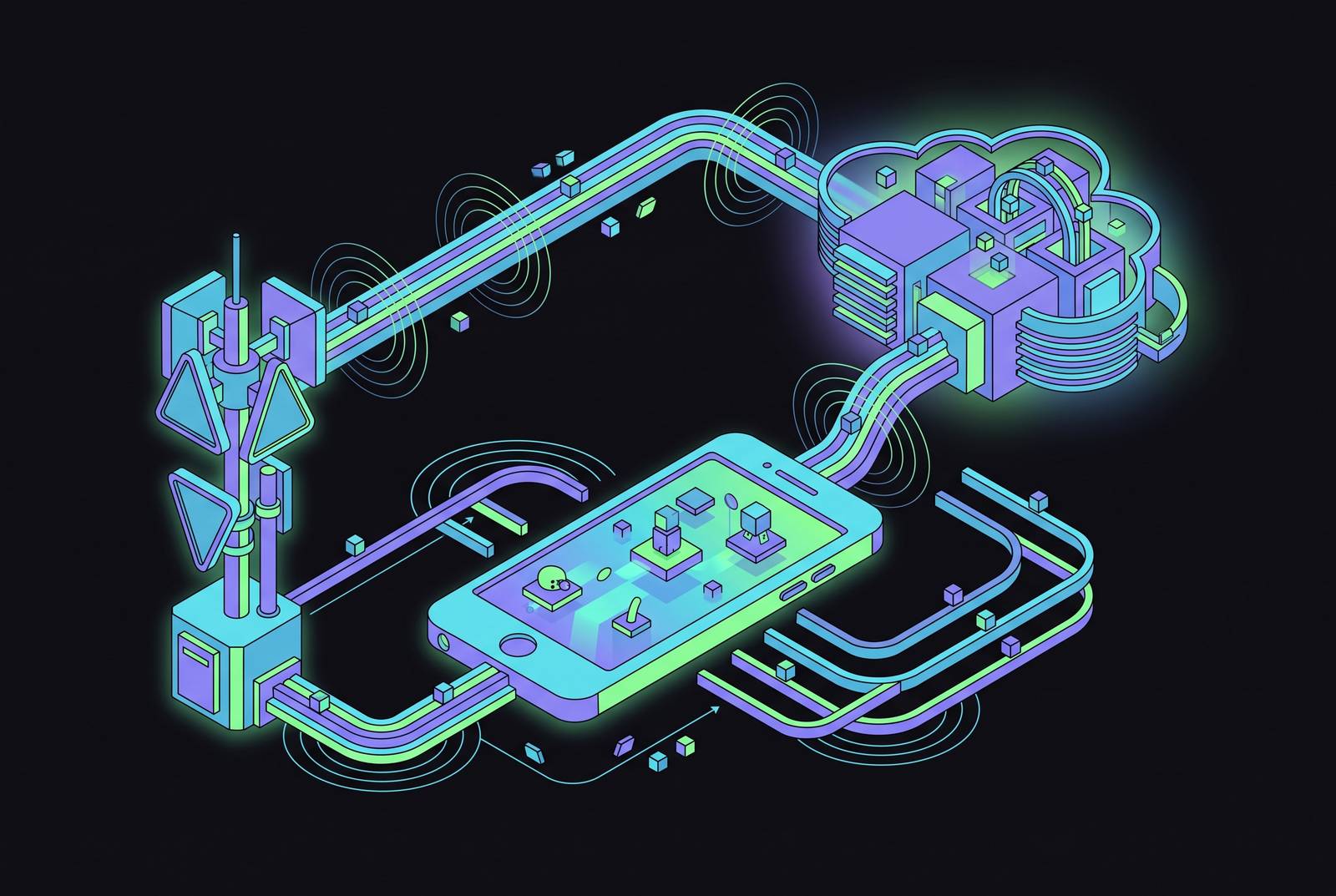
Cloud gaming's rise rides almost entirely on 5G, and the industry's own marketing skips the part where that only works under specific conditions. Xbox Cloud Gaming logged 1.7 billion hours of streaming in 2025, up 45% from the year before, and none of it happens without a wireless network doing something a lot harder than downloading a file. This piece goes section by section through what 5G actually delivers for cloud gaming, and where the fine print marketing tends to leave out starts to matter.
What the technical requirements of cloud gaming actually demand from a network
Downloading a game and streaming one ask completely different things of a network. A download needs a wide enough pipe to move a file from point A to point B. Cloud gaming renders every frame on a remote server and pushes it to a screen in real time, carrying the entire act of computing the game alongside delivering it. That distinction shapes everything else in this piece.
Two things matter here, and they play separate roles. Bandwidth is throughput, enough of it to receive high-quality video without the picture turning into a blocky mess. Latency is how fast a button press travels to the server and comes back as a new frame, ideally before a thumb even finishes its next movement. RootMetrics puts the bandwidth floor for smooth online gaming at 35 Mbps, and 5G's real-world averages clear that with room to spare. Bandwidth, in other words, is close to a solved problem.
Latency is the harder one, and it is the one that actually ruins sessions. In a fast-action game, significant lag is not subtle: inputs feel floaty, aiming feels imprecise, frame pacing turns uneven. Jitter, the variance in that latency, matters just as much as the average number, and a connection bouncing between 20 ms and 80 ms unpredictably plays worse than one that just sits steady at 40 ms. Consistency shapes the experience as much as raw speed does, a detail that gets buried in a technology sold almost entirely on how fast it is.
How 5G's speed and latency compare to 4G in practice
Lab numbers for 5G are extremely large under ideal conditions, though real-world numbers land considerably lower. Still, the jump from 4G is real: Spenza's 2026 US testing found median 5G running 3 to 6 times faster than median 4G, and T-Mobile led domestic carriers with a median 5G download speed of 309.41 Mbps and the lowest median 5G latency in that round of testing, at 44 ms.
The UK tells a similar story from a different angle. Opensignal's September 2024 report measured real-world 5G speeds from 80.1 Mbps on O2 up to 208.9 Mbps on Three, both well clear of the 35 Mbps gaming floor. On latency, 4G tends to sit in the 30 to 70 ms range, while 5G can drop that below 10 ms under good conditions. That gap is the difference between a game feeling responsive and feeling sluggish and delayed. Real-world median 5G latency tends to land somewhere in between, roughly the honest middle ground between 4G's typical range and 5G's best-case performance.
So what does a player actually take from this? Speed almost never bottlenecks a 5G cloud gaming session anymore. The real question, every time, is which latency band a given connection happens to fall into on a given day.
Why not all 5G is the same — the spectrum bands that determine your actual experience
Two people can both have "5G" on their phones and have entirely different afternoons, one gliding through a session and the other fighting input lag the whole time. Spectrum is the answer, and it is the part of this story most carriers never bother explaining.
Low-band 5G, sitting under 1 GHz, covers wide areas but behaves a lot like 4G in terms of speed and latency; good for rural coverage, unremarkable for cloud gaming. Mid-band, using C-band and 2.5 GHz spectrum, is the workhorse layer most people actually connect to, typically delivering 150 to 500 Mbps, and T-Mobile's edge in US testing traces directly back to its mid-band 2.5 GHz footprint. High-band, also called mmWave, is the flashy one, with very low latency potential, but a range so short it is mostly confined to stadiums, airports, and dense downtown blocks.
Architecture matters just as much as spectrum, maybe more, and this is the part worth actually understanding rather than skimming. Non-Standalone 5G (NSA) still leans on a 4G core underneath, so speed improves but latency gains only go so far. Standalone 5G (SA) runs on its own independent core with a more flexible frame structure, capable of sub-10 ms latency. Markets with active SA deployments have generally shown meaningfully lower latency and tighter jitter than NSA networks. The blunt version: a player on low-band 5G out in a rural stretch can easily get a worse cloud gaming experience than a player on strong 4G downtown, and the "5G" label on both phones tells you nothing about which one wins. Checking a phone's network settings for the 5G subtype, then cross-referencing a carrier's coverage map for band availability, takes about two minutes and tells you more than any speed test.
What network congestion does to a session — and when it's worst
Even a perfectly specced 5G connection buckles under enough concurrent load, because a cell tower splits its capacity among everyone connected to it in that moment. It is a shared resource, full stop, and no coverage map on a carrier's website captures that limitation.
Congestion peaks are predictable enough to plan around: evenings between 7 and 10 pm local time, large gatherings like sporting events or concerts, transit hubs during the commute crush. When a cell gets loaded up, latency rises, jitter spikes, and the video encoder on the server side starts trimming quality just to keep the stream alive. That is why resolution drops and artifacting creeps in right when the action on screen gets busiest. Leading markets are making progress toward consistent cloud-gaming-grade latency across the board, yet even in well-developed 5G regions only a subset of users reliably hold latency under 50 ms and jitter under 10 ms at all times. Even the best networks in the world carry an asterisk.
This is the one variable players can actually do something about, more than any other in this piece. The same hardware on the same connection can feel like a different product at 2 pm versus 8 pm, so session timing changes everything, and location matters too: moving toward a tower, stepping away from a packed crowd, or just finding open space instead of a concrete-and-steel building measurably improves signal quality. Some carriers also offer gaming or premium data tiers with deprioritization protection, worth checking into if congestion is a recurring headache rather than an occasional one. Learning when and where 5G actually performs turns out to matter more than owning the newest phone.
How edge computing extends what 5G alone can't achieve
5G solves the wireless leg of the trip. What happens after the signal leaves the cell tower and has to travel to a data center that might sit two states away is a separate problem, and it needs a separate fix: edge computing.
Multi-access edge computing, or MEC, puts rendering servers physically inside or near city limits, cutting out the long backhaul to some far-off data center. The logic of MEC is that nodes placed in metro areas can substantially cut round-trip times in covered locations, and this is not hypothetical infrastructure. Major carriers and cloud providers have deployed edge nodes across the US, and regional edge platforms have expanded across Southeast Asia as well, both aimed squarely at shrinking backhaul distance for streaming sessions. NVIDIA has continued engineering work aimed at reducing perceived input latency on GeForce NOW, with related efforts targeting efficiency gains across different game environments.
Geography now matters almost as much as carrier choice, and this is the part that should bother people more than it does. A player in a city with solid MEC coverage can genuinely outperform a player in a rural area running nominally faster hardware, and that outcome gets decided less by what phone or controller someone owns and more by which zip code they happen to live in. ResearchAndMarkets projects the cloud gaming market growing from $6.23 billion in 2026 to $21.62 billion by 2031, and a good chunk of that bet rides on edge infrastructure catching up to where 5G already sits.
How the major cloud gaming platforms perform on 5G — and what distinguishes them
Network conditions set the ceiling. What each platform does underneath that ceiling depends on server hardware, library size, edge footprint, and how each service handles video encoding once the connection gets shaky.
GeForce NOW, run by NVIDIA, has continued upgrading its cloud server hardware and upscaling technology, positioning it toward the higher end of visual quality among streaming services. GeForce NOW supports a large and growing library of titles, all playable on 5G with nothing to download first. Its differentiator is that it plays games a player already owns through Steam, Epic, or Ubisoft Connect, no repurchasing required, making it the obvious pick for someone who already has a PC library and cares most about how the picture looks.
Xbox Cloud Gaming, from Microsoft, had 37 million Game Pass subscribers as of the first quarter of 2025, and mobile cloud gaming through the service grew 89% year over year. It is the easiest on-ramp for anyone already inside the Microsoft ecosystem, built for Game Pass subscribers who want a large instant-access library without buying games one at a time.
PS Remote Play streams from a player's own PlayStation console at home rather than from a data center, so performance rides on home upload speed and whether the console is actually sitting in rest mode instead of powered off. On 5G, the mobile network stops being the bottleneck, and the home internet connection becomes it instead. Steam Link runs on the same logic, streaming from a player's own gaming PC, free to use, quality ceiling set entirely by that PC and its home upload speed. Both fit players who already own strong hardware at home and just want it along for the ride in a pocket.
Here is the pattern worth noticing across all four: every one of them benefits from the same 5G gains, but each fails differently when the network dips, so know the failure mode before picking a favorite, not after a match gets ruined by it.
Why the controller is the last variable between the network and the player
Say the network is perfect: latency low, jitter tight, congestion nowhere in sight. A great session still is not guaranteed, because there is one more link in the chain, and it is the one closest to the player's own hand.
Touch controls add their own latency on top of whatever the network contributes. A finger on a pane of glass is less precise and often slower to register than a physical switch under a thumb, no matter how good the glass is. At a median 5G latency around 44 ms, shaving touch imprecision out of the equation is a real, measurable cut to total input lag, not a placebo. A physical controller removes that touch-input delay entirely and adds the ergonomic stability longer sessions actually need. Average mobile gaming sessions run around 33 minutes a day, and sessions of that length and beyond mean grip shape and trigger feel stop being a matter of preference and start being a fatigue problem once a session clears the half-hour mark.
Practical steps for getting the best 5G cloud gaming session today
Check which 5G band and architecture a carrier actually runs in a given area first, rather than assuming "5G" means one consistent thing across every phone and every block. Mid-band Standalone is the combination worth hunting for, and picking a platform based on what is already owned and where that service's servers sit relative to home matters too, since edge footprint counts for as much as library size.
Time sessions on purpose. Off-peak hours on the exact same 5G connection can produce a noticeably different latency and jitter profile than peak hours do, and that difference is often bigger than anything a phone upgrade would buy. Move toward signal when it is convenient, since distance from the tower and physical obstructions like buildings or vehicles both make congestion worse, and they stack on top of each other rather than canceling out. Use a wired or direct-connect controller, which strips touch latency out of the input chain entirely; a meaningful move when network latency is already being measured in tens of milliseconds. Where a platform offers an in-game latency indicator, and both Xbox Cloud Gaming and GeForce NOW do, use it, since it is the fastest way to tell whether a rough session is the network's fault or the platform's.
The global 5G connection count keeps climbing, so this picture keeps shifting and the ceiling has not shown up yet. Under the right conditions, 5G is already capable of genuinely excellent cloud gaming. Knowing those conditions, band, architecture, congestion window, edge distance, is what separates a session worth remembering from one worth complaining about to whoever will listen.