Cloud Gaming Service Comparison for Mobile Players in 2024
Stream your PC game library to any phone, but weigh network stability against picture quality.
Mobile gaming pulled in roughly $92 billion in 2024, about 49% of all global gaming revenue, more than console and PC combined. With something like 3.2 billion active mobile gamers worldwide, nobody needs to argue anymore that a phone counts as a real gaming device. What's still up for grabs is which cloud service actually turns that phone into one. Each one trades off library, price, and performance in a different way, and picking right depends on what you already own and how you actually play.
Cloud gaming is the plumbing underneath all of this. It lets a mid-range phone run a game that would otherwise choke its processor, by shipping the actual computation off to a server somewhere and streaming the result back to your screen. That only works if the network can keep up, which is where 5G comes in: there were roughly 2 billion 5G connections globally as of Q1 2024, with 185 million added in that quarter alone. The lag that used to make cloud gaming feel like you were playing through a bowl of soup is finally thinning out, at least on networks built in the last few years.
This piece covers the major players: GeForce NOW, Xbox Cloud Gaming, PlayStation Remote Play, and Steam Link, and what actually separates them once you get past the marketing copy. Then it gets into the iOS/Android split, why a physical controller matters more than people give it credit for, and ends with a plain way to figure out which service fits your setup.
How cloud gaming works and why the service you pick shapes the experience
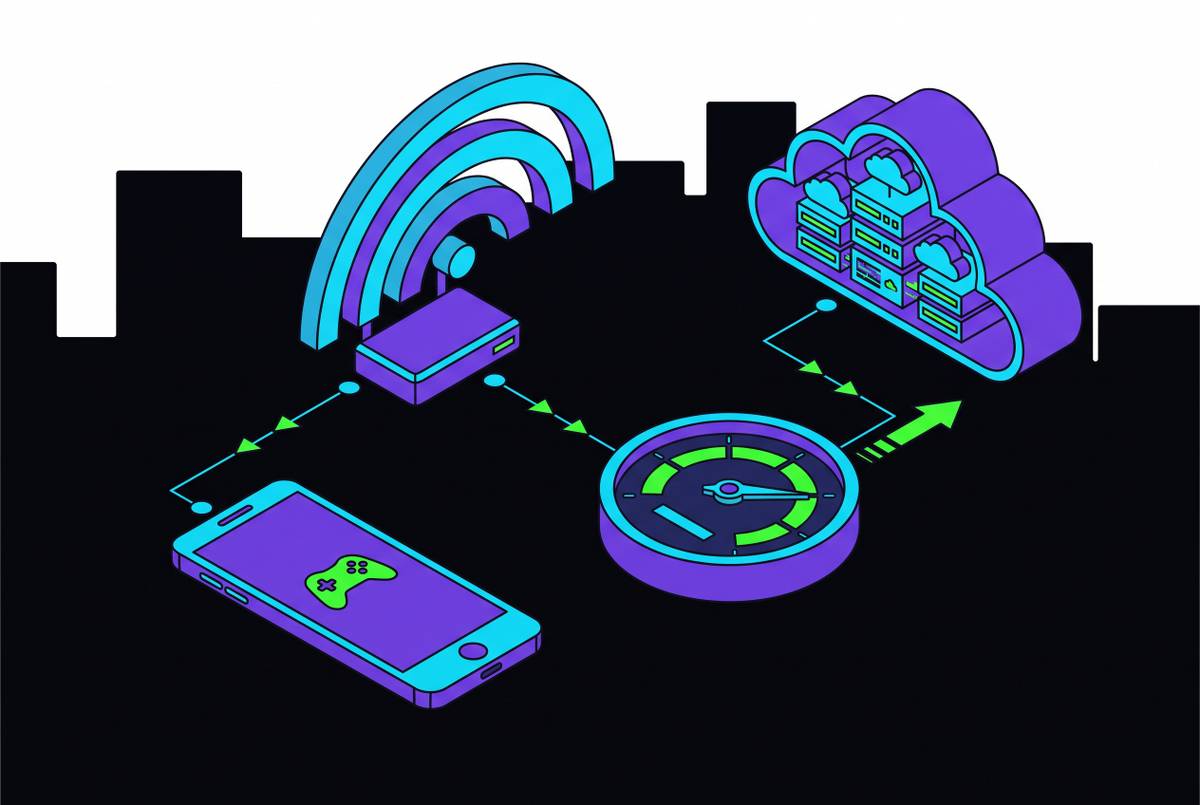
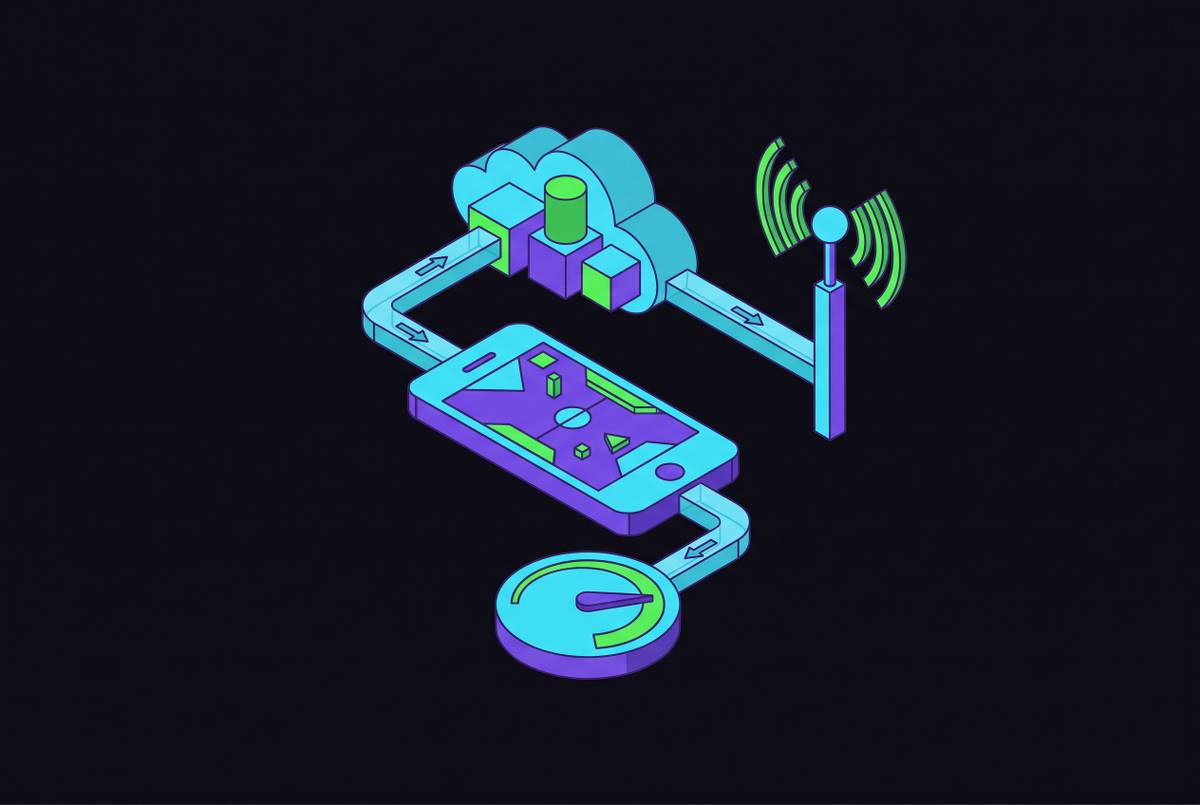
Strip away the branding and every cloud gaming service does the same basic thing. A game runs on a server sitting in some data center, each frame gets encoded into video, that video streams to your phone, and your button presses travel back upstream. The whole loop, press to server to render to encode to stream to screen, has to happen in tens of milliseconds or your brain notices the lag before your thumb does. Everything else in this piece is really just an argument about how to shave milliseconds off that loop.
What decides whether the loop feels tight or mushy comes down to a short list: how efficient the server's encoder is, how close that server sits to you, and which video codec it runs. AV1, the newer codec, compresses more efficiently than older formats like H.264, so you get better image quality at the same bitrate, or the same quality at a lower one. Comparing an AV1 stream to an H.264 one side by side makes the difference visible: the newer codec delivers better image quality at the same bitrate, or equivalent quality at a lower one.
The bigger question, the one that actually determines which service makes sense for you, is how you get access to games in the first place. Three models exist, and they don't really compete with each other so much as serve different starting points. GeForce NOW runs on bring-your-own-library: you buy the game on Steam, Epic, or GOG like normal, and the service streams your existing copy. Xbox Cloud Gaming and Amazon Luna are curated subscription catalogs; pay monthly, get a rotating selection of included titles, nothing purchased separately. Meanwhile, PlayStation Remote Play and Steam Link are console-tethered streaming, meaning they need hardware you already own at home and just pipe that machine's output to your phone.
That distinction matters more than raw benchmarks, because it decides your total cost of entry, how deep your effective library actually is, and whether the service works the second you sign up or requires you to already own a stack of games. A player with 200 games on Steam and a player who's never bought a PC game in his life shouldn't be looking at the same service, even if both are holding an iPhone.
One thing unites all of them regardless of model: none of them control your network. On mobile, how a service behaves when your connection drops from full bars to two bars matters just as much as how good it looks under perfect conditions. A service with a stunning ceiling and a rough floor plays very differently from one that just stays steady outside of fiber.
GeForce NOW: the performance ceiling for mobile players who already own PC games
If you've already got a Steam or Epic library sitting there, GeForce NOW turns that sunk cost into mobile playtime instead of making you buy everything twice. As of 2024 it supports over 1,700 titles, and the pitch is simple: if you own it, it streams, no repurchase required.
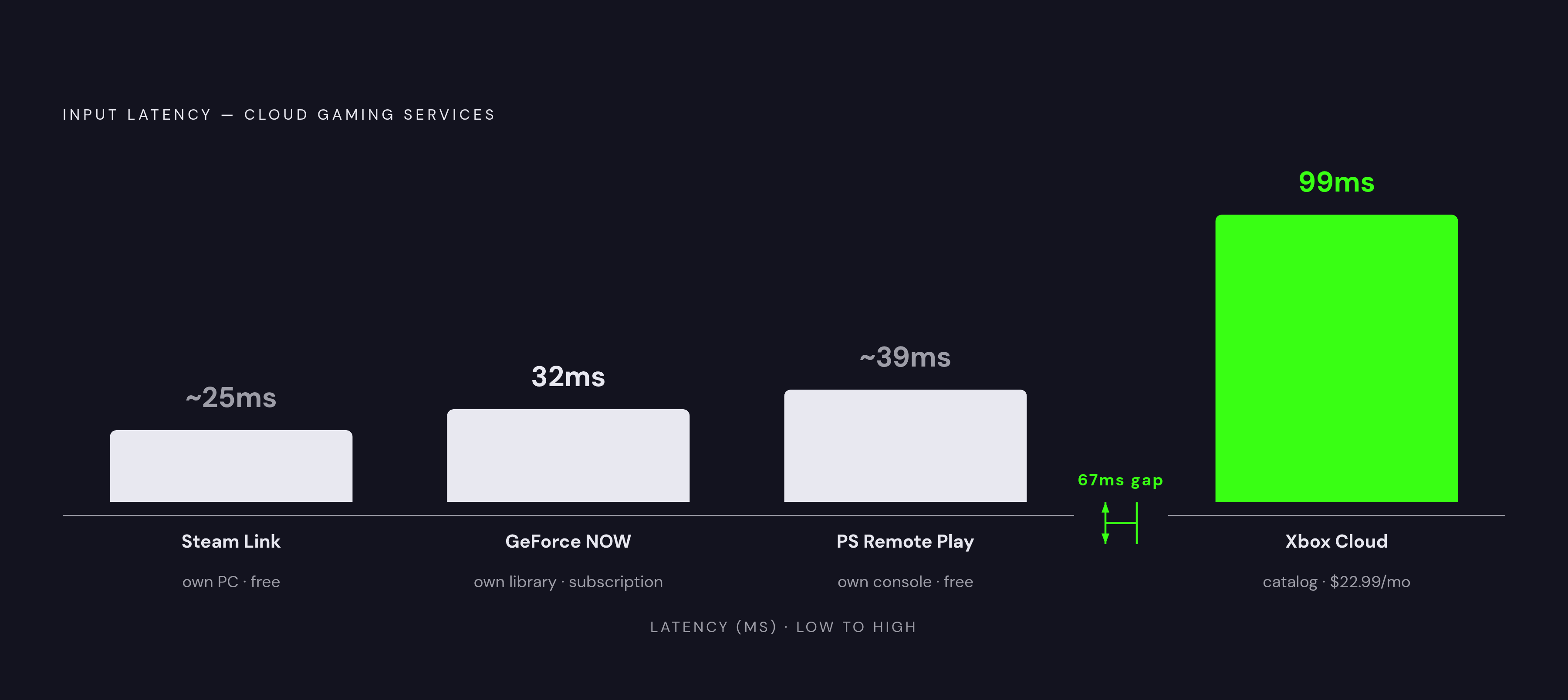
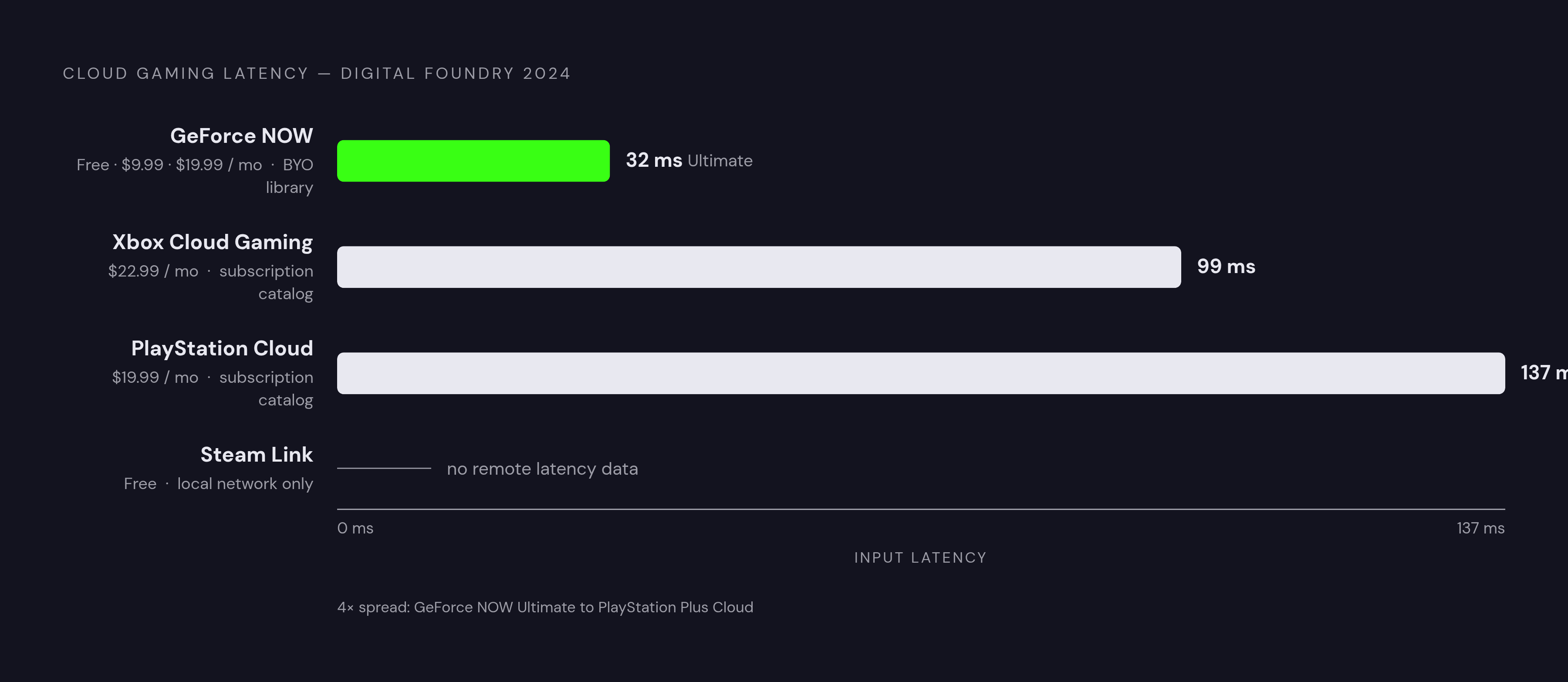
The technical edge is measurable. NVIDIA runs this on custom RTX-class servers, and on compatible Android devices, AV1 encoding delivers noticeably sharper textures and better lighting than competing services manage, especially in open-world games with heavy lighting workloads. Digital Foundry measured input latency between 32 and 37ms at 60Hz, with a later fiber-connection test putting the Ultimate tier around 32ms average. Those numbers put cloud gaming closer than ever to feeling like a console plugged straight into your TV, a threshold the other services in this piece don't quite reach.
Three tiers, three different experiences on mobile. Free caps you at one-hour sessions, fine for testing the waters but not much else. Priority runs $9.99 a month, bumps sessions to six hours, and gets you onto RTX-class hardware. Ultimate is $19.99 a month, extends sessions to eight hours, and unlocks the settings where those 32ms numbers actually apply.
Here's the part that stings a little if you're on iPhone: there's no native App Store app. GeForce NOW runs through Safari on iPhone and iPad, which works fine but sits one step removed from a proper native experience. Android users get the better end of this deal, since AV1 support on compatible phones produces visibly cleaner image quality than what iOS users get through the browser.
NVIDIA quietly added something in 2024 worth flagging: automatic Xbox sign-in, letting members link their Xbox profile and pull their Microsoft game library into GeForce NOW. Small feature, but it meaningfully widens the catalog for anyone buying across both ecosystems.
So who actually wants this? Weighing the tiers against the trade-offs, two groups come out ahead: PC gamers with existing libraries who want that library extended to a phone screen without paying twice, and players who care more about raw fidelity and low latency than catalog breadth. Starting from zero with no PC games to your name? This isn't it. Paying $19.99 a month just to unlock the tier where the performance numbers mean something is a hard sell if you've got nothing to stream yet.
Xbox Cloud Gaming: the broadest on-ramp for players starting from zero
Now flip the situation: you don't own a stack of PC games, you just want to play good games on your phone starting today. Xbox Cloud Gaming is built for that. It's bundled into Game Pass Ultimate at $22.99 a month, no separate purchases, hundreds of titles included, no session hour caps to watch the clock against.
The library is the entire pitch. Day-one access to Microsoft's first-party releases, plus a rotating catalog of third-party titles, means someone starting from scratch has more playable content on day one than any other service here offers.
Performance-wise, Microsoft made a deliberate trade. Azure's encoding leans toward stability over raw fidelity, so visuals run a bit more compressed than GeForce NOW's, but the experience holds up better when your network wobbles, where GeForce NOW tends to degrade more noticeably. Digital Foundry's 2024 test on Cyberpunk 2077 measured about 45ms of added latency, landing around 99ms total end-to-end. That's meaningfully higher than GeForce NOW's 32ms, though still lower than PlayStation Plus Cloud's 137ms in the same test. In practice, 99ms won't win you a competitive shooter tournament, but it plays fine for most single-player and even casual multiplayer games.
It's also usable at a bandwidth floor of 10 Mbps, though you're looking at heavily compressed 720p at that point. That's not gorgeous, but it works, and that floor matters if you're on a spotty connection and just want the game to load instead of stalling out mid-session.
Here's the number that reframes the whole service: 87% of all Game Pass cloud traffic comes from mobile devices, out of 1.7 billion total cloud hours logged. That stat suggests Xbox Cloud Gaming functions, in practice, as a mobile-first product that happens to share a name with a console. Device reach backs it up: Android and iOS through the browser, Samsung and LG smart TVs, Xbox consoles themselves, Fire TV, Meta Quest. Nothing else covered here comes close on compatibility.
iOS users hit the same wall as GeForce NOW: browser-based through Safari, no native app. At least it's a consistent limitation, so iOS players know what they're walking into before they start.
This one's for the player without an existing PC library, or anyone who wants one subscription covering console gaming at home and mobile play on the go. If catalog breadth matters more to you than squeezing out the last few percentage points of image fidelity, this is your service.
PlayStation Remote Play and Steam Link: streaming what you already own
Both operate on the same logic: stream from hardware sitting in your house, using a machine you've already paid for, which makes them free or nearly free. But that logic cuts both ways. The whole experience now depends on your home network and how well your phone talks to your own PC or console, rather than on a data center NVIDIA or Microsoft built specifically for this job.
Steam Link is the stronger of the two, and it's not close. It's a free app that streams your entire Steam library from your own PC to any phone, using a low-latency custom protocol that independent testing found averages 7ms lower input lag than the official PS Remote Play app on the same Wi-Fi network. There's also Remote Play Together, which lets a friend join your PC game session through a shared link, so co-op doesn't require everyone to own the same title. This is fundamentally a local-network solution, great at home when streaming from your bedroom PC to your phone on the couch, less reliable the moment you're trying to reach that PC from across town.
PS Remote Play tells a rougher story. It's free, requires a PlayStation console, and streams your PS4 or PS5 library to Android or iOS. A 2024 survey of 12,000 PlayStation users found 68% had abandoned the official app within three months of trying it, a genuinely striking dropout rate for a first-party product, and one that lines up with the complaints that keep surfacing: drops on standard home Wi-Fi, no way to share control with a friend the way Steam Link allows. The community response has been telling. Third-party apps, some built for Android, others for iOS, get recommended over the official app constantly, mostly because they offer more configuration and lower latency. Want to stream PS5 exclusives like Spider-Man 2 or Ghost of Tsushima without owning the console itself? PlayStation Plus Premium at $19.99 a month is currently the only door into that room.
If you have a capable PC and a deep Steam library, Steam Link is a genuinely underrated free option for wandering around the house. If you own a PlayStation and want that library on your phone, go in with tempered expectations about the official app, and know alternatives exist if it frustrates you the way it's frustrated most people who've tried it.
iOS vs. Android: the platform gap that changes what's actually available to you
Android holds the structural advantage across nearly every service here. Native apps where iOS gets Safari, AV1 support unlocking a real image quality bump on compatible devices, and Android commanded about 68.7% of the global mobile gaming market in 2024, partly because its more open ecosystem lets services build the app they actually want instead of the app Apple allows.
Apple did start letting cloud gaming apps into the App Store in 2024, which sounds like progress until you notice the major services, Xbox Cloud Gaming and GeForce NOW included, still run through Safari on iPhone and iPad rather than shipping native apps. Browser play works fine; it's just not quite the same thing as a dedicated native app. The recommended baseline for iOS cloud gaming requires a stable connection of at least 25 Mbps for 720p, climbing to 40 Mbps if you want 1080p.
What actually gets lost on iOS versus Android? No AV1 bump, a bit more friction to launch a session, none of the update cadence a native app gets. Libraries, pricing, and session limits stay identical across both platforms though, and iOS users get the same game catalog as Android, just through a clunkier front door.
Android gives you the fullest version of cloud gaming mobile currently offers. iOS gives you the same games, same pricing, same session lengths, through a browser shortcut you set up once and mostly forget about.
How a physical controller changes what cloud gaming on mobile can actually be
Here's a detail that gets glossed over constantly: GeForce NOW's 32ms and Xbox Cloud Gaming's 99ms are network-side numbers. They measure the round trip between your input and the server's response. What they don't measure is how accurately and quickly your button press gets registered and sent in the first place, and that's a separate variable entirely, one that lives on your end of the connection, not the server's.
Touch controls introduce their own lag and their own imprecision, and for genres where split-second timing decides outcomes (shooters, action RPGs, fighting games), a soft glass rectangle standing in for a control stick isn't a minor inconvenience. It's the difference between landing a parry and eating a combo because your thumb slid half a centimeter off an invisible joystick that only exists as a rendered outline on your screen.
Average session lengths on cloud gaming have grown a lot as the technology's matured, which quietly turns ergonomics into a performance variable instead of just a comfort question. Five-minute sessions rarely cause hand cramp. The strain shows up much later, once you're an hour deep.
A well-built mobile controller fixes several of these problems at once, and it's worth naming which ones specifically. It kills the thumb-drift and general mushiness that comes standard with on-screen virtual joysticks. It cuts the lag between your press and the moment the server receives it, since a physical button reports faster and more consistently than a touchscreen guessing where your thumb probably is. It makes entire genres playable that are functionally miserable on touch alone, third-person shooters and fighting games especially. And it makes long sessions physically bearable in a way flat glass never will, provided the controller's actually built around how hands hold things for an hour, not just built around hitting a price point.
This isn't a decision baked into any one service. A physical controller works across Xbox Cloud Gaming, GeForce NOW, PS Remote Play, and Steam Link alike, paired or plugged into whatever phone you're already holding. It's the one upgrade that improves every service on this list at once.
Choosing the right service based on what you actually have and how you actually play
There's no single objectively-best answer here. The real question is which combination of library model, price, and performance profile matches your situation, and that changes depending on what you're holding and what you already own.
PC gamer with a Steam or Epic library gathering dust between console sessions? GeForce NOW's Priority or Ultimate tier is the obvious fit; the $19.99 Ultimate tier earns its keep if latency actually matters to you and your connection can support it. Starting from absolute zero, no library, no console, just a phone and curiosity? Xbox Cloud Gaming through Game Pass Ultimate at $22.99 a month hands you hundreds of games with no hour caps and the widest device reach around. Own a PlayStation and want that library in your pocket? PS Remote Play works, but go in with realistic expectations given that 68% abandonment number, and know third-party alternatives exist if the official app frustrates you; PS Plus Premium adds exclusives if you're willing to pay for it. Mainly play at home and just want to wander the house without giving up your PC's horsepower? Steam Link costs nothing and beats PlayStation's own official solution on latency.
Android players get the fullest version of nearly everything here: native or near-native apps, and AV1 image quality on GeForce NOW specifically worth weighing in. iOS players get the same games, pricing, and session lengths, through Safari, so set up a home screen shortcut once and make sure you're on 5G or Wi-Fi 6 with at least 25 Mbps before expecting 720p to look right.
One thing applies no matter which service you land on: a physical controller built for mobile. It's the hardware layer every comparison in this piece quietly assumes exists but can't actually provide on its own, and it's the difference between a phone that technically runs these services and a phone that's actually fun to hold for an hour straight, which is the gap Backbone, a smartphone gaming controller brand whose Backbone One and Backbone Pro pair with a companion app to give players console-level controls on any phone, was built to close.
Pick the service that matches what you already own, pair it with a controller that doesn't fight your thumbs, and the phone in your pocket stops being the backup plan for when you're away from a real setup. It becomes the setup, whether or not anyone bothered to announce it.