Best GBA and SNES Emulators for iPhone in 2025
Apple's 2024 policy shift made retro gaming legal and easy on iPhone.
Apple opened the App Store to game emulators in April 2024, and that single policy change reshaped what iPhone owners can legitimately do with their old GBA and SNES libraries.
Apple's 2024 App Store policy shift and the emergence of legitimate iOS emulation
April 2024 is the date to remember here. Apple revised App Store Guidelines section 4.7 that month to permit retro game emulators, which closed out years of sideload-only existence for this entire category. Before that, getting an emulator onto an iPhone meant AltStore, jailbreaking, or a certificate that expired every seven days like some kind of cursed library book https://mwm.ai/apps/manic-emu-game-emulator/6743335790. Afterward, Delta, PPSSPP, RetroArch, Folium, SameBoy, and iGBA all appeared on the App Store globally within a matter of weeks.
Not everyone made the cut, though. Provenance, meanwhile, sat in TestFlight beta for a stretch after the policy shift before it reached a full App Store release.
For the average iPhone owner, what changed is refreshingly simple: no jailbreak, no AltStore workaround, just a normal download from the App Store like any other app. What didn't change is ROM legality. "Permitted" is not the same as "unlimited."" Apple still draws a line at JIT-dependent projects. That is why a program as well-regarded as Dolphin never showed up at all. That distinction matters for the rest of this guide, because it explains why some emulators exist on the App Store as polished, native apps and others live a slightly more nomadic life.
Delta: why it is the default recommendation for most iPhone users
Delta comes from Riley Testut, the same developer behind GBA4iOS, and it functions as that project's direct, modernized successor.
The feature list reads like someone made a checklist of everything a retro gamer complains about missing, then built all of it. Custom controller skins, haptic and 3D Touch feedback, plus gyroscope and microphone support round out the input side. Cloud sync runs through both Google Drive and Dropbox, carrying games, save files, cheat codes, controller mappings, and full version history between devices. Combined with Delta Sync, progress moves between an iPhone and an iPad without the user doing anything more deliberate than opening the app.
Controller support extends to Bluetooth MFi devices, PlayStation pads, and Xbox pads, each with button mappings that populate automatically per system. It's a neat bit of engineering trivia that doubles as the whole reason this app exists on a phone.
Delta picked up a certified update for iOS 18.1 back in October 2024, so compatibility with current hardware isn't a question mark. On an iPad running M-series silicon, the app renders full-screen with control layouts suited to whichever system is running, and even the heavier lifts like N64 and DS titles play without frame drops.
Add it up: free, no ads, native to the App Store, the widest Nintendo system coverage of any single option, and an interface that feels like it was actually designed for a phone rather than ported to one. Across multiple outlets, sources consistently place it first, citing that it's free, no ads, App Store native, has the widest Nintendo system coverage, and offers the most polished iOS-native UX. It's the all-rounder. But an all-rounder isn't the only answer for every player, and that's where the rest of the field earns its keep. Delta offers system coverage spanning NES, SNES, N64, Game Boy, Game Boy Color, GBA, and DS, making it a single app that covers both target systems (GBA and SNES) and more. Delta supports save states, fast-forward, and cheat code functionality, including Game Genie, Game Shark (N64, GBC, GBA), Action Replay, and Code Breaker. Delta's technical architecture uses AOT-compiled interpreter cores and avoids dynamic code loading. That is why it passes App Store review where JIT-dependent projects cannot.
The other emulators worth considering, and who each one suits
iGBA offers a lightweight, smooth experience on resource-constrained devices, AirPlay integration for big-screen play, deep UI personalization such as accent colors and background themes, three levels of haptic vibration feedback, and adjustable touch control opacity. It runs free with ads, with a subscription available to remove them. Its App Store history has a wrinkle: it got pulled in April 2024 over spam and copyright complaints tied to its resemblance to GBA4iOS, then came back, and version 2.5.0 later added a TAS Beta mode, Macros Beta, and Metal Core Improvements along with major bug fixes. The tradeoff against Delta means no SNES, no cloud sync, and ROMs go in manually. Anyone who wants only GBA/GBC, values a lightweight app, or wants AirPlay or fine-grained haptic tuning fits here.
on Android, essentially porting that reputation over to iOS. It sticks to GBA only, but does it with strong compatibility and a built-in LCD3X shader designed to replicate the exact visual texture of an actual GBA screen. Link cable emulation is the headline feature, unsurprising given the name. It's free to download, with some advanced features behind a $3.99 paywall, and Android Authority reported that it remains under active development The best Game Boy Advance emulators for iOS - Android Authority. Anyone chasing the most period-accurate GBA feel, or who wants link cable functionality specifically, should start here.
RetroArch takes a different philosophy entirely: open-source, free, and running the identical interface across iOS, Android, Windows, macOS, and Linux. It's the only option here with confirmed NetPlay multiplayer, significant for competitive and community play, and not available in Delta. The UI feels distinctly cross-platform rather than native to a phone, with manual menu navigation and file management that asks more of a newcomer than Delta does. Its App Store availability has also varied over time, with sideloading through AltStore standing by as a fallback. Best suited to advanced users who want maximum core accuracy, multi-platform flexibility, or NetPlay, not the right starting point for newcomers.
Provenance debuted on the App Store on January 6, 2025, free with in-app purchases for "Provenance Plus". Its system coverage stretches well past Nintendo into PSP, PS1, Sega Genesis, Game Gear, Atari, and more, alongside GBA and SNES. What sets it apart is a genuinely native Apple TV experience, complete with a Top Shelf extension and proper controller navigation, plus single-click resume and a codebase open under the BSD 3-Clause License for anyone who wants to inspect it. That makes it the pick for PlayStation and Sega fans, Apple TV users, and anyone who wants a community-auditable open-source codebase.
Manic EMU is the completionist's answer. It's App Store native and open-source, covering more than 30 platforms in total, including GBA, GBC, GB, NDS, 3DS, N64, NES, SNES, GameCube, Wii, PS1, PSP, Sega Genesis, Dreamcast, Saturn, and various Atari systems. Its standout features include a dedicated cheat code editor that auto-detects code type, RetroAchievements integration, AirPlay support, cloud import, and custom shortcuts, all free with in-app purchases. Anyone who wants the widest possible system range in a single app, particularly players who bounce between GBA and 3DS titles, lands here.
Then there are the browser-based options, AfterPlay and Eclipse EMU, which skip installation entirely. Eclipse EMU runs GBA games directly inside any modern browser, Safari recommended on iOS, and works offline once added to the Home Screen. These suit anyone who wants zero friction and moves between an iPhone, an iPad, and a desktop without thinking about it, though they're a poor fit for offline-only situations or players who want a deep feature set. GBA4iOS, Testut's original project, pioneered save states, cheat support, Dropbox sync, custom skins, and controller support on iPhone years before any of this was legal, but Delta has fully absorbed and surpassed it, so there's no real reason to seek it out today. This emulator focuses on GBA, GBC, and original Game Boy (GB) only, a deliberate limitation rather than an oversight.
How the emulators compare across the features that matter
Lining the field up by system coverage reveals a clear split. GBA support is close to universal, present in Delta, RetroArch, iGBA, Provenance, Manic EMU, Linking Boy, and AfterPlay. SNES support is the harder filter: Delta, RetroArch, and Provenance carry it, while iGBA, Linking Boy, and Manic EMU don't touch it at all. Anyone who wants both systems in one app is really choosing between three names, not seven https://mwm.ai/apps/manic-emu-game-emulator/6743335790.
App Store nativity tells its own story. Delta, iGBA, Provenance, Manic EMU, and Linking Boy are all confirmed native App Store apps, while RetroArch's availability has moved around over time, with AltStore sideloading as the backup plan. Cloud sync is rarer than it seems like it should be: only Delta, through Google Drive and Dropbox, and AfterPlay, through its browser-native cloud, offer it, with iGBA and Provenance both sitting it out.
Controller support is close to a wash, since every emulator named here works with external controllers, though Delta and RetroArch cover the broadest range across MFi, PlayStation, and Xbox pads, and iGBA and Manic EMU throw AirPlay into the mix. For anyone gaming on a television, Provenance's native tvOS build with Top Shelf and Manic EMU's AirPlay support are the standouts. RetroArch remains the only entry with confirmed NetPlay multiplayer, and Linking Boy's link cable emulation is a feature nothing else on this list replicates.
On cost, Delta stays free with no ads at all, Linking Boy holds some advanced features behind a $3.99 paywall, iGBA gates ad removal behind a subscription, and both Provenance and Manic EMU offer optional in-app purchases The best Game Boy Advance emulators for iOS - Android Authority. Want both GBA and SNES in the best all-around package: Delta. GBA and GBC only, lightweight, with AirPlay and fine haptic control, iGBA. The most authentic GBA feel plus link cable play, Linking Boy. Serious accuracy and NetPlay, RetroArch. Living room play across Nintendo, PlayStation, and Sega, Provenance. The widest system spread including 3DS, Manic EMU. And zero installation with cross-device flexibility, AfterPlay or Eclipse EMU.
Physical controls that change about playing GBA and SNES games on iPhone
GBA and SNES games weren't designed with a glass rectangle in mind. They were built around a d-pad, face buttons, and shoulder triggers, discrete physical objects a thumb can find without looking. Touch controls ask the player to glance down at their own hands mid-game and offer nothing back in the way of tactile feedback, which is a little like trying to play piano wearing oven mitts.
A physical controller fixes the actual mechanics of play: button feel returns, muscle memory for genre staples like platformers, RPGs, and action games comes back online, fatigue drops during longer sessions, and eyes stay on the screen instead of drifting to the thumbs. Put another way, the emulator changes the software side of the experience, but the controller changes the hardware side, and a full retro setup on a phone really needs both pieces working together. Every emulator covered in this guide, Delta, RetroArch, iGBA, Provenance, and Manic EMU, confirms external controller support, so this decision doesn't lock a player into one app over another. Controller choice sits entirely apart from emulator choice, which is one less tradeoff to sweat over.
Controllers that pair well with iPhone emulation, from clip-on to Bluetooth
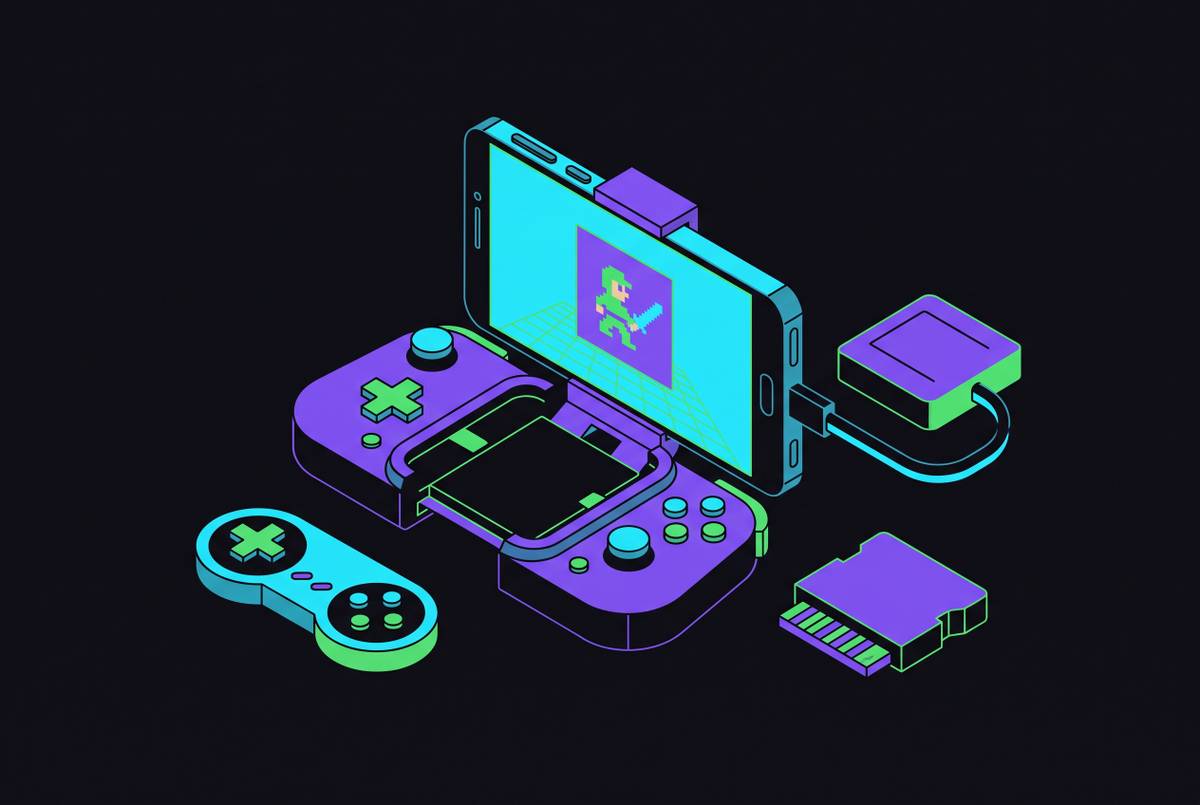
Two broad shapes cover most of the options out there. Clip-on controllers attach directly to the iPhone, turning it into a single self-contained handheld, the closest thing on the market to an actual GBA or SNES form factor. Standalone Bluetooth controllers pair wirelessly instead, letting the phone rest on a stand or stay in a pocket, which trades a bit of portability for flexibility since the phone needs a surface or mount to prop against.
One clip-on style gets described in the material as reliably portable, with controls solid enough that tossing it into a bag for gaming on the go isn't a second thought. That framing captures the whole appeal of the clip-on category: it turns the phone into a self-contained handheld console, which happens to be exactly the shape retro gaming benefits from most.
On the standalone Bluetooth side, the 8BitDo SN30 Pro comes up as a strong fit for SNES emulation specifically, since its button layout is designed to echo the original SNES controller. It pairs with any Bluetooth-compatible iPhone and gets singled out in coverage as a solid choice for anyone chasing genuine retro aesthetics alongside function.
The good news for anyone shopping for hardware: every controller covered here works across the emulator field without extra setup. Delta, RetroArch, iGBA, Provenance, and Manic EMU either auto-configure the moment a controller connects or need nothing more than standard iOS Bluetooth pairing. ROMs transfer over AirDrop from another Apple device, or upload through iCloud from any browser, no computer required. A controller can be paired and ready before the very first game even launches.
Getting started: ROM sourcing, file transfer, and first-launch checklist
Getting an emulator running is the easy part now that App Store downloads have replaced sideloading for most of the field. ROM sourcing still requires some judgment, since emulators are legal software but the game files themselves remain under copyright, and lawful sourcing is squarely the player's responsibility. It's the one piece of this hobby Apple's policy shift never touched.
Once ROMs are in hand, getting them onto the phone is refreshingly low-friction: AirDrop from another Apple device works, or an upload to iCloud from any browser, neither of which requires a computer anywhere in the process. That means the entire setup, app download, ROM transfer, and controller pairing, can happen from a couch, which says something about how far this category has come since the jailbreak era. From there, picking an emulator comes down to the decision shortcuts already laid out: Delta for most people, iGBA or Linking Boy for GBA purists, RetroArch for the accuracy-obsessed, Provenance for the living room, Manic EMU for the collector who wants one app to rule them all. Whichever one gets chosen can be paired with a controller, clip-on or Bluetooth, and the phone in a pocket then starts doing a genuinely convincing impression of hardware that stopped being manufactured decades ago.