Best Mobile Gaming Headsets and Audio Adapters for Phones
Connection type matters most for mobile gaming, especially on slower cloud streams.
The best mobile gaming headset is the one that fits your phone, your games, and the places you play. This guide starts with connection type because it determines the tradeoffs that follow. Wired audio and USB-C dongles work well for latency-sensitive play, while Bluetooth is easier to use. Sound quality comes next, but even great headphones cannot make up for the wrong connection.
Why mobile audio is more complicated than plugging in a headset
Most flagship Android phones no longer have a 3.5mm headphone port. Gaming phones are the notable exception, retaining it partly because a physical connection introduces less latency than wireless alternatives. For everyone else, the missing socket creates a decision before the usual questions about sound and comfort. The headset needs a route into the phone.
Cloud gaming makes that choice more consequential. Xbox Cloud Gaming and PS Remote Play already add delay, and audio gear can add more. A connection that feels fine for music may then be too slow for fast-paced multiplayer.
How connection type determines everything else about your audio choice
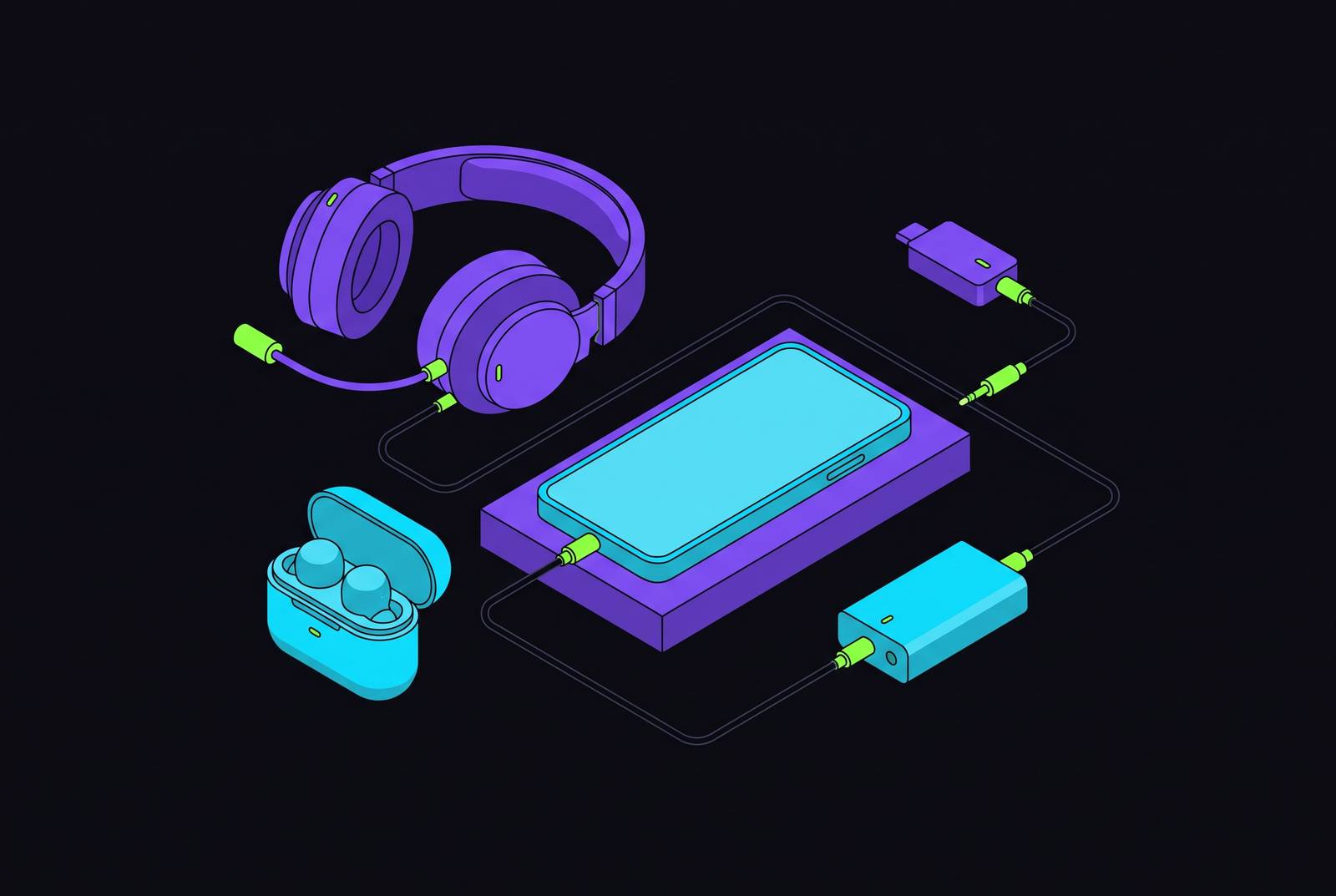
Before looking at brands, prices, or drivers, decide how the audio will reach your ears. That choice determines latency, compatibility, and which headsets are viable. There are three main ways to connect to modern phones. Each meets different needs for mobile gaming audio, so none deserves to be the default for every player.
Wired headphones through a USB-C adapter offer the lowest latency and the most reliable connection. They work on almost any modern phone, although the adapter adds something to pack and plug in. For competitive play, that is usually a sensible exchange. Phones that still have a 3.5mm jack make things even simpler, with direct analog audio and no digital latency overhead or need for a dongle.
A 2.4GHz wireless headset uses a different kind of dongle, plugging its receiver into the phone’s USB-C port. In practice, this keeps latency close to that of a wired connection without a cable between the phone and headset. It is also widely used by multi-platform headsets. For players moving between devices, that makes it a useful middle ground with less delay than Bluetooth.
Bluetooth is easy to use and works with many devices, but it adds delay. Bluetooth 5.2 and 5.3 narrow the gap meaningfully, and casual or single-player games often make that compromise acceptable. How much delay can your particular game tolerate? For cloud gaming, wired or 2.4GHz audio is the smarter starting point because the stream already contributes latency before the headset enters the equation.
The case for wired and USB-C adapter solutions
A USB-C to 3.5mm adapter is an affordable way to keep using good wired headphones after the headphone jack disappears. It is not a consolation prize. For latency-sensitive gaming, the adapter gives an existing headset a connection well suited to the task. Dual-port versions also allow audio and charging at the same time, addressing the practical problem of a phone that needs power during a session.
Players who already like their headphones do not necessarily need a new headset simply because their next phone lacks a socket. Sometimes the most useful audio upgrade is the least glamorous object in the bag.
Mobile streaming also needs microphone input that is good enough for broadcast. Shure’s MVX2U Gen 2 is a compact USB audio interface with 48V phantom power, EQ and compression controlled through Shure MOTIV apps, and a built-in headphone jack for real-time monitoring. It is MFi certified for iPhones and iPads and compatible with Android phones. This is a creator’s tool.
A listener needs an audio connection, while a streamer may need an interface for a quality XLR microphone. Wire everything possible, particularly when Bluetooth delay would otherwise sit on top of an already imperfect cloud stream.
Wireless headsets that work well for mobile gaming
Wireless is a reasonable choice for most mobile players who value comfort and flexibility more than the last few milliseconds of latency. The useful comparison is by situation. A headset that excels during a long stationary session may be less appealing when it travels everywhere. The 2026 options span those different needs, but their connection details deserve as much attention as their sound.
For premium listening across several devices, the Audeze Maxwell and Maxwell 2 belong in the conversation. Audeze lists the newer model’s Android connections as ultra-low-latency wireless through a dongle, Bluetooth, USB-C digital audio, and 3.5mm analog audio. For iPhone and iPad, Bluetooth is the primary wireless option, with a supported dongle setup listed for USB-C devices. The phone model still shapes the purchase.
Players who already own a Maxwell have little reason to upgrade just for better audio. The driver technology is similar, and the microphone has not improved materially. The newer model’s wider headband and refined suspension help with long stationary sessions, but its added weight is a drawback for portable use. Better support on the head does not make a headset smaller in the bag.
For value and long battery life, the HyperX Cloud III Wireless takes a more focused approach. It combines memory foam earcups, a detachable microphone, and 2.4GHz wireless through a USB-C dongle. HyperX lists its audio connection as wireless USB. It has no Bluetooth or analog wired connection, which matters for anyone who wants one headset with every type of connection.
The NUBWO G06 Dual Wireless suits players on a budget who switch between phone, console, and PC. Its appeal is the ability to use both a 2.4GHz dongle and Bluetooth without buying into the premium tier. For travel, however, there is also a credible reason to leave wireless behind. The KASOTT Battle Buds Pro offers a lighter, more packable wired in-ear format with no charging requirement, although the fit will not suit everyone and information about its sound tuning is more limited than for established brands.
What specs actually matter for mobile gaming audio, and which ones don't
To judge options beyond these examples, start with the connector supplied in the box. A headset with only a USB-A dongle needs an additional USB-C adapter for a modern phone. “Wireless” is not a complete compatibility specification. The included receiver needs to connect to the device you actually intend to use.
Next, look for a dedicated low-latency mode instead of going by the Bluetooth version number alone. A standard Bluetooth connection and a gaming-oriented wireless mode are not interchangeable descriptions. Look for 2.4GHz or a stated low-latency figure under 30ms. That tells you more about the intended gaming use than a newer Bluetooth number by itself.
Battery life matters more away from home. A mobile player may not have a charging cable available when the headset runs low, making endurance protection against an interrupted session. A headset that sounds appealing on paper still has to remain comfortable during play and practical to take along.
Driver size is a much weaker guide to quality. A 53mm driver does not automatically outperform a 50mm or 40mm driver, and two headsets with identical driver sizes can sound entirely different. Treat “7.1 surround sound” cautiously too, because virtual surround varies in quality and often depends on software. Wider quoted frequency response ranges are similarly unhelpful when brands describe them so loosely. The specification sheet is not a listening test.
Microphone and headphone performance also deserve separate judgments. The best gaming headsets in 2026 sound like proper headphones in a way that was not true even a few years ago, closing the gap at the top of the market. Standalone microphones still have a real advantage over headset microphones.
How your cloud gaming platform affects the audio setup that makes sense
A cloud or remote-play platform establishes a latency floor beneath whatever delay the headset adds. The two choices are therefore linked. Xbox Cloud Gaming runs through the browser on both iOS and Android, while GeForce Now on iOS uses Safari. For audio, those iOS services share browser-based synchronization concerns.
PS Remote Play also has its own latency, so the audio connection still matters when switching platforms. When Bluetooth sound drifts out of sync with cloud-streamed video, switching to wired headphones is the standard fix. That gives a backup USB-C audio adapter a specific job.
Platform use can also change for reasons unrelated to sound. Starting November 2026, Xbox Cloud Gaming is adding caps on hours of play each month based on subscription tier, which may push people who play more toward PS Remote Play or GeForce Now. A platform change is a reason to reconsider the whole setup rather than assume the same wireless compromise will feel identical.
The way the phone is held changes the physical tradeoff too. Players using a Backbone One or Pro have the phone mounted in a fixed controller grip, making wired audio more practical than it is during freehand play. Competitive cloud gaming does not have to choose between a handheld setup and a low-latency audio connection.
Matching audio gear to how and where you actually play
For competitive cloud multiplayer, choose USB-C wired headphones or a 2.4GHz headset with a USB-C dongle. Keep a USB-C to 3.5mm adapter in the bag as a fallback. Bluetooth is the last resort for this profile. The priority is to avoid adding avoidable delay to a game that already depends on a streamed connection.
For casual single-player and narrative games, Bluetooth is often sufficient, so comfort and battery life can take precedence over latency specifications. The G06 suits players who want that connection flexibility without a high budget. The Cloud III Wireless is another good-value choice if a USB-C 2.4GHz connection works with the phone setup.
If you often switch between phone, console, and PC, choose a headset with both dongle-based wireless and Bluetooth. Game audio can use 2.4GHz on console, with Bluetooth available for phone calls or mobile sessions. The G06 is the budget answer, while the Maxwell models serve the premium end. This profile rewards versatility more than a single standout specification.
For mobile creators, pair the MVX2U Gen 2 with a quality XLR microphone and use a headset for monitoring. For players traveling light, wired in-ears such as the Battle Buds Pro need no charging and are easier to pack than over-ear headphones. Standard wired earbuds with an inline microphone also work well through a USB-C adapter. Neither player needs the other’s equipment to have a good setup.
Great mobile gaming audio is achievable at every budget. The phone in your pocket is already capable of the experience, and the useful purchase is the one that removes friction from the way you play. That might mean a premium wireless headset, a compact pair of earbuds, or an inexpensive adapter for headphones you already own. Choose the connection for the game and the form for the place.