Phone Stands and Mounts for Mobile Gaming at a Desk
Stabilizing your phone matters more than any gaming accessory you add first.
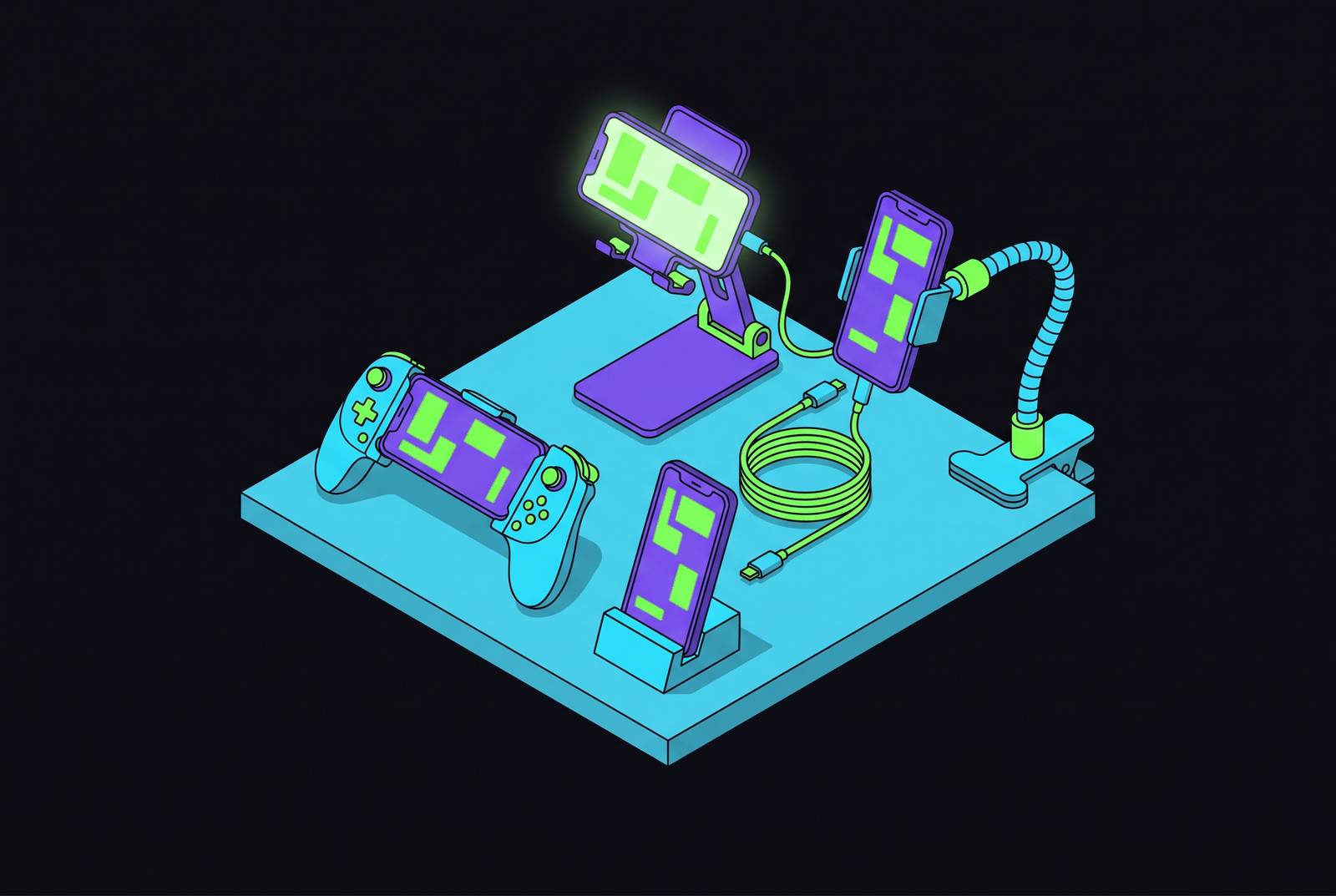
A phone stand for desk gaming should match how you play. Touch input needs a firm platform, while controller play gives you more freedom to place the screen. Understanding that distinction, then checking fit and viewing angle, turns an accessory purchase into the foundation of a comfortable gaming setup.
Why your phone needs a stand before it needs anything else at a gaming desk
A cloud gamer with a Bluetooth controller has an immediate problem. Both hands are occupied, but the screen still needs somewhere to go. Leaving the phone at table level makes the player more likely to look down and hunch over during a long session. A comfortable controller cannot compensate for that posture, and an improvised prop does little to establish a useful viewing position.
An adjustable stand changes the phone’s role entirely. Instead of remaining a handheld device that happens to be on a desk, it becomes a fixed display terminal, much like a dedicated monitor. Cloud gaming and remote play make this arrangement especially useful because a separate controller generally suits them well, even where on-screen controls are available.
The three stand categories and what each one actually does at a desk
Cradle or fixed-angle stands, height-and-angle adjustable stands, and clamp or gooseneck mounts each help put the phone in a different place. The first category provides a place for the phone to rest without the broader adjustment offered by the others. Its usefulness depends on whether that resting position already suits the desk and player. A stand that holds a phone is not necessarily a stand that puts its screen where it needs to be.
Height-and-angle adjustable stands address that second requirement directly. They let the player set the phone beside a PC monitor or change its tilt for a dedicated mobile gaming session. The LISEN Ergonomic Stand and Lamicall Adjustable Phone Stand illustrate the height-adjustable approach, while the OMOTON C2 Adjustable Aluminum Stand emphasizes stiff-hinge angle adjustment. The choice depends on how the phone still needs to move in the existing desk setup.
Clamp and gooseneck mounts offer another route to flexible positioning. Rather than relying only on a stand resting on the desktop, they attach to a surface and place the phone on an arm. That flexibility has a cost for touch gaming, because a gooseneck can bounce when the screen is tapped. This category makes more sense when the phone is a display that the player rarely touches.
Why touch gaming and controller gaming need completely different stands
Players who tap and swipe need the stand to absorb those forces without moving, while players using a separate Bluetooth controller do not impose the same repeated disturbance on the screen. How the player uses the screen guides the choice of stand before size or convenience features come into play. A mount can work well for controller gaming but poorly for touch input for mechanical reasons.
For touch gaming, wobble becomes a performance problem. A stand that shifts during a rapid sequence of taps or swipes introduces inconsistency just when the player needs a predictable surface. Weighted bases and rigid materials, including aluminum and thick acrylic, are therefore needed to keep the stand steady, whatever they add to its looks. A flexible gooseneck fails this test for competitive touch titles because the arm’s bounce disrupts precise interaction. More freedom to position the phone cannot compensate for movement during play.
Controller gaming opens a different set of possibilities. The OIVO PS5 Controller Phone Mount Clip takes the idea furthest by attaching the phone directly to a PS5 DualSense controller, so the display moves into the controller grip. Its adjustable viewing angle serves that combined arrangement instead of aligning a freestanding screen with a monitor. The player is choosing between two physical layouts: one keeps the display and controller together, while the other lets the phone remain independently positioned on the desk.
The specs that actually matter when evaluating a desk stand for gaming
Height is largely set once, whereas the useful viewing angle can change as the player repositions the screen or settles into a session. A tall stand with an unsuitable tilt still leaves a poorly presented display. Angle adjustment does the finer work of positioning. For gaming, that makes it more useful than a height figure considered in isolation.
Holding that position requires a sufficiently heavy, wide base and rigid material. Light bases can bounce when poked, and narrow bases can tip under larger phones or heavy gaming cases. Metal construction, with aluminum as the benchmark, provides the planted support needed for larger phones at full extension.
Case fit creates a separate purchase trap. Hook width determines compatibility more directly than a broad claim that a stand accepts large phones. Hooks around 14mm fit thin to moderate cases, while hooks around 19mm have room for thicker protective cases. A phone may fit while its case does not. For players using an OtterBox or rugged gaming case, the lesson is to check hook width before other convenience features rather than assume that removing the case will be an acceptable daily ritual.
Height range becomes especially useful when the phone shares a desk with a PC monitor. A low stand can recreate the neck-down posture it was supposed to resolve, even if its angle is adjustable. The relevant test is the phone’s position in the actual setup. Rotation also deserves attention when play alternates between portrait and landscape, while support for larger devices becomes relevant when a tablet shares the stand. These are separate compatibility questions, so a broad angle range alone does not settle them.
A stand that routes the cable over the phone lip can create pressure points or obstruct the charging port during extended play. Charging cutouts and cable management help avoid that conflict between holding the device and keeping it powered. Otherwise, the arrangement that works at the start of a session becomes awkward when charging is needed.
How the cloud gaming platform you use should influence your mount choice
The platform affects the stand through the physical setup it creates. PS Remote Play streams from a PS5 the player already owns rather than from a remote server, and it pairs naturally with a controller clip on a DualSense. That arrangement suits portable play without a separate display stand. At a fixed workstation, however, an independent stand remains useful for comfort over longer sessions. The same service can therefore support different mounting choices depending on where the player settles.
Xbox Cloud Gaming runs through xbox.com/play on iOS, while players on Android get a native Xbox app from the Google Play Store. Microsoft chose the browser route on iPhone to avoid Apple’s App Store restrictions, making the browser part of the mobile gaming arrangement. Starting November 2026, each Game Pass plan has a monthly cloud-hours cap, with 5 hours for Essential, 10 for Premium, and 15 for Ultimate. Limited hours do not make comfort less relevant. Players managing that allowance benefit from a fixed setup that does not cut a session short through physical fatigue.
GeForce NOW Ultimate emphasizes high-resolution, high-frame-rate streaming, but its iOS version likewise runs in a browser because of Apple’s App Store restrictions on cloud gaming services. NVIDIA supports touch controls for many mobile games, so using the service does not automatically mean the screen will remain untouched. Input method still governs the stability requirement. During fast-moving scenes, touch input can make the screen shake and disrupt the view, even if a flexible mount holds it at a better viewing angle. For iPhone users operating a web-based gaming interface over extended periods, stable support and suitable height also reduce fatigue.
Stand options that fit the most common desk gaming configurations
The OMOTON C2 works well for aggressive touch gaming because it has 270-degree stiff-hinge angle adjustment. The hinge stays where it is positioned under repeated taps, making the adjustment useful during setup and play. Its aluminum construction fits the need for rigidity. A charging cutout also leaves access for longer sessions.
For controller-based cloud gaming beside a monitor, the LISEN stand offers height adjustment from 7.1 to 8.5 inches and tilt from 5° to 85°. That range supports positioning the phone as a dedicated display or companion screen for Discord and streaming chat. It is also OtterBox compatible and includes built-in cable management. The Lamicall stand, identified as DP13, suits a similar desk arrangement with a telescopic rod extending up to 3.2 inches and a weighted metal base. Portability distinguishes that option within the same use case. It accommodates thick cases and folds to pocket size.
For players whose protective case dictates the purchase, the Nulaxy A4 Dual Folding Stand offers full-aluminum construction and 19mm hooks. Those hooks fit an OtterBox or rugged gaming case, so the player can leave the case on between sessions. It also folds flat for travel. A stand that accepts the phone as it is actually used avoids turning protection into a setup chore.
For players moving between a phone and tablet, the OCYCLONE Phone Stand supports devices from phones up to larger tablets and offers a wide angle range. It is relevant when the desk alternates between portrait-mode titles and landscape-mode cloud gaming. Device flexibility earns its place in this configuration.
For PS Remote Play away from a fixed display position, the OIVO clip combines a 320-degree adjustable viewing angle with an ABS body and a completely closed lock structure. It turns the DualSense into the phone’s support, eliminating the separate desk mount for portable sessions. Compatibility needs a clear boundary, however. Back at a fixed workstation, the player can still use a separate stand to put the screen where it is comfortable to view.
For controller-only gaming or passive display use, the LISEN Gooseneck Clamp Mount provides a bi-directional clamp that works on surfaces up to approximately 3 inches thick. Its flexible positioning fits a setup where screen taps are rare, so gooseneck bounce is not a recurring input problem. That is its proper role at the desk. Where collectible display is also a priority, the Call of Duty Monkeybomb Holder by Cable Guys offers an officially licensed Call of Duty design. The theme supplies a separate reason to choose it, but does not establish the stability or adjustability required for every gaming style.
Building the full desk setup once the stand is chosen
For long cloud sessions, the recommended combination is a phone at eye level, a controller held at a natural angle, and headphones. Each element reduces fatigue independently. Together, they make multi-hour sessions more viable without asking one accessory to solve every source of discomfort. A stand is an anchor.
At a multi-monitor desk, that anchor can also give the phone a persistent second-screen role. A height-adjustable stand puts Discord, streaming chat, or game guides near the PC monitor, so the player has less need to look down between screens. The phone need not be the main display.
A phone, mobile controller, cloud gaming subscription, and stand can also form a desk gaming setup without a console. With remote play, the player still needs a console, such as their own PS5 for PS Remote Play. That distinction keeps the hardware promise precise. Whether the phone is receiving a cloud stream, serving an existing console, or accompanying a PC monitor, choosing its support around input, fit, and posture lets the rest of the setup work together.