Android Emulator Performance Compared Across Budget and Flagship Phones
Chipset matters more than price; thermal headroom and RAM complete the picture.
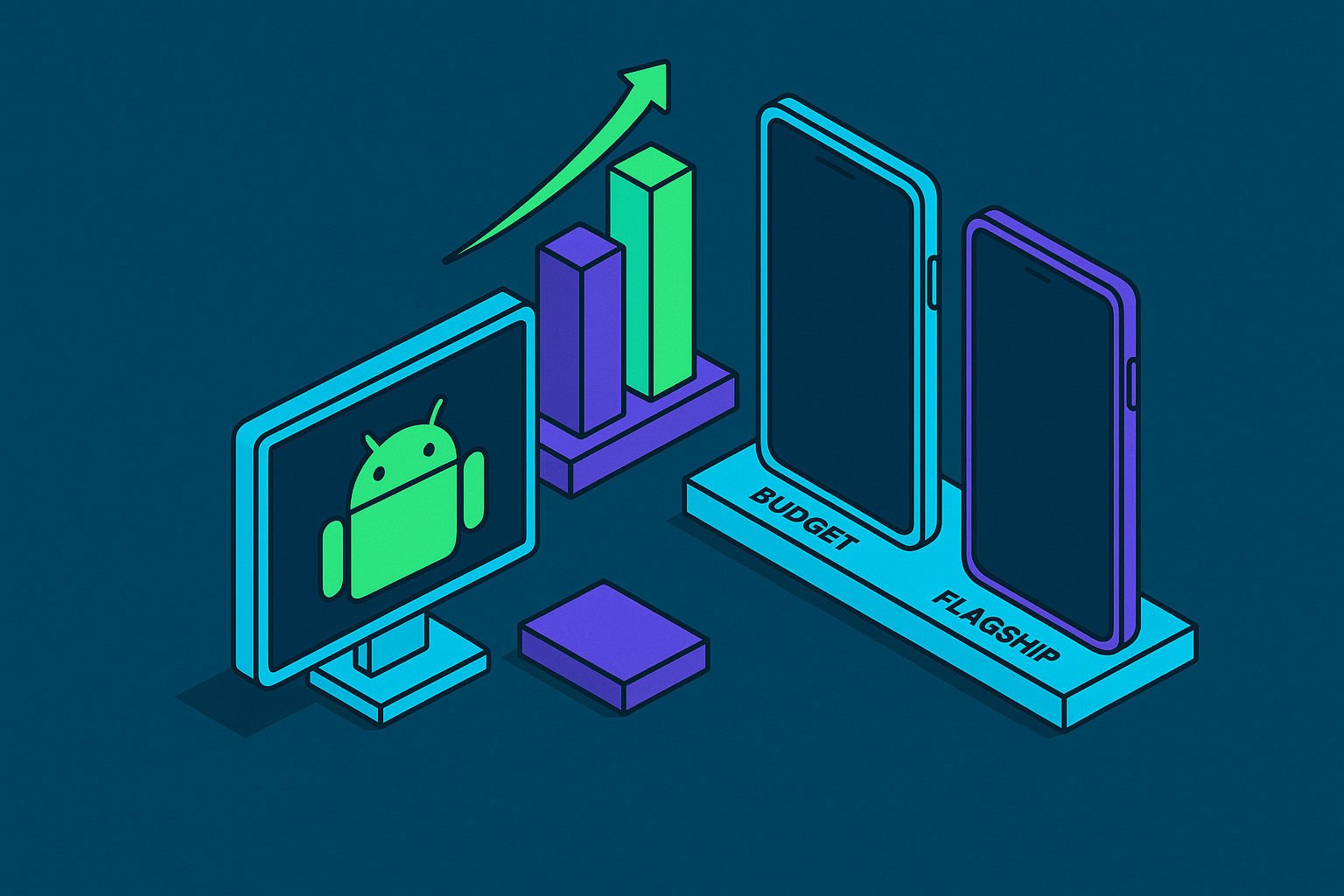
The instinct runs something like this: spend more, play better. An expensive flagship phone should out-emulate a budget phone the same way a sports car outruns a sedan. Android emulation doesn't work that way. The dominant factor is chipset tier, not sticker price, and a mid-range phone with the right chip will beat a pricier phone carrying the wrong one. Emulators lean almost entirely on CPU single-core speed and GPU capability. Flagship marketing loves to put the total core count in large font, but it matters far less than how fast one thread runs, because most emulators were never written to spread work across eight cores the way a modern game engine is. That single fact flips the usual shopping logic on its head, and it's the thread the rest of this piece pulls on.
The three hardware variables that move emulation performance
Three variables decide how well any Android device emulates anything: chipset single-core throughput, how much thermal headroom the device has under sustained load, and how much RAM is available once a game is actually running. Treat them as a framework, not a shopping list for the phones named later, because they apply equally to a three-year-old budget handset and next year's flagship.
Start with the chip. GPU handles the graphics rendering, CPU single-core handles the emulation logic itself, and for anything PS2-era or heavier, both need to be strong at the same time.
Thermal headroom is the variable almost nobody checks before buying, largely because it never appears on a spec sheet. A gaming phone like the ASUS ROG Phone carries the same chip as a standard flagship running the same silicon. The premium buys active cooling hardware that prevents performance from dropping under heat, not a faster processor underneath. Two phones can share identical benchmark numbers on a store shelf, and still feel very different forty minutes into a GameCube session.
RAM closes out the list, and it's the simplest to measure. Eight gigabytes is the floor for smooth emulation, with 12 GB or more recommended once heavier cores enter the picture. RetroArch's PPSSPP core for PSP and its Flycast core for Dreamcast both hold meaningfully more memory once a game is loaded. When a device is already close to its RAM ceiling, Android's own memory manager starts killing background processes to make room, so a game that ran fine for ten minutes can suddenly stutter or crash without warning.
This is the same engineering discipline mobile gaming controller makers like Backbone apply to hardware design: precision beats spec-sheet maximums, and sustained real-world performance under load is the only number that counts. A chip that benchmarks well for thirty seconds isn't the same as a chip that holds that number for thirty minutes, and the gap between those two numbers is where most buying decisions go wrong.
What Each Chipset Tier Can Run
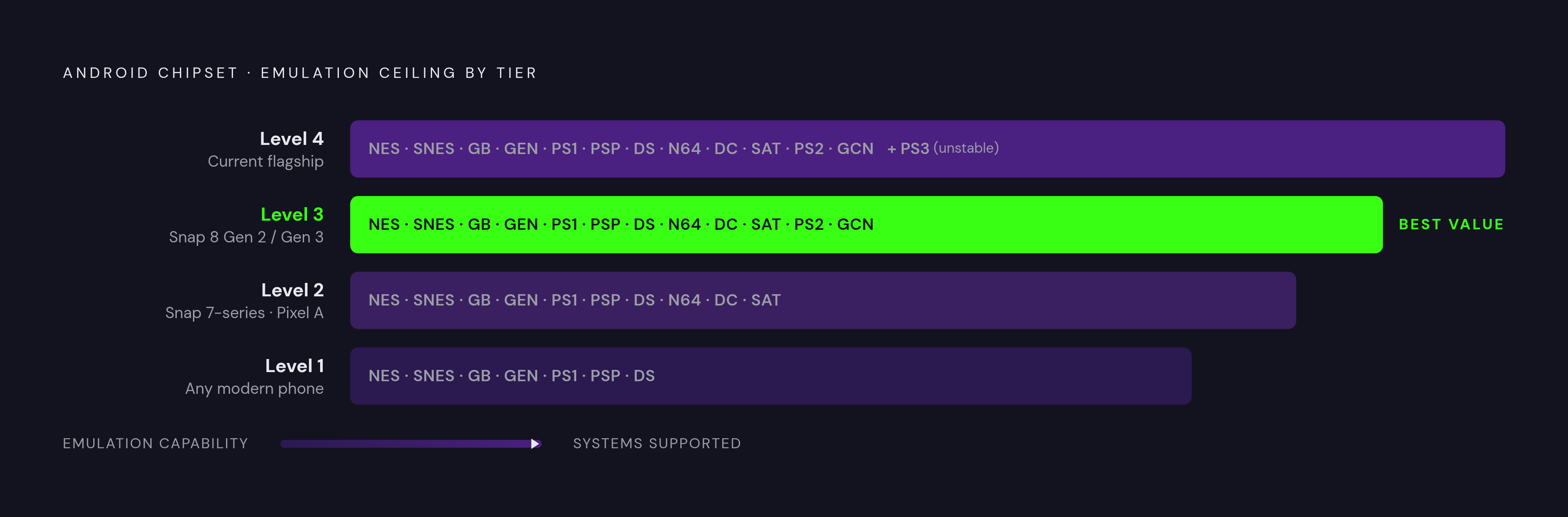
Each chipset tier maps onto a ceiling of what it can actually emulate, and knowing that ceiling ahead of time saves money in both directions: buying more phone than the library demands, or buying less than it needs.
At the bottom, nearly any modern phone can handle the classics without complaint. NES, SNES, the Game Boy line, Genesis, PS1, PSP, and DS all run at full speed on essentially any phone from the last three years, regardless of which emulator app is installed. If your library stops at PS1 and PSP, chipset tier barely matters. The computational demand is low enough that almost any device clears it comfortably.
Moving up to Snapdragon 7-series chips and the cleaner Pixel A-series phones raises the ceiling. This tier covers everything through PSP and DS reliably, and adds solid N64, Dreamcast, and Saturn performance on top. This is the mid-range zone where budget phones start punching well above their price class, purely because the chip inside them belongs to a higher tier than the price tag suggests.
Snapdragon 8 Gen 2 and Gen 3 chips, the kind you find in last year's flagships or today's value flagships, give you the best dollar-for-dollar tier in the entire lineup. These chips deliver most of the top tier's emulation capability, often at a fraction of the price once last year's flagship hits the used market. PS2 and most GameCube titles run well here, with the ceiling only showing up on the most demanding titles or when someone tries to upscale resolution beyond what the chip comfortably supports. One model in this tier is a clean illustration of this exact gap: it carries flagship-class silicon at budget pricing, which is precisely the kind of mismatch between price and performance tier this piece keeps pointing back to.
At the very top, the current top-tier chipset generation opens the door to a current-generation console's emulation via a dedicated emulator, reaching playable framerates on some titles. Playable isn't the same as clean, and graphical hiccups remain common even on the best silicon available.
PS3 deserves a mention mostly as a boundary marker. A current Snapdragon flagship can boot a short list of PS3 titles and get some of them running at a low framerate, but crashes and heavy throttling make it a demonstration, not a way to actually play through a game. Anyone shopping with PS3 in mind should reset that expectation now.
Thermal Throttling and Sustained Play
The gap between a phone's advertised performance and what it actually delivers over a two-hour session comes down almost entirely to heat, and it's the variable that explains why two phones with near-identical spec sheets can feel completely different in practice.
Emulator benchmarks and the quick phone reviews that run for sixty seconds both measure peak performance, the number a chip hits when it's cold and fresh. Sustained emulation sessions expose something different: the thermal floor, the speed a chip settles into once it's been working hard for a while, and that floor can sit meaningfully below the peak number. PS2 emulation is close to a worst-case thermal workload. It's sustained, it leans heavily on a single thread, and it runs continuously for as long as the session lasts. A thin phone with no active cooling has no real mechanism to shed that heat fast enough to hold its top speed, so a phone running at full speed at the start of a session can be running noticeably slower an hour in, with nothing in the emulator interface to flag that it's happening.
The clearest illustration of this sits inside two phones that, on paper, look nearly identical. The ASUS ROG Phone 8 Pro carries a Snapdragon 8 Gen 3 (model SM8650-AB). The Samsung Galaxy S24 Ultra runs the Snapdragon 8 Gen 3 for Galaxy (SM8650-AC), which is a custom overclocked variant of the same chip family. What separates the two phones in practice is the ROG Phone's GameCool 8 cooling system and its bypass charging setup, not a faster processor. For short sessions or lighter systems, the two phones perform identically. The thermal advantage becomes visible during long, demanding PS2 or GameCube sessions, a scenario most buyers never think to test before paying the premium for a gaming-branded phone.
Budget phones feel all of this more acutely. Thinner chassis and smaller batteries leave even less room to dissipate heat, so a budget phone's peak benchmark number and its sustained throughput after thirty minutes pull further apart than they would on a flagship. So if you compare devices by a single peak benchmark score, you're comparing the wrong number.
Choosing an Android emulator app to match your device's actual capability
Hardware sets the ceiling, but the app installed on top of it decides how much of that ceiling actually gets used, and the choice between RetroArch, Lemuroid, and EmuBox changes the experience most on lower-end hardware where every bit of overhead counts.
RetroArch carries the deepest core library and the most visual polish, largely because of its shader pipeline. Those GPU-intensive shaders are the most demanding piece of the app, and they add real overhead that budget phones running older GPUs can struggle to keep up with, occasionally dropping frames during shader-heavy scenes even at N64 or PSP-tier emulation. Budget device owners can turn shaders off manually and close most of the gap with lighter apps, but doing so means navigating a genuinely dense settings menu, which is a real barrier for anyone who just wants to load a game and play. RetroArch's heavier cores, PPSSPP for PSP and Flycast for Dreamcast, also hold more RAM once a game is loaded, and on a RAM-constrained budget phone that can be enough to trigger Android's memory manager mid-session.
Lemuroid takes the opposite approach. It's an 11.4 MB download with zero configuration required: point it at a ROM folder and start playing, with roughly 15 or more systems covered through bundled Libretro cores. There's no shader complexity to manage. GPU overhead on lower-end hardware drops, and budget devices perform more consistently than they do under RetroArch's default shader-enabled setup. The small footprint also makes sense on storage-constrained budget phones, where every megabyte still counts.
EmuBox sits between the two. Its card-based interface looks modern, its system coverage lands close to Lemuroid's, and its visual design is cleaner than either alternative. It's a reasonable middle ground for anyone who finds RetroArch overwhelming but wants something with more polish than Lemuroid offers.
The practical rule follows from the hardware tiers already laid out: on budget phones, Lemuroid or EmuBox with shaders off is the faster path to consistent performance. On mid-range and flagship hardware, RetroArch Plus needs Android 8.0 or higher and supports more than double the core count of the regular version, 127 cores against 50, and it unlocks the full library and the shader quality that makes retro games actually look their best on a modern screen.
Adding a controller turns a capable phone into a real handheld emulation machine
All of this hardware and software analysis solves half the problem. A phone that runs a PS2-era game at a full 60 frames per second on a touchscreen is still an awkward way to play it, and the controller is what completes the picture the rest of this piece has been building toward.
Touch controls introduce input lag and cover up part of the screen with virtual buttons, which is tolerable for a Game Boy title and genuinely frustrating for anything PS1-era or heavier. Physical controls make a game actually good to sit with for an hour, not just technically playable.
Backbone One and Backbone Pro turn a compatible Android phone into something closer to a dedicated handheld. The Backbone One plugs directly into the phone's USB-C port for a native, plug-and-play connection with no pairing and no charging required, while the Backbone Pro adds wireless connectivity for play on other screens, with both built around console-level controls and the kind of low latency mobile play actually needs. Backbone backs that design with a stated 50-plus research studies, 50-plus patents and innovations, and more than 10,000 part iterations behind the hardware. Emulation sessions run long by nature, and the feel of a button under a thumb after an hour of GameCube play matters in a way a spec sheet never quite captures. A chip that holds its clock speed, a device that manages its own heat, an app tuned to the hardware underneath it: all of it is in service of a controller in hand and a game on screen, which is the only benchmark that was ever going to matter.