How to Play Steam Games on iPhone Without a PC Running
GeForce NOW lets you stream your Steam library on iPhone without needing a PC powered on at home.
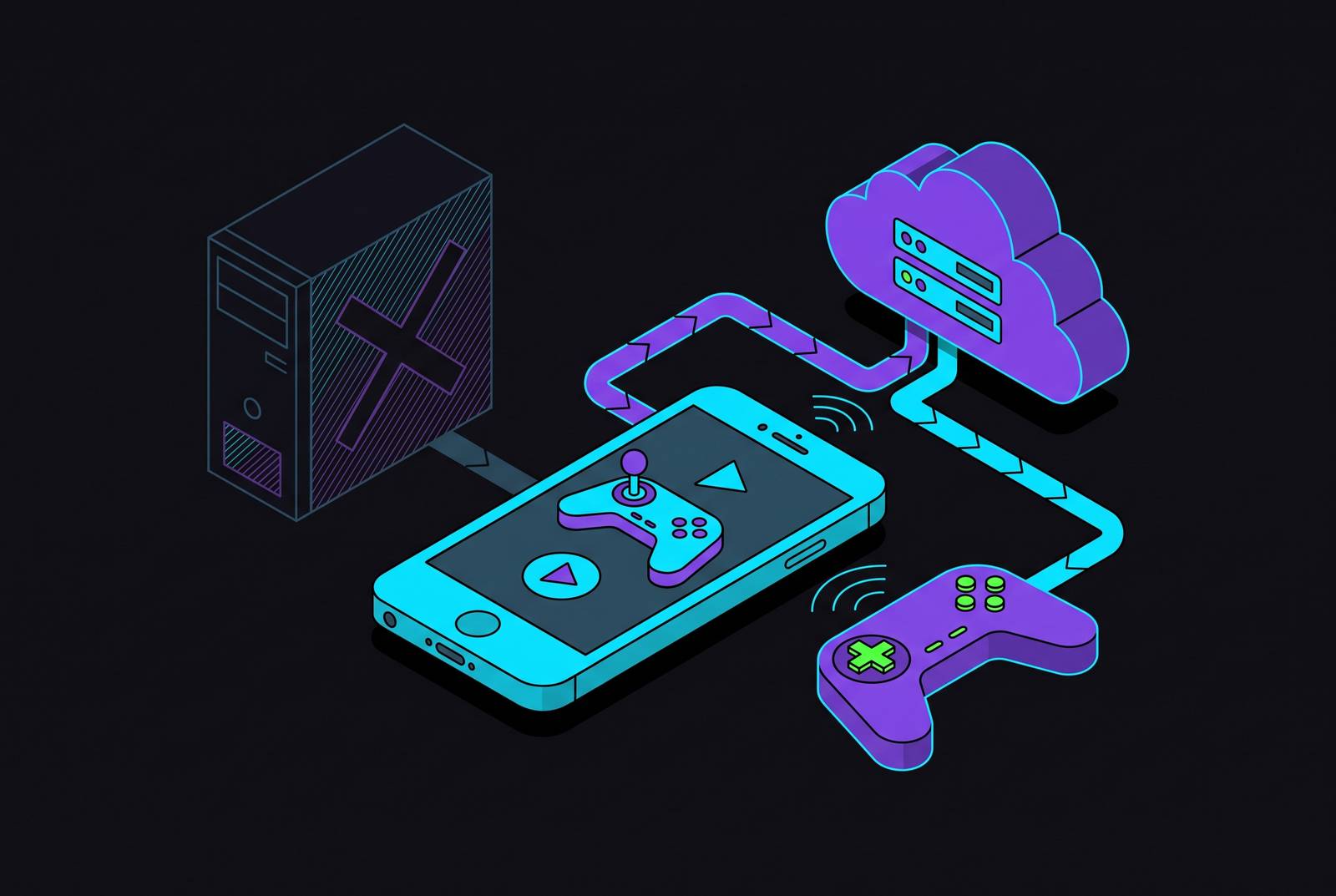
Playing a Steam library on an iPhone without leaving a PC running back home is a category problem. It's a category problem: Steam Link only works when a physical machine somewhere is powered on, signed in, and capable of running the game in question, so pull that PC out of the picture and Steam Link has nothing left to stream. The actual fix comes from a different kind of product entirely, one that owns the hardware itself, runs the game on its own servers, and hands the iPhone nothing but a video feed.
Once the home PC is out of the equation, reaching a computer of one's own matters less than whose computer gets borrowed instead. That split produces two workable answers: game-streaming services with curated catalogs, and cloud PC services that rent out an entire Windows machine. Both get a Steam library onto a phone screen, but they get there by different roads, and the gap between those roads is what decides which subscription is worth paying for. Spoiler, since the panel wanted a verdict up front: for most people with an actual Steam library (not a Game Pass wish list), GeForce NOW is the right default, and Xbox Cloud Gaming gets recommended more often than it deserves given it doesn't touch Steam at all.
How game-streaming services work and what that means for your Steam library.
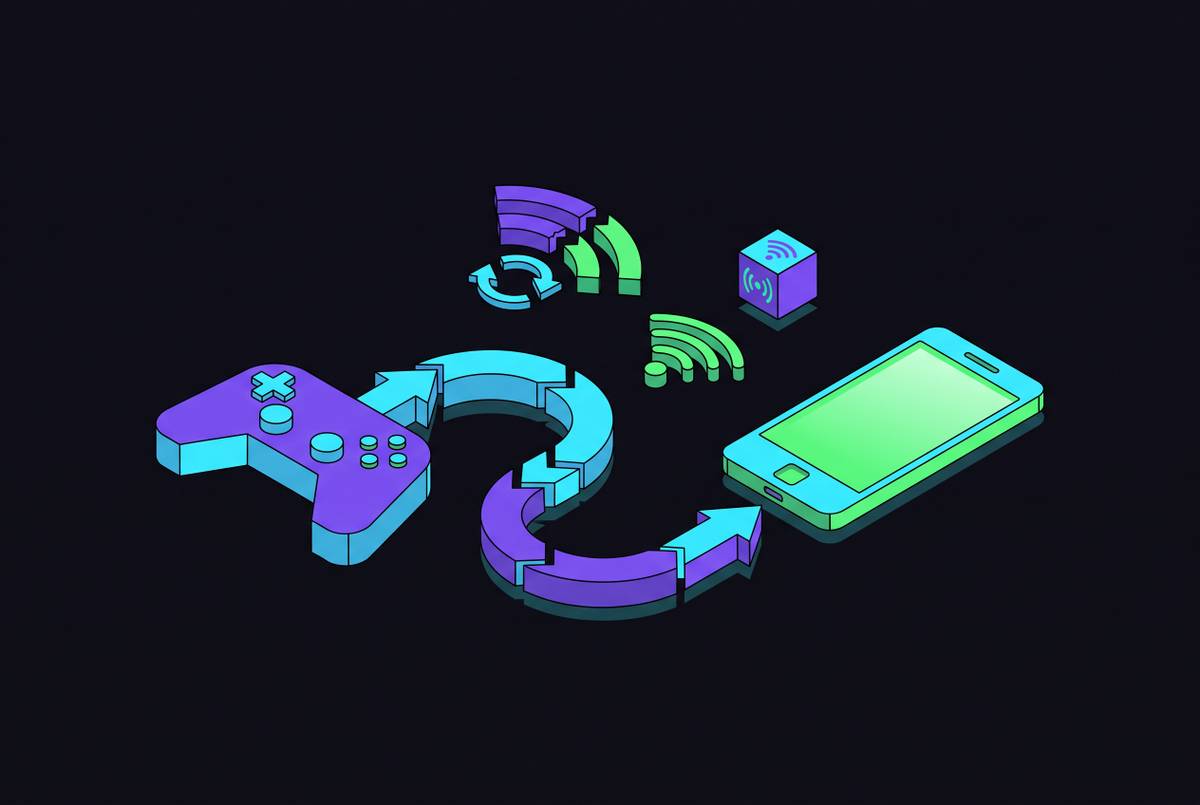
Strip away the marketing and a game-streaming service is a very fast round trip. A server somewhere runs the actual game, compresses the video output, and fires it across the internet to the iPhone. Every tap, swipe, or button press travels back the other direction a moment later. It's the same basic idea as a video call, except one side of the call is a game engine instead of a webcam, which is a stranger sentence to type than it has any right to be.
The major providers route through Safari as a progressive web app or a home-screen shortcut, and while that path is less direct than a traditional App Store install, it works well enough that most users stop noticing after the first session.
These services don't sell games, which is the part that trips people up. A player has to already own the title on Steam or another supported storefront, and the service only supplies the computer to run it on. That sounds simple until publisher opt-in enters the picture. Every single game needs individual authorization from its publisher before it can appear in a given service's catalog. No service, however large its numbers look on a press release, covers an entire Steam library. Set that expectation before subscribing to anything, because it's the single most common source of buyer's remorse in this whole category.
Touch controls exist on nearly every one of these platforms, and nearly all of them feel like eating soup with a fork. Most Steam games were built around analog sticks and triggers, so a physical controller isn't a luxury add-on here so much as the baseline for a session that doesn't end in a thumb cramp and a rage quit. That idea gets its own full section later, because it deserves one.
One number governs whether a game feels responsive or sluggish, and it isn't the one printed on the router box. Download speed gets all the attention, but round-trip latency is what a thumb actually feels. A connection with low latency on a modest download speed will out-perform a much faster connection running at 80 milliseconds or more, every time, no contest. Bandwidth moves the picture. Latency moves the character on screen, and only one of those two things is what a player is actually controlling.
NVIDIA GeForce NOW: the closest thing to playing your Steam library from the cloud
GeForce NOW is built to feel like an extension of an existing Steam account rather than a separate universe, and it's the closest any of these three gets to the goal in this piece's title. NVIDIA runs the game on its own hardware, the player signs in with existing Steam credentials, and whatever's compatible and already owned shows up ready to launch, no re-purchase, no separate library to manage.
The catalog covers more than 4,500 supported games as of late 2025, split across two access paths. "Ready-to-Play" titles are pre-tested and optimized, available even on the free tier. "Install-to-Play" opens up additional Steam titles a player can install on demand, but that path is locked to Performance and Ultimate subscribers only, so the free tier is a taste, not the full product.
Getting it running on an iPhone means opening Safari (not a private tab, apparently, since NVIDIA's own support page has to call that out) and navigating to play.geforcenow.com, then saving a home-screen shortcut. From there, syncing the library means going to Settings, then Game Sync, entering Steam credentials, and confirming a code emailed for verification. Compatible owned games populate the GeForce NOW library shortly after, and the whole setup takes less time than reading this paragraph out loud.
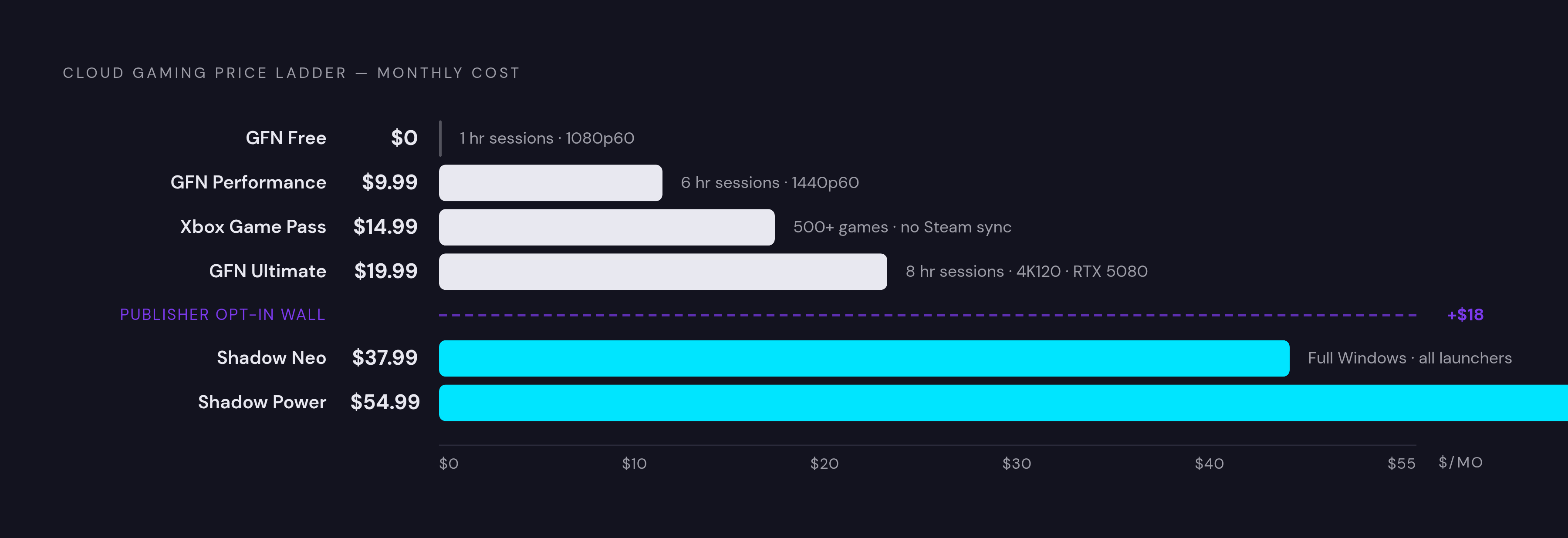
Pricing for 2026 breaks into three lanes. Free gets an hour per session, sits behind an ad-supported queue, and caps out at 1080p/60fps. Performance runs $9.99 a month for six-hour sessions up to 1440p/60fps. Ultimate runs $19.99 a month for eight-hour sessions up to 5K at 120fps on RTX 5080 hardware, a step up from the previous RTX 4080 tier's 4K/120fps ceiling. Day passes exist too, at $3.99 for Performance and $7.99 for Ultimate, for anyone who wants to play once and never think about it again.
Starting January 1, 2026, nearly every paid tier gets capped at 100 hours a month (Founders members who signed up before March 17, 2021 are exempt). Blow through it, and 15-hour top-up blocks cost $2.99 on Performance or $5.99 on Ultimate. Do the arithmetic: 100 hours a month works out to three or four hours a day, which sounds generous right up until one long weekend of a new release eats half of it in two sittings.
Latency-wise, GeForce NOW generally holds the edge in North America and Europe because of how dense NVIDIA's data centers are in those regions, with the service recommending users stay under 40 milliseconds. NVIDIA's own bandwidth guidance calls for 45 Mbps to sustain 4K/120fps on Ultimate, with 25 Mbps as the realistic floor for 1080p.
None of this replaces a keyboard or mouse, and it isn't supposed to. A physical controller is close to mandatory for anything beyond the most casual touch-friendly title. And owning a game on Steam guarantees nothing about whether GeForce NOW carries it: publisher opt-in decides that, not the size of a library, so check the actual supported list before handing over a credit card.
Xbox Cloud Gaming: a large catalog that overlaps with Steam, not a Steam integration
Xbox Cloud Gaming solves an adjacent problem, not the one this piece opened with. Microsoft runs games on its own server network and streams them to an iPhone through Safari at xbox.com/play, sitting behind an Xbox Game Pass Ultimate subscription at $14.99 a month.
It does not touch a Steam account in any way, which is the single most common point of confusion around this service. No library sync, no credential linking, nothing. Every game available comes from Microsoft's own Game Pass catalog, full stop. If a Steam library happens to overlap with what Game Pass offers, and for multiplatform titles that overlap is common, this becomes a legitimate second path to the same game, just through a different login. Some players end up discovering titles they never technically owned on Steam at all, which is either a nice surprise or a small identity crisis depending on how attached someone is to their Steam library as a personal archive.
The catalog runs past 500 games as of 2026, and Microsoft added roughly 50 owned titles to the cloud roster in recent months, with Palworld's full 1.0 release landing across Cloud, Console, and PC for subscribers on July 10, 2026. Streaming quality tops out at 1080p/60fps, with Microsoft recommending a minimum of 10 Mbps on phones and 20 Mbps on other devices. Compatibility on iPhone needs iOS 14.4 or later, accessed via Safari at xbox.com/play.
Xbox Cloud Gaming gets recommended constantly in "play Steam games on your phone" conversations, and it shouldn't be, at least not for that specific job, so the take gets blunt here. It's a fine service for what it is: a large, well-maintained catalog for players who want to browse and don't much care which storefront a game technically lives on. But it counts as a different library that happens to share some shelf space with Steam's, at least not for that specific job. It's a different library that happens to share some shelf space with Steam's, and anyone with a deep, idiosyncratic Steam collection full of single-player RPGs and indie darlings that never made it into Game Pass is going to open the app and find a whole lot of nothing they were actually looking for.
Shadow PC: when you need your entire Steam library, not just what a service approves
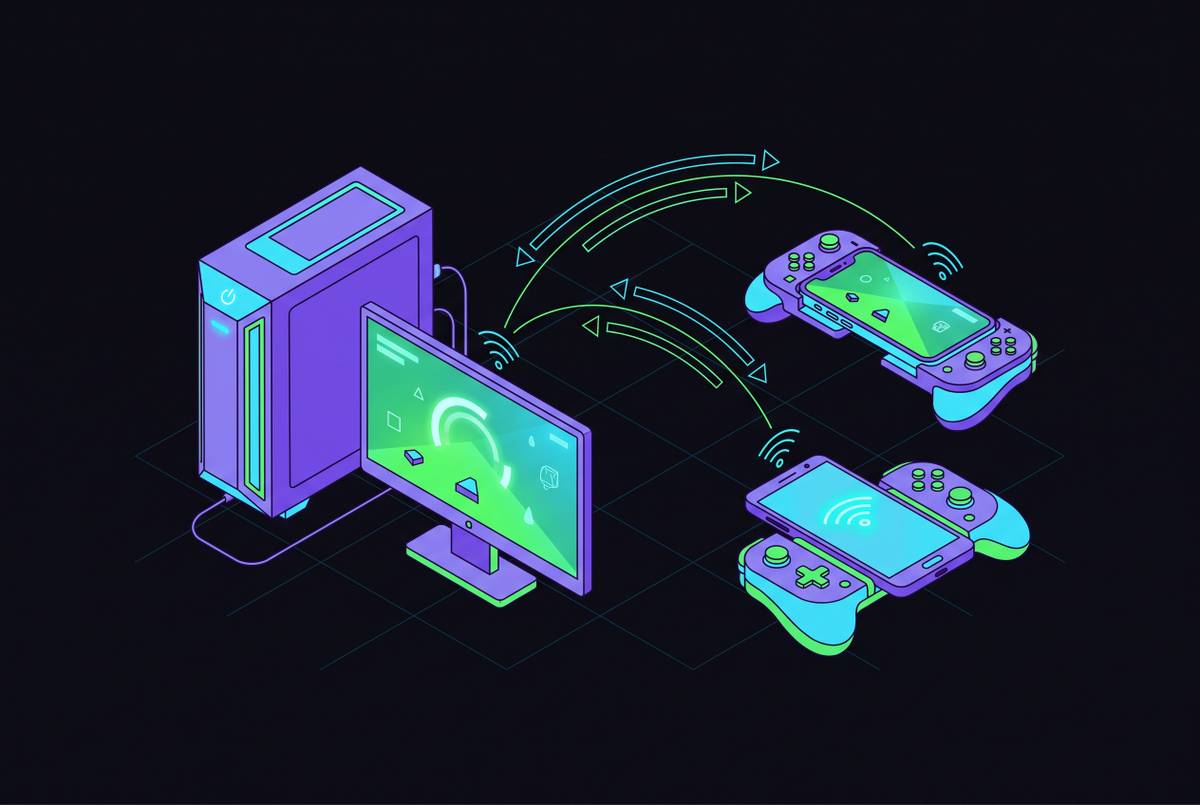
Shadow PC throws out the catalog model. The service rents out a Windows 11 desktop that lives on remote hardware somewhere, and the player installs Steam on it exactly the way they would on a physical tower under a desk. Downloads happen inside that remote machine. Games launch inside that remote machine. The iPhone is just the window looking into it.
That architecture avoids needing publishers to opt in at all by never having one to solve. If a game runs on Windows, it runs on Shadow. Steam, Epic, GOG, Battle.net, Ubisoft Connect, all of it lives on the same remote desktop, because from the game's point of view, it's just Windows doing what Windows always does.
Shadow offers a dedicated iOS app, putting it in a small group of cloud PC services with that kind of direct native access (Microsoft's Windows App covers similar ground for Windows 365 and Azure Virtual Desktop, for anyone curious about the neighboring lane). Pricing per Shadow's US site runs $37.99 a month for the Neo tier and $54.99 for Power, though anyone budgeting for this should check shadow.tech directly, since cloud PC pricing shifts more often than game-streaming subscriptions do.
Data usage is where Shadow asks for a real sacrifice. Streaming a full desktop plus downloading games inside it can run 15 to 25GB an hour at higher bitrates, noticeably heavier than the game-streaming services above. Anyone on a capped mobile data plan should treat that number as a hard wall, not a suggestion. Shadow recommends 25 Mbps at 1080p, 40 Mbps at 4K, and latency under 30 milliseconds, tighter than GeForce NOW's 40-millisecond target, which tracks given how much more data is riding over that same connection.
Setup takes longer too, and there's no shortcut around it. Installing launchers, updating Windows, downloading each game individually inside the remote machine: it's less like subscribing to a streaming service and more like setting up a new PC for the first time, because that's essentially what's happening.
At $37.99 to $54.99 a month with zero games bundled in, Shadow is the priciest option here by a wide margin, and it's the only one that doesn't ask a publisher for permission first. For a library that's large, weird, and scattered across storefronts, that access is worth the extra setup time and the extra charge. For everyone else, paying that much a month buys a level of flexibility that probably never gets used, which is the honest downside nobody selling Shadow subscriptions likes to lead with.
Choosing between the three based on what your library looks like
The decision tree really only has one branch point that matters: does a specific list of owned Steam games need to run, or would a big catalog that probably overlaps with Steam do just as well? Answer that question honestly first, before comparing a single price tag.
If specific titles matter, check GeForce NOW's supported list first. If those games are on it, that's the shortest path from "owns it on Steam" to "playing it on an iPhone," and for most readers, that's where this ends. If catalog breadth outweighs any particular title, and nobody's especially attached to their existing Steam library, Xbox Cloud Gaming at $14.99 a month with 500-plus games is the lower-friction entry point. And if the library in question is large, weird, spread across four different launchers, or full of games neither service happens to support, Shadow PC is the only one of the three built to shrug and run it anyway, at a price that reflects how much more work it's doing under the hood.
Frequency matters almost as much as content. GeForce NOW's day pass, at $3.99 for Performance or $7.99 for Ultimate, fits an occasional player who doesn't want a recurring charge. The 100-hour monthly cap arriving on GeForce NOW in 2026 matters far more for the daily player, since three to four hours a day burns through that allotment before the month is even out. The cap is really a nudge toward the top-up purchase for the heaviest users, the ones NVIDIA already knows aren't going anywhere. It's a nudge toward the top-up purchase for the heaviest users, the ones NVIDIA already knows aren't going anywhere.
Laid out by price, the ladder runs from GeForce NOW's free tier, up to Performance at $9.99, past Xbox Game Pass Ultimate at $14.99, up again to GeForce NOW Ultimate at $19.99, and then a real jump to Shadow's Neo tier at $37.99 and Power tier at $54.99. None of these is universally correct. But the honest read of that ladder is that most people asking "how do I play my Steam library on my phone" should start at GeForce NOW and only look elsewhere after they've hit its ceiling.
The internet connection requirements for any of this to work
Latency runs the show here, not bandwidth. Bandwidth decides how sharp the picture looks, while latency decides whether the game feels alive under a thumb, and a 50 Mbps connection at 15 milliseconds will out-perform a 500 Mbps connection running at 80 milliseconds every time. That gap only widens as sessions get longer and reflexes start to matter more than resolution.
Each service sets its own target. GeForce NOW asks for latency under 40 milliseconds. Shadow PC, carrying a heavier data load and a full desktop's worth of overhead, wants under 30. Xbox Cloud Gaming frames its minimum differently: around 10 Mbps on phones and 20 Mbps on other devices for 1080p streaming.
Speed floors scale with quality. 1080p at 60fps wants roughly 25 Mbps download with latency under 80 milliseconds, though 40 is the number that actually feels comfortable in practice. Push to 1440p at 120fps and that climbs to around 35 Mbps over a stable Wi-Fi 5, 6, or 6E connection, or a solid 5G signal. GeForce NOW's Ultimate tier at 4K and 120fps wants the full 45 Mbps NVIDIA recommends.
5G deserves more credit here than it usually gets. Mid-band 5G commonly delivers 100 to 500 Mbps with latency in the 15 to 30 millisecond range, comfortably clearing the bar for any of these services at 1080p. Cellular data used to be the built-in excuse for skipping cloud gaming. It isn't anymore, assuming the coverage in a given area is decent, which, fair warning, is doing a lot of work in that sentence.
Data caps are the quiet killer. 1080p cloud gaming can consume significant data per hour, and Shadow PC sessions can climb to 15 to 25GB an hour given the extra overhead of streaming a full desktop rather than just a game window. A long session on a capped mobile plan chews through a monthly allowance faster than most people expect, sometimes inside a single weekend. Run a basic speed test on the connection actually used day to day before subscribing to anything. If latency sits north of 80 milliseconds, no tier, no subscription level, and no amount of extra bandwidth fixes how that game feels in the hand.
Why a physical controller changes the experience from functional to good
Touch controls ship with all three services, and all three sets share the same design flaw: they were built with mobile-native games in mind, not the keyboard-and-mouse Steam catalog this entire piece is about. Action-RPGs, shooters, platformers, strategy titles, the genres that make up most of what people actually own on Steam, all get harder, sometimes to the point of unplayable, once an analog stick and a trigger get swapped out for a flat sheet of glass.
A controller that physically clamps onto the iPhone solves the ergonomic half of that problem. Screen and controls become one object, playable on a couch or a train or wherever, without a separate mount or a table to prop the phone against.
What actually matters when picking one out isn't button count. Input latency has to stay as close to zero as the hardware allows, since cloud streaming is already adding its own delay before the controller even enters the picture, whether the connection runs wired through Lightning or USB-C or wireless over Bluetooth. Trigger depth and stick precision matter more than button count for the action and RPG titles that lean hardest on them. Comfort over long stretches counts too, given that paid tiers on these services stretch sessions to six or eight hours, long enough for hand fatigue to turn into an actual, physical complaint rather than a minor gripe. And compatibility isn't universal: not every controller gets recognized by both GeForce NOW and Xbox Cloud Gaming on iPhone, so confirm that before buying, not after the box is already open.
Everything covered up to this point, the right service, the right tier, a connection with latency low enough to matter, gets a game onto the screen. The controller decides whether that game actually feels good once it's there. It's the last variable, and the one most likely to get skipped by anyone in a hurry to get something, anything, working. Skip it anyway and the setup still runs. It just won't feel like much of an upgrade over tapping glass, which was the entire complaint this piece started with.