Which Phone Stands Work Best With a Controller Attached
Clips, desk stands, and foldables each suit a different way of playing.
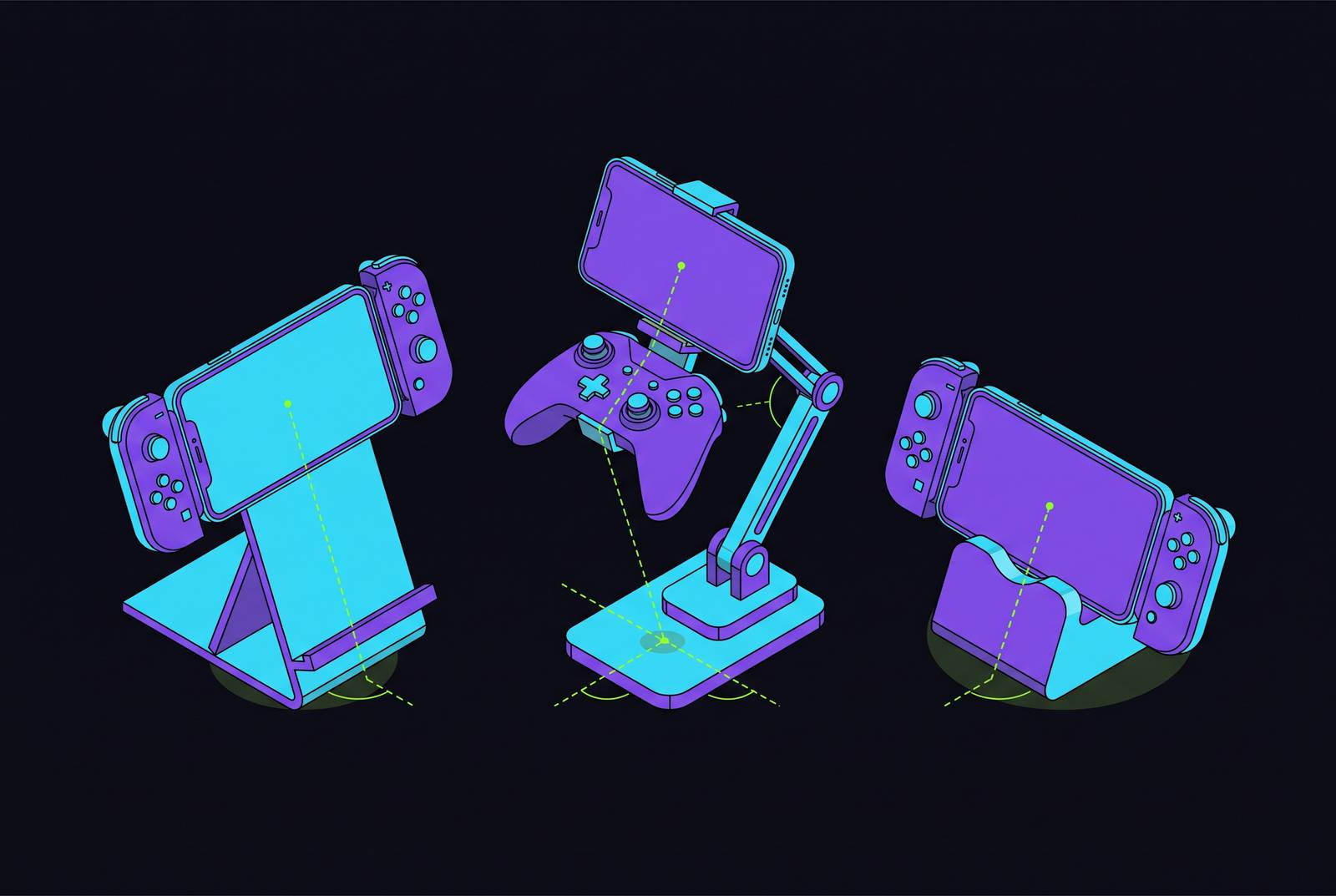
The best phone stand for controller gaming depends on where the phone’s weight goes. A controller-mounted clip suits handheld play, a desk stand removes that weight from your hands for longer sessions, and a foldable stand trades some stability for portability.
Why attaching a controller changes what your phone stand needs to do
Holding a phone above a controller moves the setup’s center of gravity up and out. That makes the setup top-heavy, and your hands hold the weight of both devices the whole time you play. Position counts as much as weight here. How well the mount centers the phone’s mass over the controller body helps decide how comfortable it is to hold after the first hour. A secure clamp can stop the phone from slipping without making the whole assembly pleasant to hold.
On a desk, the stand must keep the screen steady while you tap it, adjust its angle, or reach past it for the controller. A lightweight plastic cradle may hold a bare phone perfectly well when nothing disturbs it, yet wobble or tip during those movements. Static support is only half the job.
The three stand types that actually solve controller-gaming problems, and what each one is for
A clip puts the phone above the controller, creating a single handheld unit that needs no desk. A desk stand holds the phone independently at eye level while the controller stays in your hands. A foldable stand also separates the devices, but uses a light, packable structure suited to travel. Each places the compromise somewhere different.
Clips suit console-style handheld immersion and cloud gaming on the go, provided you can comfortably hold the combined weight. Desk stands suit extended grinding or streaming because the surface supports the phone for you. Foldables suit casual play away from home, where carrying a substantial stand would be impractical. Their portability is useful, but it does not give them the same resistance to vibration or touch as a stand built for a dedicated desk.
Controller-mounted clips: how they work, who they suit, and what the weight trade-off actually costs
A controller clip uses a spring-loaded or geared clamp attached to the top of the controller’s grips. The clamp keeps the phone centered above the face buttons and sticks, so the screen and controls stay together. No separate viewing surface is needed for play. That makes the format appealing when handheld immersion and portability take priority over long-session comfort. The qualification is that both the clip and your wrists must be able to sustain the phone’s weight.
Fit comes before any judgment about comfort. The WEPIGEEK Controller Phone Holder supports Xbox One, Xbox Series X|S, and Xbox Elite controllers, fits phones from 1.56 to 3.55 inches wide, and includes thumb grips. That broad compatibility makes it a sensible option for an Xbox household with controllers from more than one generation. That compatibility lets players choose a mount around the controllers already available and keep using it across controller changes.
The Game Armour Mobile Mount works with a different set of controllers, with swappable adapters for PS5 DualSense and Xbox Series X|S / Elite Series 2. Its clamp opens to 110mm to fit phones with cases on, while a geared spring-tensioned metal mechanism keeps it at the chosen angle without drifting. Every port remains free for charging. That is useful for cloud gaming, which drains batteries fast. Together, these features address distinct questions about controller fit, phone width, angle retention, and access during play.
Compatibility still needs to be read at the model level. The OIVO PS5 DualSense mount does not support the PS5 Edge controller, so owners of that controller have no supported mount to choose from in the product line. “PS5” alone is not a sufficient fit description. Even a mount that fits well can feel uncomfortable to hold when a heavy flagship phone hangs above the controller. Wrists tire sooner than with a lighter phone, so a desk stand with the controller held on its own is a better choice for those who play a lot each day.
An integrated option like the Backbone One, a controller that turns a phone into a handheld console, takes a different approach. The phone slots into the controller body instead of hanging above it, so weight is distributed differently than with an aftermarket clip.
Desk stands paired with a Bluetooth controller: when separating phone from controller solves the weight problem
A desk stand removes the phone’s weight from your hands entirely when you use a separate Bluetooth controller. That is the central ergonomic advantage for long sessions. Your hands still hold the controls, but they no longer support the screen above them. For a player whose biggest complaint is wrist fatigue, this makes a bigger change to how they hold the setup than switching to another clip. The setup requires a surface for the phone.
During play, the phone may be tapped, tilted, or accidentally bumped, so the stand’s base must resist those disturbances. A weighted base helps keep the stand from tipping when you touch the phone or reach past it. This is where a stand earns its place.
Because the screen stays on the desk rather than moving with your hands, the stand needs to match your seated eye line. Otherwise, removing weight from your wrists can leave neck strain unresolved. The Lamicall Cell Phone Stand for Desk stands out for letting you change its height and angle. Those adjustments are useful when you change sitting positions or share the desk with someone of a different height.
More positioning freedom is not always better support. Gooseneck-style holders can place a phone at unconventional angles, including for gaming in bed, but their flexible arms can bounce during touch gameplay. That makes them a better fit for controller-only gaming than for play that mixes touch and controller input. Flexibility has a cost in screen movement. For desk play, an adjustable viewing position is valuable only when the stand can also keep the phone steady through the contact your games require.
Foldable and portable stands: what they deliver and where they fall short for controller gaming
A foldable stand solves the problem of taking support with you. It folds flat, fits in a bag, and sets up quickly, making it genuinely useful in hotel rooms, on a commute, or anywhere a substantial desk stand would be awkward to carry. For casual play away from home, a stand that is easy to pack serves a different need from one that stays in a dedicated gaming corner.
The limitation appears when active play disturbs the setup. A lightweight foldable base offers less resistance to small vibrations and accidental nudges, so it can shift or tip as you lean in to pick up a controller beside it. The stand still occupies the same space in which your hands are moving. That makes a portable model a convenience compromise rather than a substitute for a weighted desk stand during touch-intensive or competitive play.
For cloud gaming or remote play lasting longer than an hour, the comfort advantage of a weighted desk stand outweighs the foldable’s portability advantage. At home, there is little benefit in making the stand easy to transport if it never needs to leave the desk. The practical choice is to bring the foldable when travelling and use the desk stand at home, rather than asking one light structure to serve both roles equally well.
How the gaming service you're using should influence which stand type you pick
Service choice influences controller choice, and the controller determines which clip fits or whether a clip makes sense at all. What do you already play through? That question is more useful than starting with a mount and hoping the rest of the setup will suit it. A stand can support the phone securely while still being the wrong purchase for the controller your service favors.
For PS Remote Play, the DualSense is the natural controller, and PS5-specific clips such as the OIVO mount are designed around it. For Xbox Cloud Gaming, play goes most smoothly with an Xbox-layout controller. The WEPIGEEK holder and Game Armour mount fit the Xbox controllers on their compatibility lists, so players can choose a mount that works with the hardware they already own. The exact controller model remains decisive here. A platform name points toward a family of mounts whose fit varies by controller.
Steam Link and Steam Remote Play leave more room to choose because most controllers work through Steam Input. That reduces the reason to commit to a platform-specific clip solely for the service. Connection type then becomes a separate consideration. Wired USB-C gives the lowest controller latency because it cuts out wireless overhead, so competitive cloud players are drawn to wired clip setups with a cable that runs straight from controller to phone. A desk stand with a separate Bluetooth controller adds wireless latency that most players will not notice, but competitive players consider.
That distinction qualifies the ergonomic benefit of separating the phone’s weight from your hands according to the connection needed for play. Operating-system support adds another constraint to the choice. iOS compatibility is more limited than Android compatibility, with some controllers only partially supported on iOS. So the service and controller used together affect how well a clip with an included cable works as advertised, even when the parts seem to fit.
The one decision that makes all the others easier: matching stand type to your actual gaming context
For console-style handheld gaming and cloud play on the go, the clip is the relevant category, preferably with a metal grip and enough opening width for the phone in its case. For long desk sessions, streaming, or ranked play at a desk, a weighted aluminum stand with the controller held separately is the stronger ergonomic choice, subject to the connection trade-off. Travel and casual play away from home call for a foldable. These are different jobs.
An integrated controller can make an aftermarket clip unnecessary because the phone already sits within the handheld assembly. Whether the controller has wireless support then decides whether it can be held on its own while the phone rests on a surface. Once the playing context is clear, the next question is which controller supports it, and what that choice allows across handheld play, a desk setup, and gaming away from home.